Hermes Agent Custom Endpoint: Custom Provider and Change Model
To use any model in Hermes Agent, run hermes model in a terminal, choose the custom endpoint option, and enter the MixRoute base URL https://api.mixroute.ai/v1, your MixRoute API key, and a model ID such as claude-sonnet-5-5. Hermes saves this as a custom provider in ~/.hermes/config.yaml, so you can also write it by hand. To change the model later, run hermes model again or type /model inside a chat. Hermes needs a model with at least a 64K token context window, and every model in this guide lists 1M or more. The steps follow the Hermes docs for v0.22.2, released October 15, 2026.
Hermes is built model agnostic. Feeding it any model is the work.
Hermes will take any model, but each provider you add brings its own login, key and bill. Hermes Agent from Nous Research promises no lock in and a one-command switch. It runs in your terminal, executes real commands, reads and writes files, remembers across sessions, and can run unattended on a $5 VPS.
Say you want a frontier model for hard problems, an open model for routine work, and whatever launched last week for testing. That is three signups, three keys and three invoices before the agent runs its first command.
Two more things bite with Hermes. It needs a model with at least a 64K token context window, so you cannot grab just anything. And because it runs autonomously, a provider outage does not pause a chat. It ends a working job halfway through.
What the Hermes Agent custom endpoint does
The custom endpoint is a provider slot that takes any OpenAI-compatible API, with no code or plugins. You give Hermes a base URL, a key and a model name, and it sends every request there. The wizard calls it a custom endpoint and config.yaml calls it provider: custom, so custom endpoint and custom provider mean the same setup in this guide.
That slot fits a gateway. Instead of one provider per model lineup, you point it at one API that exposes many models, so one key and one balance cover them all.
MixRoute is that API: one OpenAI-compatible endpoint for 250+ models, including GPT, Claude, Gemini, DeepSeek and open models such as Kimi. Set it as your custom endpoint and Hermes reaches all of them. You top up with a card (Visa, Mastercard or JCB) or with USDT or USDC, and credits never expire.
The four Hermes API modes, and which to pick
For MixRoute, leave the API mode on Auto-detect. During setup Hermes asks which of four modes to use, and this table is the map.
| Mode | Endpoint it uses | When to pick it |
|---|---|---|
| Auto-detect | Chooses from the URL | The default. Best for standard OpenAI compatible endpoints like MixRoute |
| Chat Completions | /chat/completions | Force standard OpenAI style chat when auto-detect guesses wrong |
| Responses / Codex | /responses | Codex style tool calling backends |
| Anthropic Messages | /v1/messages | Native Anthropic style endpoints |
The MixRoute base URL ends in /v1 and behaves like a standard OpenAI-compatible server, which is what Auto-detect is built for. Every model page used in this guide lists Chat Completions, so the choice keeps working when you swap between vendors. Switch modes only if you point Hermes at a native port that needs a specific message format. The wizard stores your pick as api_mode in the model block of config.yaml, or as transport for a named provider.
How to connect Hermes Agent to MixRoute
Connecting takes one pass through the hermes model wizard: a base URL, a key and a model ID.
Before you start
- A MixRoute API key from the MixRoute console. The model pages say new users get $5 in free credits.
- The MixRoute base URL:
https://api.mixroute.ai/v1. The/v1suffix is required. - A model ID with a 64K context window or larger. The next section lists seven, and the MixRoute model catalog shows the context size of each.
If you need the setup prerequisites first, see Hermes Agent beginner setup guide.
Step 1: Install Hermes Agent
On Linux, macOS or WSL2, run the official installer, then reload your shell.
curl -fsSL https://hermes-agent.nousresearch.com/install.sh | bash
source ~/.bashrc   # zsh users: source ~/.zshrc
Windows runs Hermes natively, and no admin rights are needed. In PowerShell, run the command below, then open a new terminal so the PATH change takes effect. Hermes also offers a Desktop installer for macOS and Windows, and WSL2 still works if you prefer a Linux shell.
iex (irm https://hermes-agent.nousresearch.com/install.ps1)
Run hermes doctor to check the install. It reports what is missing and how to fix it.
Step 2: Open the provider menu
Start the configuration wizard from a terminal, outside any chat session:
hermes model
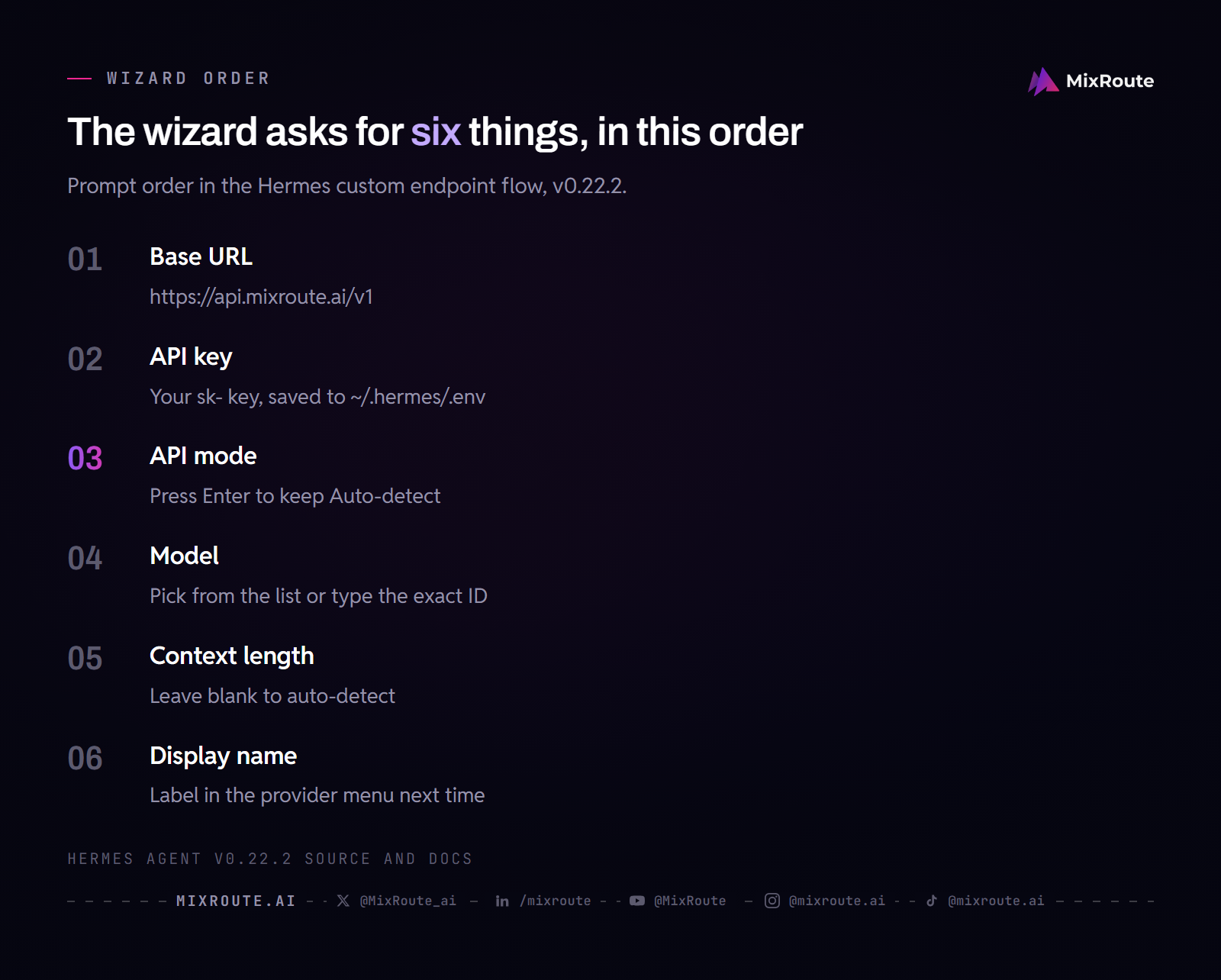
Use the arrow keys to select the custom endpoint option and press Enter. Its label changes a little between Hermes versions. Running hermes model again later overwrites the current setup, so this is also how you change models or keys.
Step 3: Enter the base URL and key
- API base URL:
https://api.mixroute.ai/v1 - API key: your
sk-...key from the console
Hermes saves the key to ~/.hermes/.env and writes only a ${VAR} reference into config.yaml, so the key itself never sits in the YAML file. It then probes the endpoint. Treat the key as an operational credential; use AI API key management for rotation, scope, storage, and incident response.
Step 4: Leave the API mode on Auto-detect
Next Hermes asks you to select an API compatibility mode. Press Enter to keep Auto-detect, which is built for standard OpenAI-compatible endpoints like MixRoute.
Step 5: Pick the model and finish the prompts
If the probe returns a model list, Hermes shows it and you pick by number or type a name. Type the exact model ID, for example claude-sonnet-5-5. A wrong ID returns a “model not found” error.
Two prompts follow. Leave the context length blank and Hermes detects the window, or falls back to a default if it cannot. The display name is the label the entry gets in the provider menu next time.
Step 6: Start Hermes and test
Launch the agent:
hermes
Or the terminal UI, which the Hermes docs now recommend:
hermes --tui
Send a test message like “what day is it today?” If the model answers, the integration is live. The messaging gateway, skills, scheduled tasks and background service all call your chosen model through MixRoute, so you do not configure a provider again per feature. Side tasks such as vision and context compression also default to the main model. The hermes model menu has a “Configure auxiliary models…” entry if you want to give them their own.
Before you hand the agent unattended work, check what Hermes resolved. hermes config get model --json prints the model entry the CLI will use right now, hermes config show lists the current values, and hermes status reports agent, auth and platform status. In a correct setup the model entry carries provider: custom and the MixRoute base URL https://api.mixroute.ai/v1 you entered.
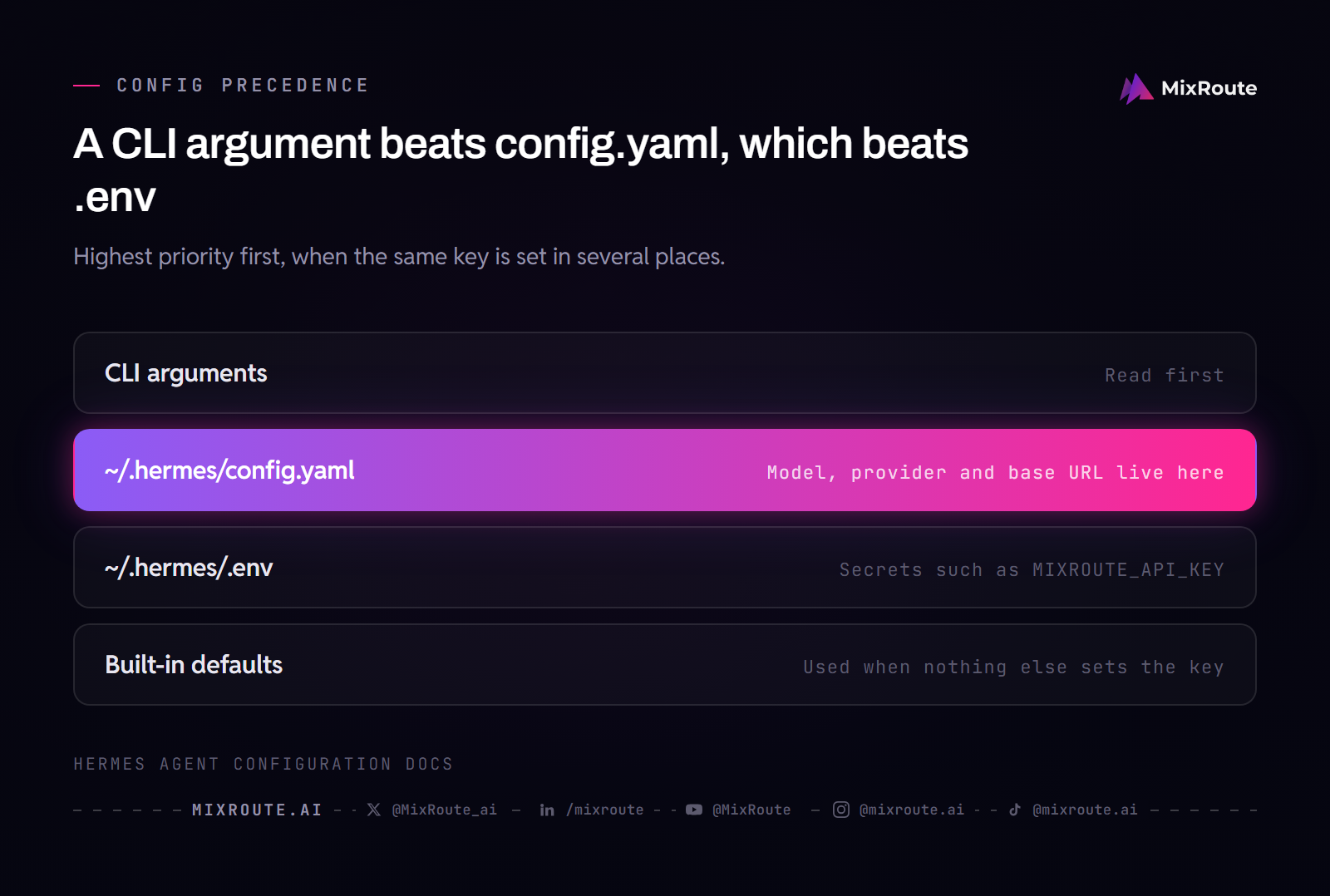
When more than one layer sets the same key, Hermes resolves CLI arguments first, then ~/.hermes/config.yaml, then ~/.hermes/.env, then built-in defaults. Secrets belong in .env.
Model IDs to enter for Hermes through MixRoute
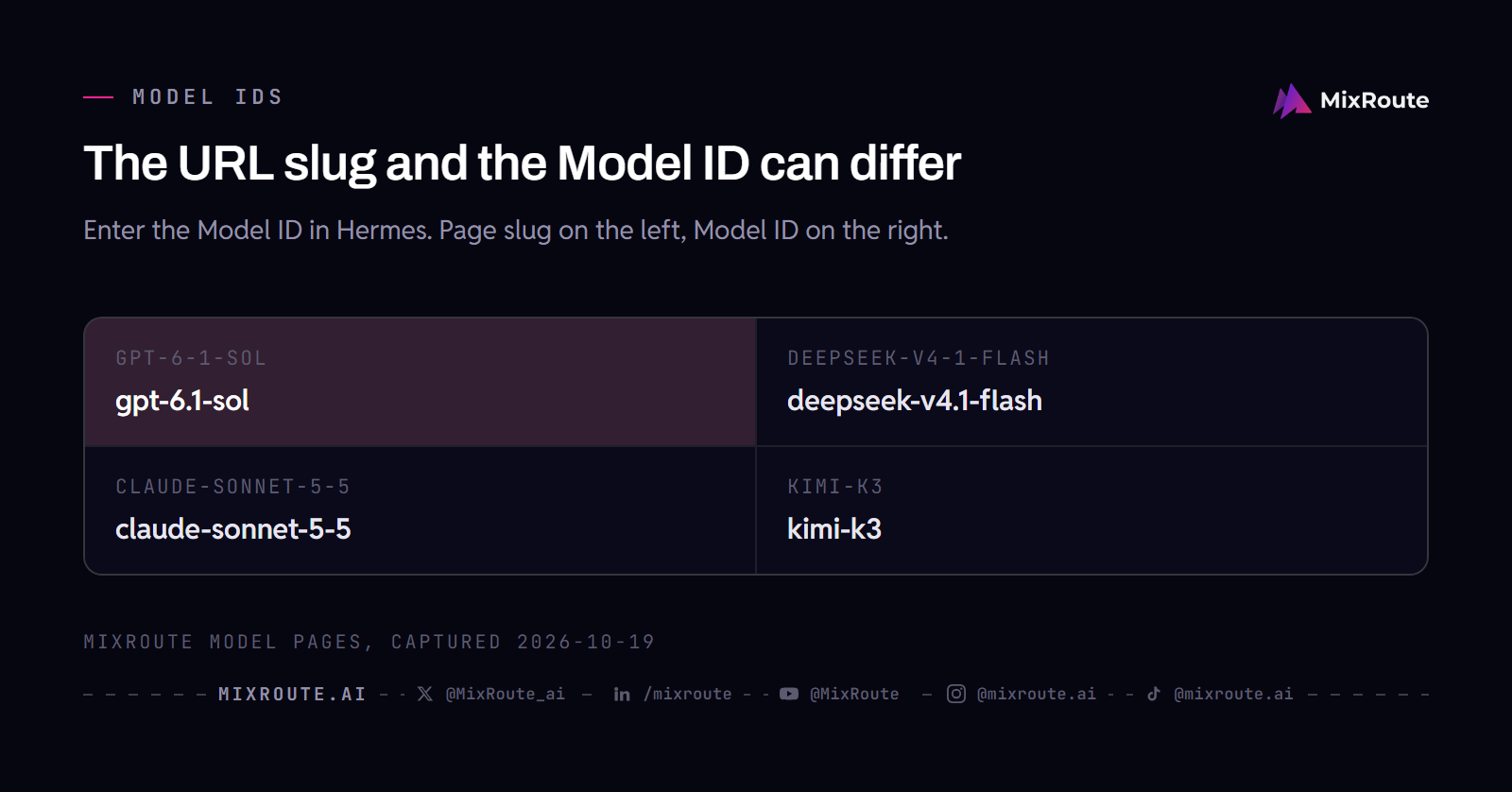
Start with claude-sonnet-5-5, then swap in any other model in the table by changing the model ID. The model field must match the Model ID on that model’s MixRoute page exactly, and the ID is not always the URL slug. The page for gpt-6.1-sol lives at /models/gpt-6-1-sol/, and deepseek-v4.1-flash at /models/deepseek-v4-1-flash/. The URL turns dots into hyphens and the ID keeps them. Type the slug into Hermes and you get “model not found”.
| Model ID | Context | Price per 1M tokens (input / output) | Tool calling | The page describes it for |
|---|---|---|---|---|
claude-sonnet-5-5 | 1M | $2 / $10 | Yes | Well-scoped coding and everyday knowledge work |
claude-opus-5-5 | 1M | $4 / $20 | Yes | Demanding reasoning, coding and long-horizon agentic work |
claude-haiku-5-5 | 1M | $0.10 / $0.50 (prompts up to 100K) | Yes | High-volume, latency-sensitive classification, extraction and focused subagent work |
gpt-6.1-sol | 1.05M | $2 / $10 (prompts up to 272K) | Yes | Agentic coding, computer use and multi-step workflow automation |
gpt-6-luna | 1.05M | $0.10 / $0.50 (prompts up to 272K) | Yes | The fast, cost-efficient model in OpenAI’s GPT-6 series |
kimi-k3 | 1M | $3 / $15 | Yes | Complex reasoning and agentic workflows |
deepseek-v4.1-flash | 1M | $0.30 / $1.20 | Yes | Coding and terminal agents, long-horizon tasks |
Prices are as listed on each MixRoute model page on October 19, 2026. All seven sit far above the Hermes 64K minimum, and each page lists tool calling, which an agent that runs commands depends on.
An agent loop sends the same system prompt and tool definitions on every call, and MixRoute bills a repeated prefix at the cache-read rate when prompt caching applies. On deepseek-v4.1-flash, for example, that rate is $0.006 per 1M tokens against $0.30 for fresh input. For a long Hermes session, compare the cache-read prices, not only the headline input price.
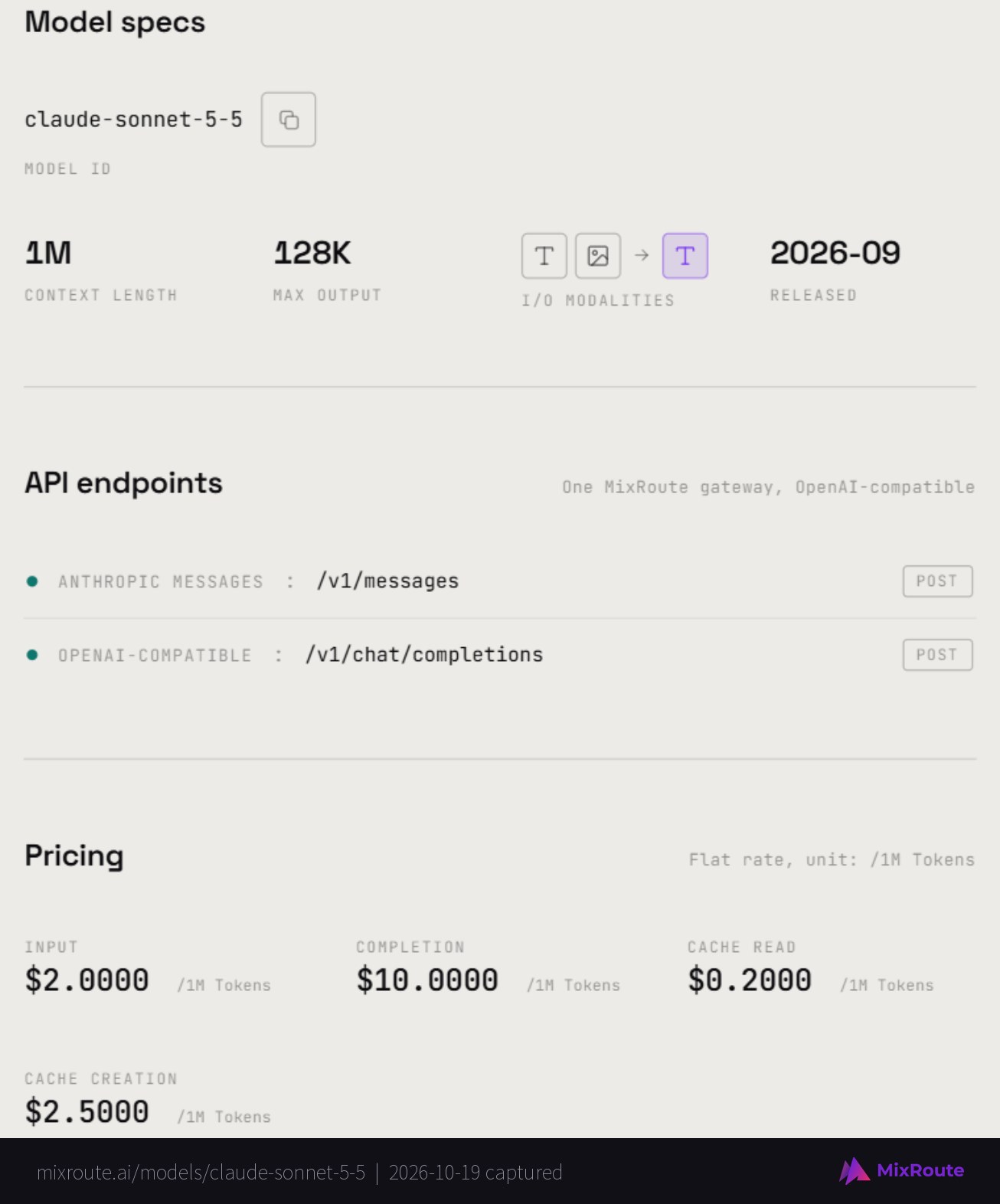
The model catalog lists every ID with its context window and price, and pricing covers top-up tiers.
Set up a Hermes custom provider by hand in config.yaml
You can skip the wizard: a custom provider is a few lines in ~/.hermes/config.yaml plus the key in ~/.hermes/.env. Put the key in .env first.
# ~/.hermes/.env
MIXROUTE_API_KEY=sk-...
Then add the model block:
# ~/.hermes/config.yaml
model:
  default: claude-sonnet-5-5
  provider: custom
  base_url: https://api.mixroute.ai/v1
  key_env: MIXROUTE_API_KEY
key_env names the environment variable that holds the key. You can use api_key instead, set to the key or to a "${MIXROUTE_API_KEY}" reference. Older guides set LLM_MODEL in .env, but Hermes removed it, and config.yaml is now the source of truth for the model and endpoint. OPENAI_BASE_URL is honored only for the OpenAI provider, so setting it will not point Hermes at MixRoute.
Keep more than one custom provider
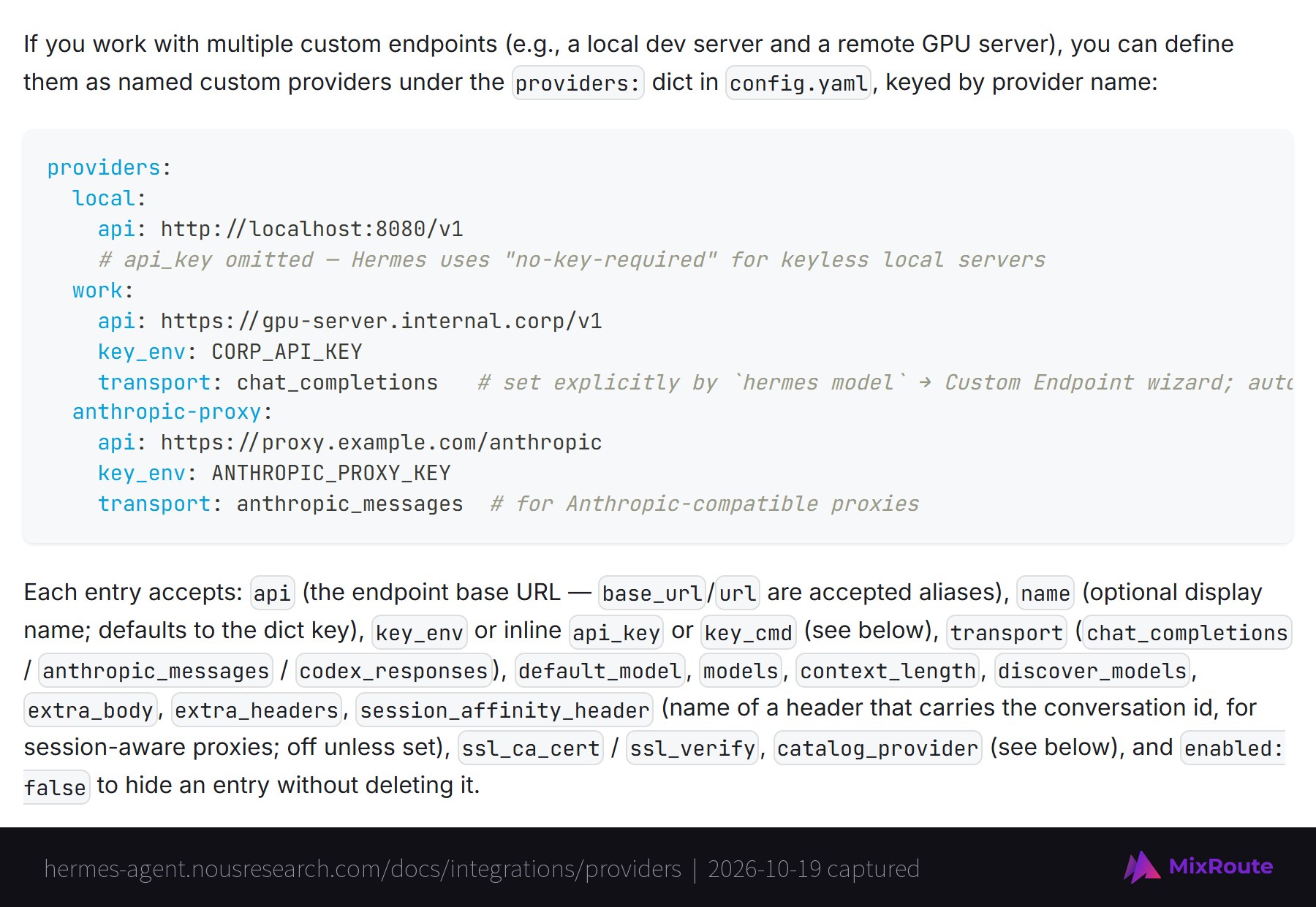
Hermes holds several custom providers at once under a top-level providers: dictionary, keyed by name. You might keep MixRoute next to a local model server for private work.
providers:
  mixroute:
    api: https://api.mixroute.ai/v1
    key_env: MIXROUTE_API_KEY
    transport: chat_completions
    default_model: claude-sonnet-5-5
Switch to a named provider inside a chat with the triple syntax, /model custom:mixroute:claude-opus-5-5, or pick it from the hermes model menu. Each entry also accepts models and context_length. If Hermes reads a model’s window wrong, pin the right value there.
Switching models and keeping the agent alive
To change the model in Hermes Agent, run hermes model for a lasting change or type /model inside a chat to switch among models you have already set up. You can also set the default straight from the shell with hermes config set model.default <id>, or press Change on the Main model row of the dashboard’s Models page. After you save a new model, hermes model offers a reasoning-effort step.
hermes model is the full setup wizard. It adds providers, takes keys and picks a model, so run it in a terminal outside any chat. /model only switches among providers and models you have already configured, so it cannot add a key. To add a new provider, exit the session, run hermes model, then start a new session.
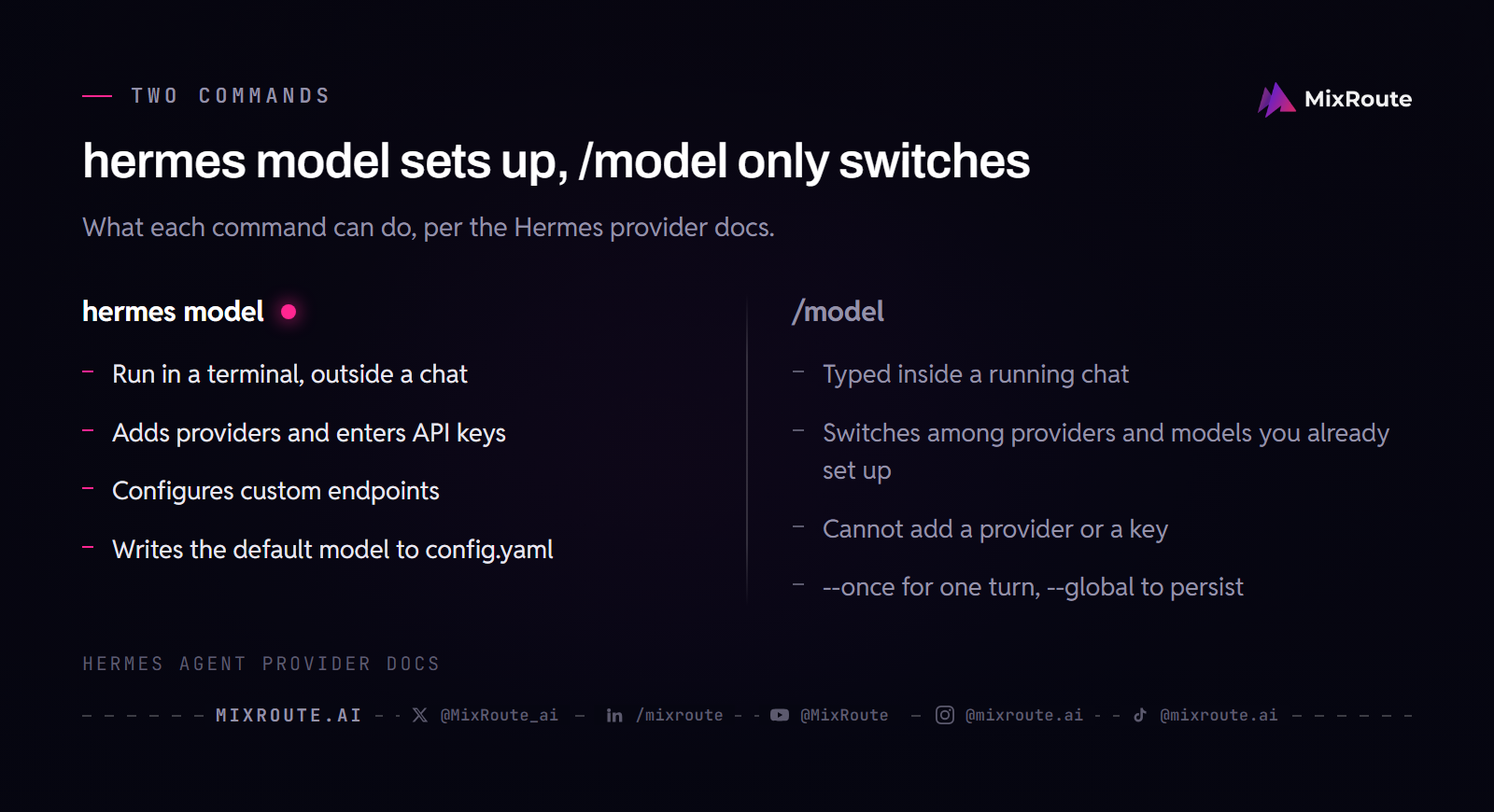
With MixRoute behind the endpoint, switching vendors is only a different model ID, because the base URL and key stay the same. Run a cheap fast model for routine terminal work and jump to a stronger one for hard reasoning, without a new account. Inside a chat, these forms switch the model:
/model custom:claude-haiku-5-5
/model custom:mixroute:claude-opus-5-5
Add --once to use a model for a single turn, or --global to also write it to config.yaml. A bare /model custom auto-selects a model only when the endpoint reports exactly one, so with MixRoute, name the model. A one-turn switch also breaks the provider’s prompt-cache prefix twice, so a quick side question inside a long, expensive session can cost more than it saves.
Give the endpoint a short alias
A named alias lets /model fast select the endpoint and model without another pass through the wizard. Add it under model_aliases in ~/.hermes/config.yaml:
model_aliases:
  fast:
    model: claude-haiku-5-5
    provider: custom
    base_url: "https://api.mixroute.ai/v1"
    key_env: MIXROUTE_API_KEY
Use key_env for the variable name, or api_key for a "${MIXROUTE_API_KEY}" reference. When both are set, api_key wins. The shorter hermes config set model.aliases.<name> provider/model form also works, but it cannot carry a custom base_url. The key goes only to the alias’s own base_url. An alias that sets neither key field resolves its key from the alias host and never inherits the previous provider’s key, so reference the secret from ~/.hermes/.env instead of hardcoding it.
Add a fallback for unattended runs
Hermes can switch to a backup model on its own when the main one fails, which matters for scheduled jobs that run while you sleep. Run hermes fallback to manage the chain (add, list, remove, clear), or write the list in config.yaml. An entry on the MixRoute endpoint can name a different model on the same base URL:
fallback_providers:
  - provider: custom
    model: claude-haiku-5-5
    base_url: https://api.mixroute.ai/v1
    key_env: MIXROUTE_API_KEY
The fallback starts after a 429 or a 5xx error that survives the retries, and immediately on a 401, 403 or 404, or when responses keep coming back malformed or empty. A rate limit on one model then does not stop the job. A rejected key stops every entry that shares it, so an entry that must survive a bad key needs a different one.
Once the single-agent setup works, see Hermes Agent multi-agent profiles.
If the decision is between the two agents, compare Hermes Agent vs OpenClaw for personal and unattended workflows.
Troubleshooting the Hermes Agent MixRoute connection
Check the base URL first, then the model ID, then the key; each one fails with its own symptom below.
- Empty response or an error. Check the base URL ends with
/v1. - Model not found. The model name does not match the MixRoute model ID exactly. The usual cause is typing the URL slug, such as
gpt-6-1-sol, instead of the Model ID,gpt-6.1-sol. Copy the ID from the model’s page. - Invalid API key. Generate a fresh key in the console, then run
hermes modelagain and enter the new key. Also look in~/.hermes/.envfor older entries that conflict. - Context insufficient errors. Your model’s context window is under Hermes’s 64K minimum. Switch to a larger context model.
- Hermes shows a smaller window than the model has. The endpoint did not report one, so Hermes used its default. Set
model.context_lengthin config.yaml to the value on the model page. - A long reply times out. Hermes waits 120 seconds for the next chunk from a remote provider by default. Set
HERMES_STREAM_READ_TIMEOUTto raise it. - Cannot find the config menu. Run
hermes modelin the terminal.
FAQ
What is the best model provider for Hermes Agent? There is no single best provider, because Hermes accepts any OpenAI-compatible API and the real choice is which models you want behind one key. MixRoute puts 250+ models behind one base URL and key, and the model ID in config.yaml decides which one answers. Whatever you pick, confirm it supports tool calling and has at least 64K context. The MixRoute model pages list both.
What context window does Hermes Agent need? At least 64K tokens, and Hermes rejects a smaller model at startup. Every model in the table above lists 1M or more, so the limit mostly matters for small local models. If Hermes cannot detect a window from the endpoint, it uses a default, and you can pin the real value with context_length in config.yaml.
Can I switch models in Hermes without reinstalling? Yes. Run hermes model in a terminal for a lasting change, or type /model in a chat to switch among providers and models you have already set up. Nothing needs reinstalling. With MixRoute as the endpoint, changing models means changing the model ID, because the base URL and key stay the same.
Which API mode should I use with MixRoute? Auto-detect. MixRoute is a standard OpenAI compatible endpoint ending in /v1, which is what Auto-detect targets. If it guesses wrong, set Chat Completions, since every model page in this guide lists that endpoint. Change modes only for native ports that need a specific message format.
Does Hermes Agent run on Windows? Yes. Hermes runs natively on Windows 10 and 11. In PowerShell, run iex (irm https://hermes-agent.nousresearch.com/install.ps1), then open a new terminal so the PATH update applies. A Hermes Desktop installer exists for macOS and Windows, and WSL2 works if you prefer a Linux environment.
Can I pay for Hermes Agent’s model usage with crypto? Yes. MixRoute’s self-serve tiers accept USDT and USDC as well as Visa, Mastercard and JCB cards, and credits never expire. You fund one balance that covers every model Hermes calls through the endpoint.
What is the difference between hermes model and /model? hermes model is the setup wizard you run in a terminal. It adds providers, enters keys and sets the default model. /model runs inside a chat and only switches among providers and models you have already configured. If a key or provider is missing, /model cannot fix it, so exit the session and run hermes model.
Can I keep more than one custom provider in Hermes? Yes. Define each one under the providers: dictionary in config.yaml, with its own api URL and key_env, then switch with /model custom:<name>:<model>. The hermes model menu lists named providers too. A common pairing is MixRoute for hosted models and a local server for private work.
Does Hermes Agent have its own API? Yes, and it is a different thing from the model API this guide connects. Hermes can expose itself as an OpenAI-compatible server: set API_SERVER_ENABLED=true and API_SERVER_KEY in ~/.hermes/.env, run hermes gateway, and point a client at http://127.0.0.1:8642/v1 with the model name hermes-agent. That server still needs a model provider behind it, and MixRoute is the model API Hermes calls.
The bottom line
Run hermes model, enter https://api.mixroute.ai/v1, your key and claude-sonnet-5-5, and Hermes is live. Every later change of model is a different ID on the same endpoint. Check IDs, context windows and prices in the model catalog before you pick one, and see pricing before you top up. Start building on MixRoute