How to Pay for AI APIs With PYUSD (PayPal USD)
You can pay for AI API credits with PYUSD by depositing it into a MixRoute balance on Ethereum or Solana, then calling GPT, Claude, Gemini and 250+ other models with one OpenAI-compatible API key. Solana is the cheaper network unless your PYUSD already sits on Ethereum. OpenAI sets its billing methods in its own platform account, so a gateway is the route that takes PayPal’s stablecoin. Deposit on the network your PYUSD is on, wait for the balance to update, and call the API.
Quick answer
Fund MixRoute with PYUSD, get one API key, and reach 250+ models through a single endpoint. You do not need a credit card to sign up. PYUSD runs on two networks here, Ethereum and Solana, and Solana is the better choice unless your funds are already on Ethereum.
What PYUSD actually is, and who stands behind it
PayPal USD is a stablecoin that PayPal sells and Paxos issues. PayPal supplies the brand and the wallet, and Paxos Trust Company, LLC issues the token.
What backs it. PayPal’s PYUSD page says each token is redeemable 1:1 for US dollars and backed by US dollar deposits, US treasuries and similar cash equivalents. Paxos reports the reserve portfolio monthly, and an independent accounting firm issues monthly attestation reports. Both are published on Paxos’ PayPal USD Transparency page.
Where it came from. PayPal announced PYUSD on August 7, 2023 as an Ethereum token issued by Paxos, a limited purpose trust company overseen by the New York State Department of Financial Services. PayPal’s current page lists Ethereum, Solana "and more", and says PYUSD can move on and off PayPal to Venmo, other crypto wallets and exchanges.
For funding an API balance none of that changes the mechanics. It matters if you are choosing a stablecoin partly on who issues it and how the reserves are reported.
Two networks, and the trap that comes with it
MixRoute accepts PYUSD on Ethereum and Solana. That is the full list.
PayPal says PYUSD moves across "Ethereum, Solana and more", so it is possible to hold genuine PYUSD on a chain MixRoute does not take. Say you withdraw PYUSD from an exchange and the withdrawal form defaults to a third network: the transfer would go through on that chain, and the deposit address here would not see it.
Check which chain your PYUSD is on before you send. If it is on Ethereum or Solana, you are fine. If it is somewhere else, move it to one of those two first. A transfer on an unsupported network usually means the funds are gone. The deposit screen lists the networks that are live, so confirm there.
Ethereum or Solana
Solana is the right choice for most deposits, and Ethereum is for PYUSD that already sits on mainnet.
| Network | Token standard | Transfer cost | Use it when |
|---|---|---|---|
| Solana | SPL token | Lower than Ethereum | Almost every deposit |
| Ethereum | ERC-20 token | Highest of the two | Your PYUSD already sits on mainnet |
Solana is the recommendation. PayPal itself names Solana as a low-cost network for moving PYUSD to a crypto wallet, and Ethereum transfers cost more.
Ethereum makes sense in one case: your PYUSD is already on mainnet and moving it would cost more than sending directly. Ethereum gas is charged per transaction rather than per dollar moved, so it does not shrink with the size of your transfer. On a small deposit it can eat a meaningful percentage.
Your wallet handles the difference between the two token standards. It is also why the two networks have separate deposit addresses that are not interchangeable.
How to pay for AI APIs with PYUSD, step by step
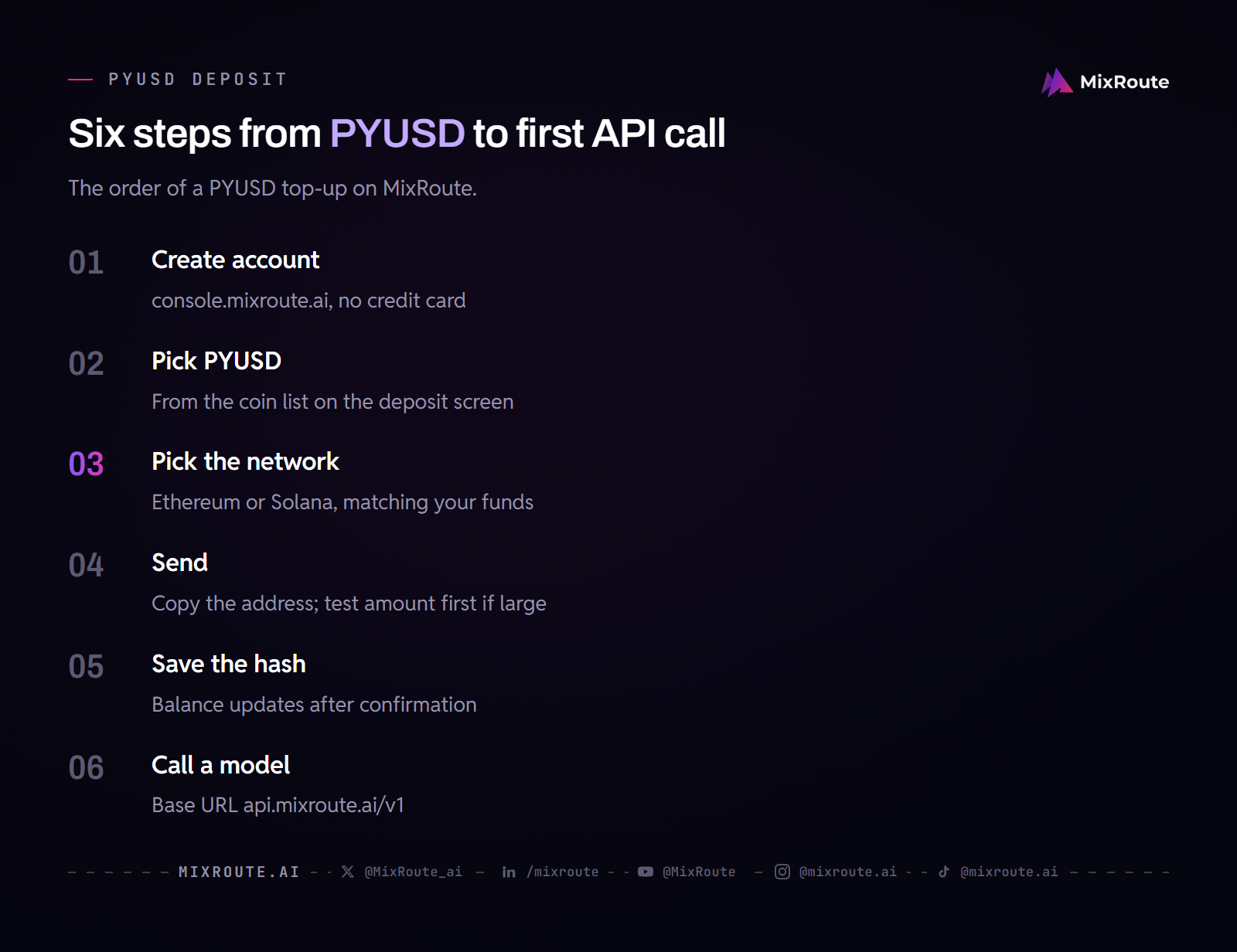
Step 1: Create your account
Sign up at console.mixroute.ai with an email address. You do not need a credit card, and you get one API key for every model.
Step 2: Select PYUSD on the deposit screen
Start a top-up, then choose PYUSD (PayPal USD) from the coin list. The network selection appears next, showing Ethereum and Solana.
Step 3: Select your network
The deposit address is specific to the network you choose. PYUSD on Solana and PYUSD on Ethereum use different addresses on different chains.
Match the network to where your PYUSD actually sits. If you are withdrawing from PayPal, Venmo or an exchange, the network you select there must match the one you select here.
Step 4: Send to the deposit address
Copy the address instead of typing it. On a first or large deposit, send a small test amount, confirm it credits, then send the rest.
Step 5: Save the transaction hash and wait
Your wallet gives you a transaction hash when the transfer broadcasts. Save it. The balance updates once the network confirms the transfer, and until then the hash is your receipt and what support needs to trace the transfer.
Step 6: Generate your API key and make a call
Create a key in the console and copy it once. Store it in an environment variable, never in client-side code, and never commit it to a repository.
from openai import OpenAI

client = OpenAI(
    base_url="https://api.mixroute.ai/v1",
    api_key="YOUR_MIXROUTE_KEY",
)

response = client.chat.completions.create(
    model="claude-sonnet-5-5",
    messages=[{"role": "user", "content": "Say hello in one sentence."}],
)

print(response.choices[0].message.content)
The base URL ends in /v1, which is the path the OpenAI SDK expects. Switching models is a one-string change: use gpt-6.1-sol for GPT-6.1 Sol with the same key and base URL. The model ID is not always the page slug, so copy it from the model page.
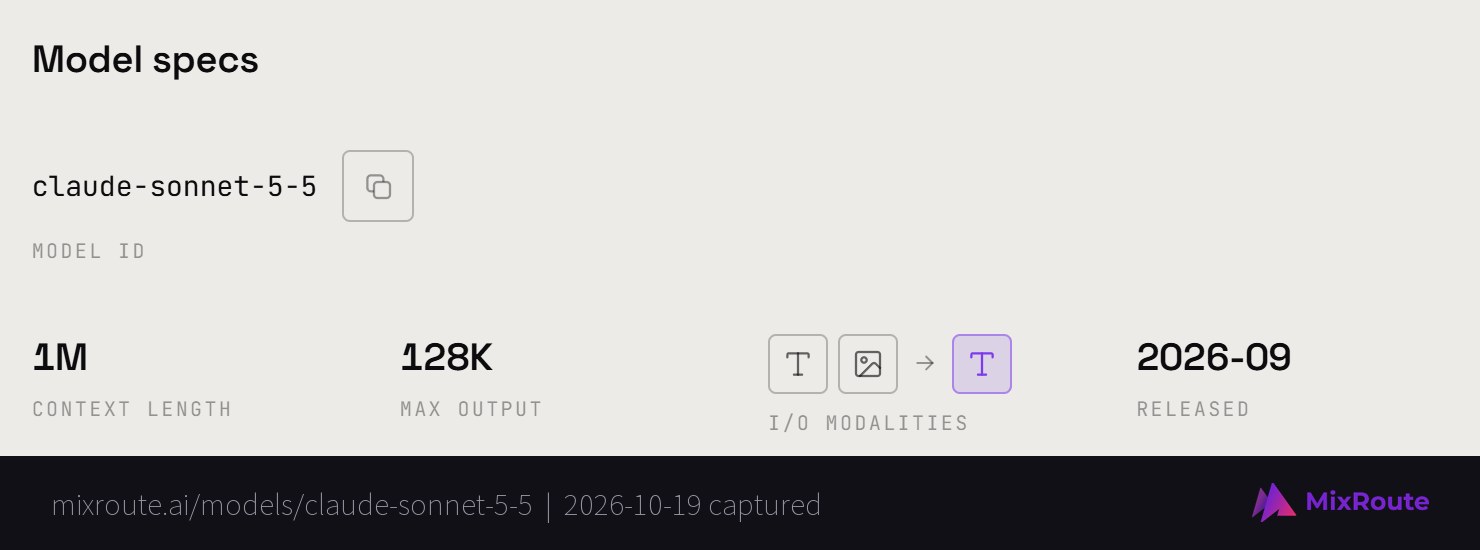
Each request is deducted from the balance right after it completes, with no minimum spend. Usage logs in the console show every request.
Moving PYUSD out of PayPal to a MixRoute deposit address
If your PYUSD sits in PayPal, you send it from PayPal to the MixRoute deposit address as a transfer to an external crypto wallet. PayPal’s PYUSD page describes transfers to crypto wallets on networks like Solana, and says you need a PayPal account with identity verification and crypto opted in to buy PYUSD there.
Pick Solana or Ethereum on the PayPal transfer screen to match the network you chose on the MixRoute deposit screen, then paste the copied address. PayPal says PYUSD is available in eligible markets, so check your PayPal app to see whether it is offered in your country.
If your PYUSD deposit does not arrive
Check the transaction first. Paste your transaction hash into Solscan for Solana or Etherscan for Ethereum. If it shows as pending, wait for confirmation. If it shows as confirmed and the funds reached the deposit address, write to service@mixroute.ai with the hash.
If you sent on a network other than Ethereum or Solana, that is the likely cause, since PYUSD also exists on chains beyond the two accepted here. Funds sent on an unsupported chain are usually unrecoverable. Contact support with the hash anyway.
The USDT deposit guide has a fuller troubleshooting walkthrough that applies to stablecoin deposits in general.
PYUSD, USDC, or USDT
All three are dollar stablecoins that MixRoute takes, and the practical difference is network coverage.
PYUSD has the narrowest coverage here, two networks. Its advantage is that it is easy to get if you already use PayPal, where PayPal’s page says buying it with USD carries no fee. If PYUSD is what you hold, it works, and Solana keeps the transfer cheap.
USDC sits in the middle at four networks: Ethereum, Arbitrum One, Polygon and Solana. It is not available on Tron or TON.
USDT has the widest coverage at six networks, including Tron and TON, so it gives the most choice of transfer cost.
The practical rule. Use whichever you already hold, since converting between stablecoins costs a swap fee and achieves very little. If you are choosing from scratch, USDT gives the most routes. If you came through PayPal, PYUSD on Solana is a good fit.
Other ways to pay
MixRoute also accepts:
- USDT on Ethereum, Arbitrum One, Polygon, Solana, TON Network, and Tron
- USDC on Ethereum, Arbitrum One, Polygon, and Solana
- BTC on the native Bitcoin network, with Lightning support for smaller deposits
- ETH on Ethereum mainnet
- Cards via Visa, Mastercard, and JCB
The full crypto payment guide covers every coin with its supported networks.
How the options compare
Anthropic and Google do not list crypto in their billing, so a stablecoin holder has no direct route there. MixRoute is the one that lists PYUSD (checked 2026-10-19).
| Option | Crypto listed | Sign-up | Platform fee on top-up | Models on one key |
|---|---|---|---|---|
| Anthropic direct | No | Console account, prepaid credits or invoicing through Sales | Not applicable | One provider |
| Google (Gemini API) direct | No | Google billing account with a payment method on file | Not applicable | One provider |
| MixRoute | Yes, PYUSD on two networks | No credit card needed | 0% | 250+ |
MixRoute bills at each provider’s official price with 0% markup and credits never expire. The model catalog lists every model ID.
FAQ
Can I pay for AI API access with PYUSD?
Yes, through a gateway that takes PYUSD deposits. On MixRoute, PYUSD is accepted on Ethereum and Solana and becomes API credit you can spend across 250+ models with one key. Anthropic and Google do not list crypto in their billing, so a stablecoin holder has no direct route there.
Which networks does MixRoute support for PYUSD?
Two: Ethereum and Solana. Solana is the cheaper of the two for transfer fees, so use it unless your PYUSD already sits on Ethereum. PayPal’s PYUSD page also mentions “Ethereum, Solana and more”, so confirm which network your PYUSD is on before sending.
Can I pay for the OpenAI API with PayPal?
Check the payment methods on OpenAI’s own billing page, since MixRoute cannot speak for them. The route that works with PYUSD is a gateway: fund a MixRoute balance with PYUSD and call GPT models such as gpt-6.1-sol through one OpenAI-compatible endpoint, without adding a card to OpenAI.
Who actually issues PYUSD?
Paxos Trust Company issues PYUSD, and PayPal provides the brand and the wallet. PayPal’s PYUSD page says it is redeemable 1:1 for US dollars and backed by US dollar deposits, US treasuries and similar cash equivalents. Paxos reports the reserves monthly, and an independent accounting firm issues monthly attestation reports.
Should I use Ethereum or Solana for PYUSD?
Solana, unless your PYUSD already sits on Ethereum. Ethereum gas is charged per transaction rather than per dollar moved, so it does not shrink with transfer size and hurts most on smaller deposits. PayPal describes Solana as one of the low-cost networks for transferring PYUSD to a crypto wallet.
Does paying with PYUSD require KYC?
It depends on where your PYUSD comes from. PayPal asks you to complete identity verification before you can buy PYUSD there, so that step applies if you get PYUSD through PayPal. MixRoute’s FAQ says you do not need a credit card to sign up. If you already hold PYUSD in a wallet or on an exchange, the PayPal step does not apply.
Is PYUSD or USDT better for funding API credits?
Use whichever you already hold, since swapping between stablecoins costs a fee for little benefit. USDT has broader coverage on MixRoute at six networks including Tron. PYUSD has two networks and is easy to acquire through PayPal. Both become the same API credit once deposited.
Do I pay a markup on models versus going direct?
No. MixRoute bills at each provider’s official price with 0% markup, so the per-token rate matches going direct. The difference is one key and one balance instead of a separate account per provider.
Do my credits expire?
No. MixRoute credits are valid forever, regardless of how you funded them.
The bottom line
PYUSD funds AI API access on Ethereum and Solana, and Solana is the cheaper network unless your funds are already on mainnet. Confirm the chain your PYUSD is on before you send, because PYUSD also exists on networks MixRoute does not accept.
MixRoute takes PYUSD alongside USDT, USDC, Bitcoin, ETH and cards, with a 0% platform fee, one OpenAI-compatible API and credits that never expire. Start building on MixRoute