Codex MCP Setup: Connect the GitHub Server and Verify Its Tools
What Codex MCP adds to a session, and when you can skip it
Connecting GitHub to Codex takes one command: export a GitHub personal access token as GITHUB_PAT, run codex mcp add github --url https://api.githubcopilot.com/mcp/ --bearer-token-env-var GITHUB_PAT, start Codex, and read the tool list with /mcp. It is easy to assume an MCP server has to be a process you install and launch yourself, and GitHub’s hosted endpoint does not work that way: Codex calls it over Streamable HTTP and nothing runs on your machine. If your task never leaves the repository, skip all of it, because filesystem reads, shell commands, git operations and web search are already built into the CLI.
You notice the gap the first time the agent asks you to paste a ticket, a failing deployment log, or a security scan result. None of that lives in the sandbox, so you end up hand-carrying context between your tools and the model. MCP, the Model Context Protocol, closes that: Codex acts as a client to a service that publishes tools and fetches the context itself during a session.
Coverage that is already built in
File editing, test runs and repository-wide search work with no server configured. A Filesystem MCP server earns its place when you want directories outside the working tree, or one server config shared across several MCP clients. Codex can already open a file on its own.
One naming trap, and when to skip
Naming trips people up early. Older guides also mention a separate codex mcp-server subcommand that exposed Codex itself to another agent; that command has been removed and was never the feature this setup uses. The codex mcp commands here are the client side.
If the acceptance criteria, the failing trace and the code under review are all reachable from the working directory, stop here. Add a server when the answer sits in GitHub: issues, pull requests, code search or Actions runs.
Plugins are a different on-ramp. Linear and Vercel, among other services, ship through Codex’s plugin marketplace, which bundles authentication, skills and MCP config into a single install. GitHub arrives as an MCP server entry carrying a URL and a credential, and that entry is where a setup either works or quietly does not.
Add the official GitHub MCP server with one command
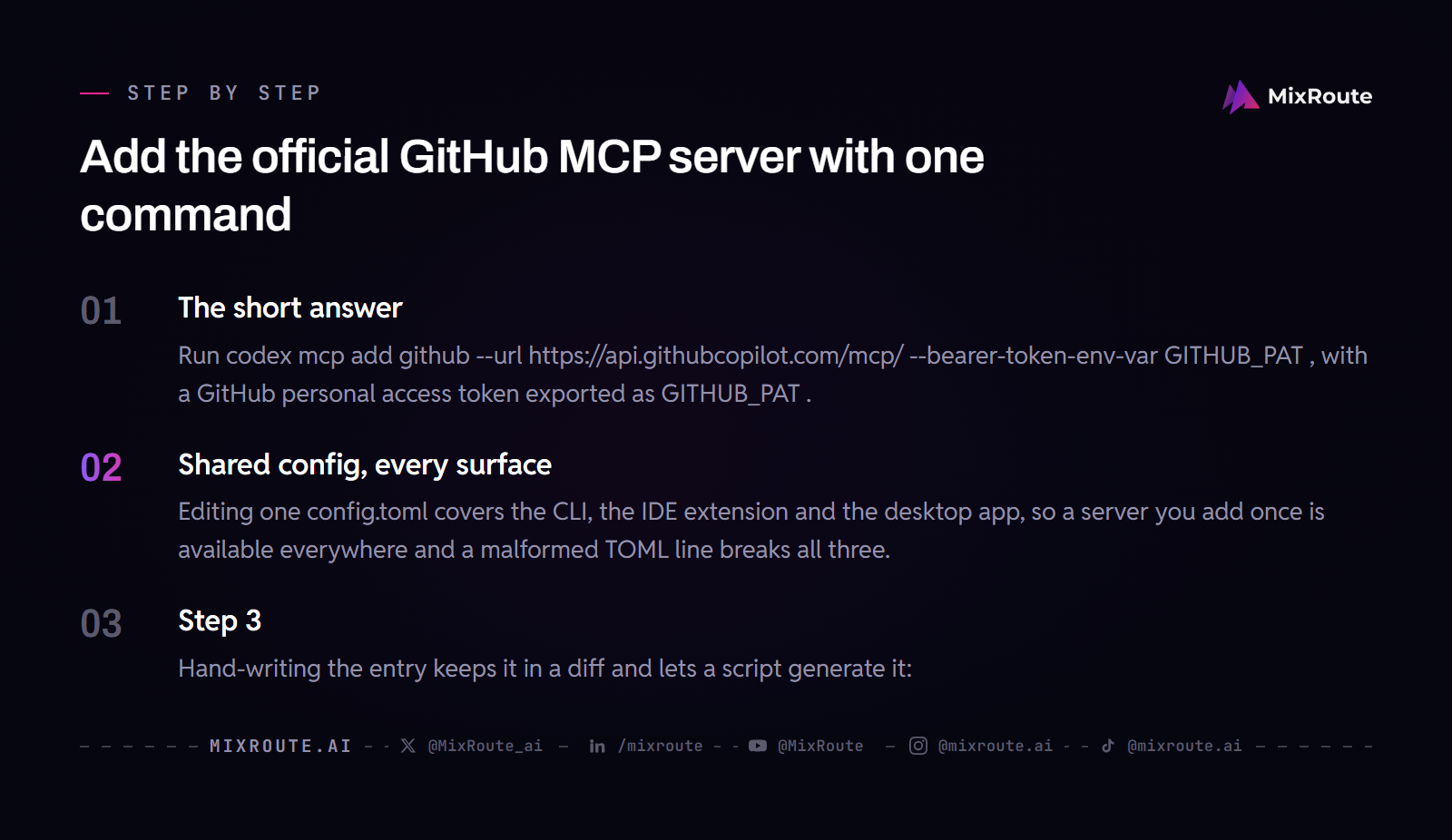
Run codex mcp add github --url https://api.githubcopilot.com/mcp/ --bearer-token-env-var GITHUB_PAT, with a GitHub personal access token exported as GITHUB_PAT. Registration writes the entry, Codex sends that token as a bearer token when it connects, and after that the agent can work issues, pull requests, code search and Actions during a session.
Hand-writing the entry keeps it in a diff and lets a script generate it:
[mcp_servers.github]
url = "https://api.githubcopilot.com/mcp/"
bearer_token_env_var = "GITHUB_PAT"
Both forms describe one server. The command writes the entry for you, which avoids a malformed TOML line, and the hand-written table is easier to review, template and roll back.
The flag records only the variable’s name. --bearer-token-env-var GITHUB_PAT keeps the secret out of the config, and codex mcp get github prints the stored entry back so you can confirm what landed in the file.
Shared config, every surface
Editing one config.toml covers the CLI, the IDE extension and the desktop app, so a server you add once is available everywhere and a malformed TOML line breaks all three. Use codex mcp list to print your entries, codex mcp get github to print one in full, and codex mcp remove github to delete it.
Hosted endpoint or local process: how the two routes differ
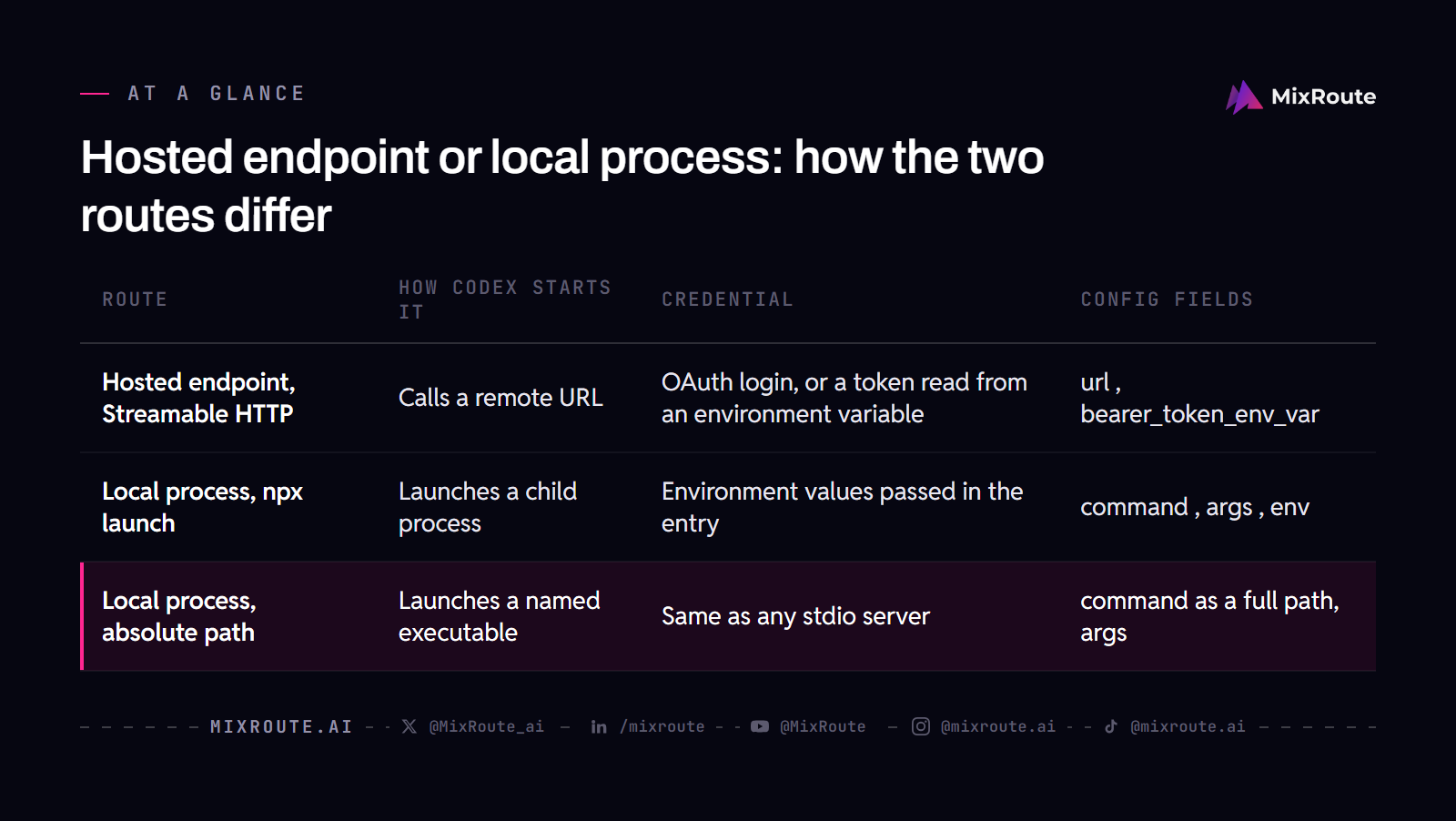
A hosted endpoint needs url, and a local server needs command. That one difference decides how Codex starts the server and how the credential travels: a hosted endpoint is a URL Codex calls over HTTP, while a local server is a child process Codex starts and speaks to over stdin and stdout.
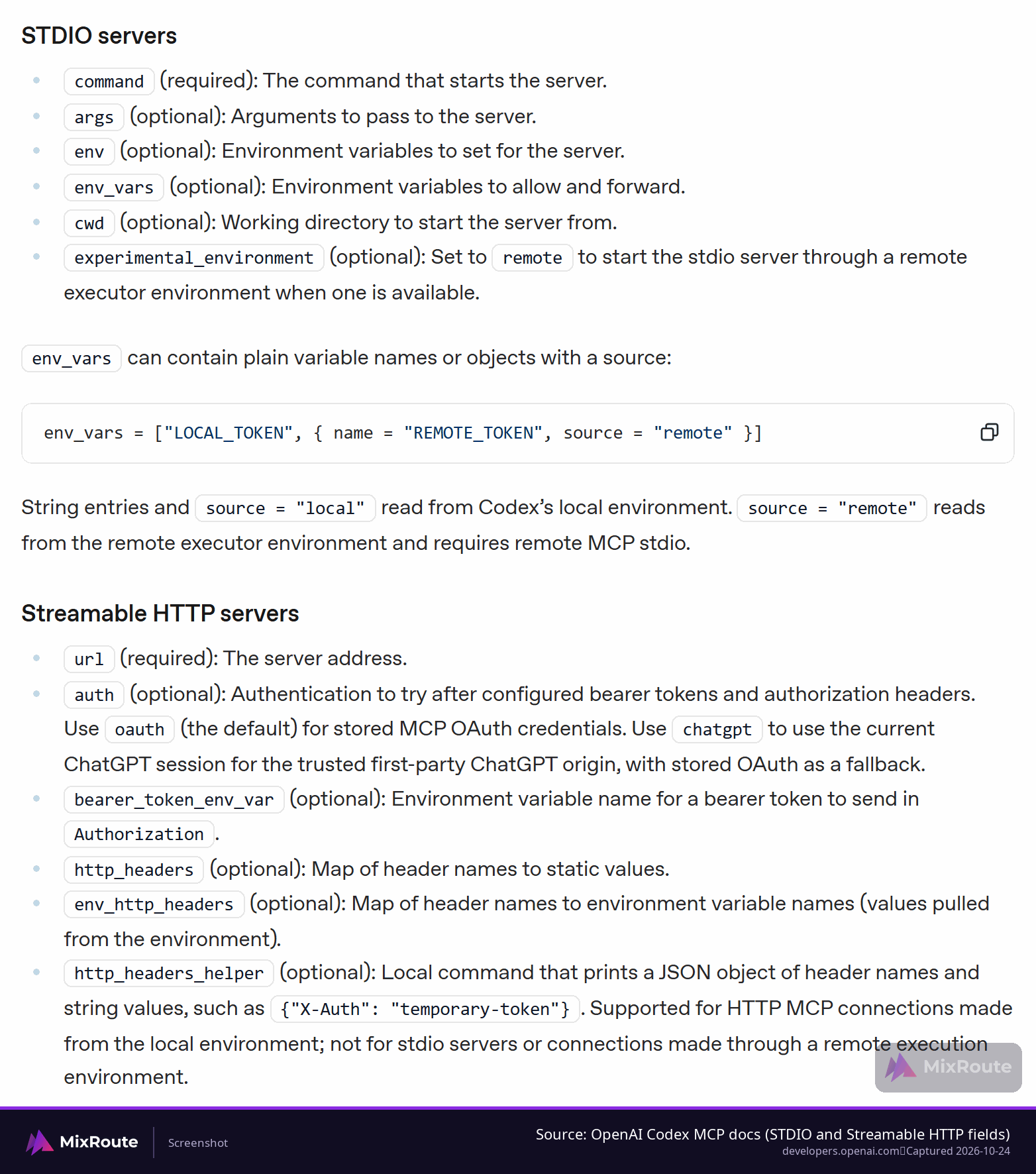
stdio covers what runs on your own machine: language servers, tools launched through npx or uvx, internal utilities. Streamable HTTP covers cloud services such as GitHub’s official endpoint, and it supports optional OAuth or a bearer token.
In a stdio server, the env block sets extra variables for the child process at launch, and env_vars lists the variables from your own environment to allow and forward to it. An HTTP server has no child process, so the credential travels with the request instead: an OAuth grant you approved in the browser, or the environment variable named in the entry.
| Route | How Codex starts it | Credential | Config fields |
|---|---|---|---|
| Hosted endpoint, Streamable HTTP | Calls a remote URL | OAuth login, or a token read from an environment variable | url, bearer_token_env_var |
| Local process, npx launch | Launches a child process | Environment values passed in the entry | command, args, env |
| Local process, absolute path | Launches a named executable | Same as any stdio server | command as a full path, args |
Where the config file lives
Global settings sit in ~/.codex/config.toml and apply to every session. A project file at .codex/config.toml applies to one directory and needs that directory to be trusted. When both exist, the project file closest to the working directory wins, then the project root, then the global file.
Entries that look configured but never start
Remote servers need url; local servers need command. Copying one shape into the other produces an entry that looks correct and never starts, so settle the transport split before you write any TOML.
Check the GitHub credential and keep it least-privilege
bearer_token_env_var holds the name of an environment variable, never the token itself, so GITHUB_PAT has to exist in the shell that launches Codex. Export it first, then start codex. A missing variable is the most common reason a correct-looking entry never connects.
Scope the credential to the work. Read operations need only read access on the repository, and a token that can write invites changes nobody asked for. On team repositories, a service account keeps the agent’s actions attributable to something other than a personal login.
GitHub’s Codex install guide lists the scopes to start with: repo for general repository operations, workflow for Actions workflow access, read:org for org-level resources, project for classic project boards, and gist for gist tools. Its advice is to add a scope only when a tool request fails on permissions, and its troubleshooting table lists insufficient PAT scopes as a cause of a server that shows zero tools.
codex mcp login starts a browser OAuth flow for servers that support it, but GitHub’s Codex guide documents only the token route for its hosted server, and GitHub notes that the hosted server does not support Dynamic Client Registration. Plan on the token: it works the same on a workstation, a headless build box or a container, and a scoped token from a service account is the workable path on shared machines.
| Check | What it needs to be | What breaks when it is wrong |
|---|---|---|
| Token variable | Exported in the shell that starts Codex | Server never connects |
bearer_token_env_var |
The variable name, not the token value | An entry that looks right and fails at connect |
| Scope | Read access for read work | A wider blast radius than the task needs |
| Account | A service account on shared repositories | Agent actions get hard to attribute |
| Toolset | Trimmed with enabled_tools or disabled_tools |
More tools in context and more to trust |
Trim what the agent can see
Keep the toolset short, because GitHub’s server exposes a large one. enabled_tools keeps a named set, disabled_tools removes named ones, and both fields sit in the same table as url. Every server you add puts more tools into the agent’s context, and every credential widens the surface you have to trust, so a short server list outperforms a long one.
There is a second lever on GitHub’s side. Adding /readonly to the end of the endpoint URL, so https://api.githubcopilot.com/mcp/readonly, restricts the toolset to the tools that enable read access. The same restriction is available as an X-MCP-Readonly header, and a static header in Codex goes in http_headers.
Applying the same habit to model keys
MixRoute carries that habit from the repository credential to the keys an agent sends requests with. The console scopes a key to a named set of models, and a per-key spend budget is pre-loaded, deducted per request, and stops that key at zero. Your account balance is always the outer ceiling, the budget is an amount rather than a period quota or a rate limit, and a key with no budget set has only that outer ceiling. Talk to sales about how per-key budgets fit your team.
Before you choose a model key, compare what those model calls cost per model with the request path you plan to use.
Verify tools are live and run a read-only query on a repository
Codex reads MCP config at startup, so restart it after adding a server. Inside a session, /mcp lists the connected servers and the tools each one exposes. Outside a session, codex mcp list prints the same entries.
Zero tools in the list usually points at the credential: GitHub’s guide says to check the token’s validity and scopes first, then the table name. Look past the connection line before you debug the question you asked.
Read the tool list before you ask anything. GitHub’s server exposes write operations next to read ones: listing issues and posting a comment arrive through the same connection, and the scope you granted is the only thing separating them. If a tool you never want an agent to call shows up, drop it from the server entry with enabled_tools or disabled_tools rather than relying on the prompt to avoid it.
The names tell you which side a tool sits on. Read tools show up as list_issues, issue_read, search_issues, list_pull_requests, pull_request_read and get_file_contents. The write side shows up as issue_write and create_pull_request, and whatever a session actually offers is what /mcp prints.
Then ask something read-only whose answer you already know: list the open issues labeled good-first-issue in a repository you work in, or search the code for where a helper is defined. A real result proves the transport, the credential and the toolset work together. An empty one points at scope or authentication, so check those before rewriting the query.
For a repository-first development loop, see the vibe coding workflow guide.
When the server connects but the calls fail
Four causes cover most failures: an unset token variable, an executable missing from the PATH Codex inherits, a startup timeout that is too short, and a project directory that is not trusted.
Startup timeout and tool call timeout
Two defaults matter here. Server initialization allows 10 seconds, a tool call allows 60, and a JVM-based server or one that authenticates during startup will exceed the first. startup_timeout_sec raises the initialization limit, and tool_timeout_sec raises the per-call limit.
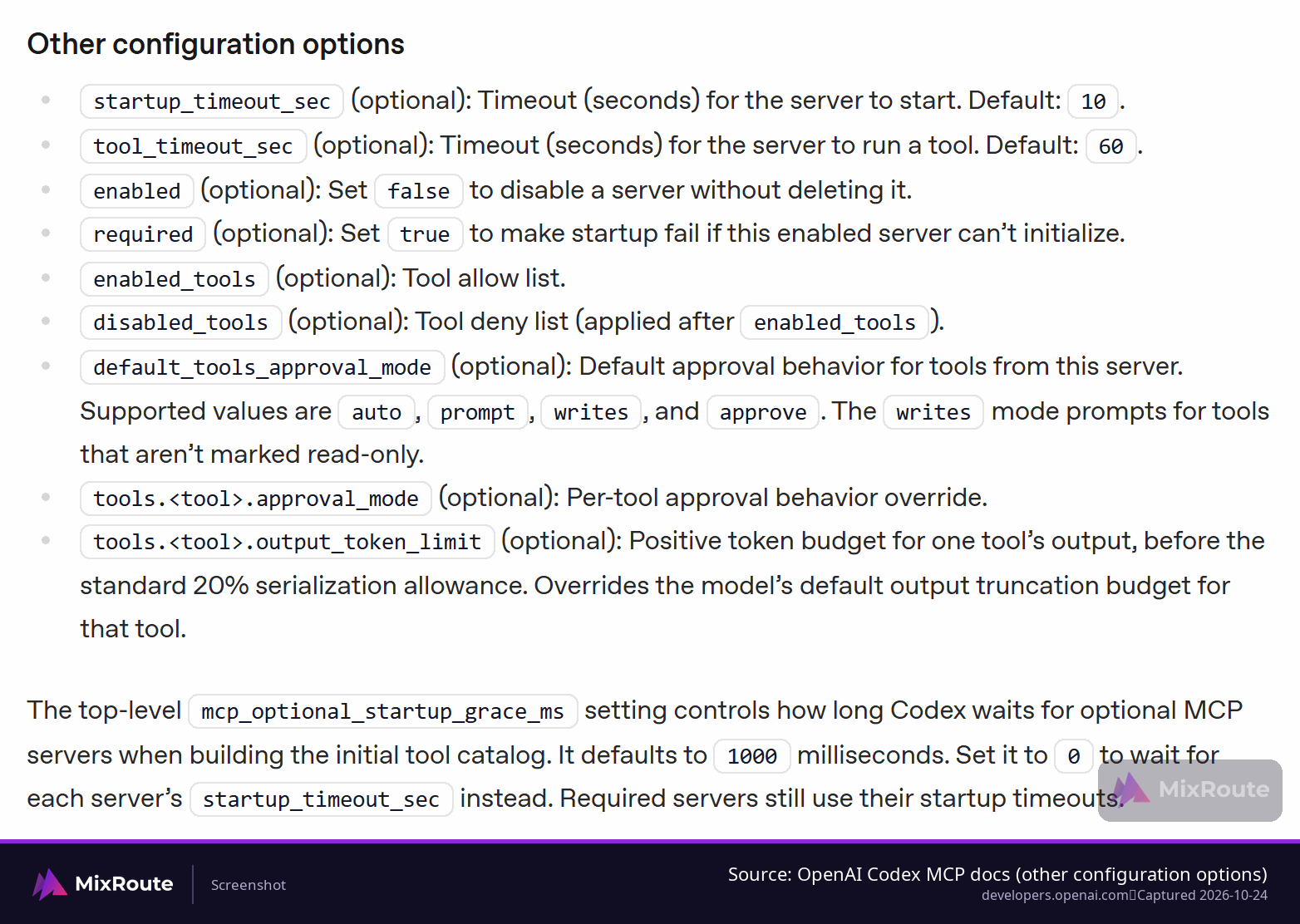
Work down that list in order, one symptom at a time. Nothing named github in the list means registration. The name with no tools behind it means initialization or a missing auth step. Tools that appear and a call that dies belong to the call itself, so raise the per-call limit before you touch the entry.
| Symptom | What to check | Field that changes it |
|---|---|---|
| Server missing from the list | Restart Codex, then check /mcp or codex mcp list |
None, config loads at startup |
| Generic “server not found” on a stdio server | Whether the executable resolves on the inherited PATH | command, set to an absolute path |
| Initialization times out | How long the server takes to boot | startup_timeout_sec |
| Tool call times out | How long the upstream call takes | tool_timeout_sec |
| Project config ignored | Whether the directory is trusted | Project trust setting |
| Connected with zero tools | Whether the token is valid and carries the scopes the tools need | None, add the missing scopes to the token |
Messages surfaced in a session do not always separate a Codex-side transport problem from a server-side error, so look for the word that names the layer: auth, connection, or timeout. That word usually tells you which field to change before you touch anything else.
FAQ
What is MCP in Codex CLI, and do I need it?
MCP is the protocol Codex uses to reach tools and services outside its own sandbox, and you need it only when a task depends on context Codex cannot see. Filesystem reads, shell commands, git operations and web search already cover work that stays inside a repository. The signal to configure something is simple: you keep pasting ticket text, logs or scan output into the prompt yourself. If that happens rarely for you, a server entry adds context cost and one more credential to rotate for very little gain.
How do I add the official GitHub MCP server to Codex?
Export a GitHub personal access token as GITHUB_PAT, then run codex mcp add github --url https://api.githubcopilot.com/mcp/ --bearer-token-env-var GITHUB_PAT. That registers GitHub’s hosted server over Streamable HTTP, so nothing runs locally. If you prefer a config file, write an [mcp_servers.github] table with url set to https://api.githubcopilot.com/mcp/ and bearer_token_env_var set to GITHUB_PAT. Both forms describe the same server. Restart Codex afterwards and run /mcp, because the config loads at startup.
Should I authenticate GitHub with OAuth or a personal access token?
Use a personal access token: it is the route GitHub’s Codex guide documents for the hosted server, with config.toml naming an environment variable such as GITHUB_PAT and never holding the token itself. codex mcp login only works with Streamable HTTP servers that support OAuth, and GitHub says each host application has to configure a GitHub App or OAuth App before its remote server can be reached that way. A scoped token from a service account is the route for a build container or a shared remote host.
Why is my MCP server not showing up in Codex?
Restart Codex first, because MCP config is read at startup, then check /mcp inside the session or codex mcp list outside it. If the server is absent, read the entry back with codex mcp get github and look at four things: the token variable in the shell that launched Codex, the executable path for a stdio server, the startup timeout, and whether the project directory is trusted. If it appears with zero tools, check the token’s validity and scopes before changing the query.
Can Codex connect to my company’s internal tools?
Yes, as long as those tools expose an MCP server; tools that only publish an HTTP API need a small MCP server wrapped around that API first. Libraries for Python, TypeScript and Go keep that wrapper short. The server can run locally as a child process, or be hosted and reached over Streamable HTTP from the machine running Codex, including through a VPN as long as the URL resolves from that machine. Wrap the smallest useful surface: a status endpoint and a log reader beat an admin API with write access.
How many MCP servers should I run with Codex?
No number holds for everyone. A short list goes further: GitHub, one documentation source, and one search or observability server cover many repository workflows. Every entry adds its tools to the agent’s context and its credential to the set you have to rotate, so a second server offering the same capability mostly gives the agent another choice to make. Trim a large toolset with enabled_tools before you consider dropping the server entirely.
Do I still need the Filesystem MCP server?
Usually not, because Codex already reads and edits files and runs commands inside its own sandbox with approval modes. Install it when you want to expose directories outside the working tree, or when you keep one server config shared across several MCP clients. Otherwise it adds context cost without adding reach. If you do add it, point it at the narrowest directory that answers the question.
Why does a hosted MCP server fail where a local one works?
Local servers start as a child process on your own machine, while a hosted one has to be reachable over the network and needs its credential present at the same moment. Check the URL from the machine running Codex, confirm the token variable exists when Codex starts, and inspect the transport before the tools: a DNS or TLS failure and a rejected token both look like nothing happened in the session UI.