Claude MCP Connectors: Connect, Test, and Review Permissions
Most people assume an MCP connector gives Claude new powers, the way a model swap does. It doesn’t. A connector is the client-side piece inside the AI host that talks to one MCP server, and it carries tool calls, not model choices. Connecting one takes four moves: declare the server in the agent’s mcp_servers array with a type, a unique name and a url; supply credentials from a vault when you create the session; enable only the tools you need in the matching mcp_toolset entry; then send one read-only prompt and check the result comes back in the shape the server promises. The endpoint that runs the model stays where it was.
What Is an MCP Connector, and Where Does It Sit?
The connector is the client-side interface inside the AI host that speaks to one MCP server. Picture a dedicated line to a single office: the host dials, and the server at the other end answers with the tools it exposes. Which model placed the call was settled earlier, by whatever LLM endpoint the host is configured to use.
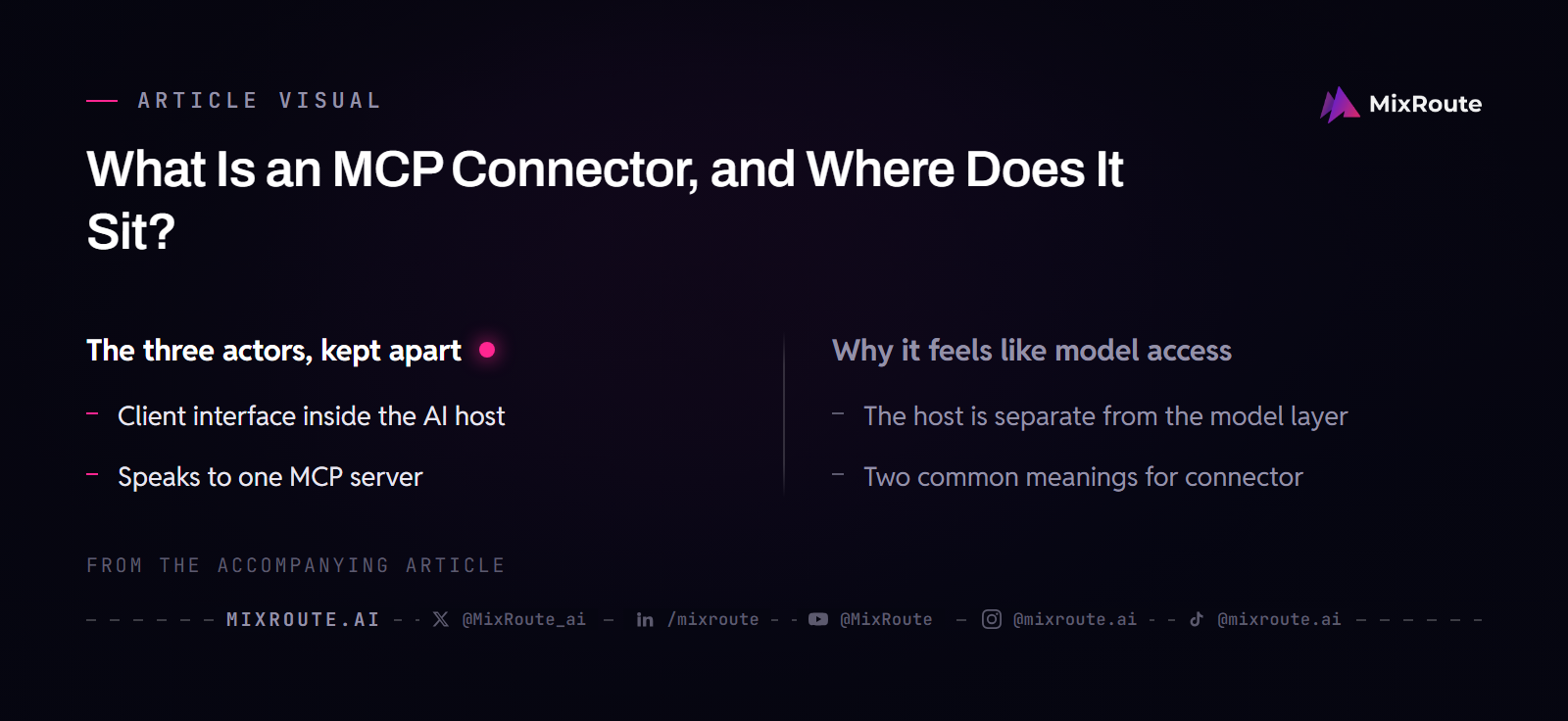
The term gets used in two ways. One description treats the connector as the integration layer between the AI host and the MCP server, hiding protocol work from the agent. Another sells connectors as a prebuilt catalogue you toggle on, curated and maintained by the vendor. Both point at the same slot in the stack, between the host and the server’s tools, and neither one is a route to a model.
The three actors, kept apart
An MCP deployment has a host, a server, and the connector between them. The host is the AI application that holds the model and the agent logic and decides when a tool is worth using. The server exposes specific functions from whatever system sits behind it. The connector turns the agent’s intent into a request the server understands. Tools are the callable actions, such as query_database or create_pull_request; resources are the data those actions read.
Transport sits below all of that. A server running on your own machine speaks stdio, which keeps traffic local. A remote server speaks the Streamable HTTP transport and needs real authentication; a server that only offers the older, deprecated SSE transport still connects through an automatic fallback. JSON-RPC 2.0 is the message format in every case, so when you read logs, the envelope looks the same even though the transport changed.
Why it feels like model access
The confusion has a real root, because the model does take part. It reads the tool descriptions, then picks a tool and its parameters. That decision happens inside a model call, so a dead connector and a dead model call can look identical from the outside, both ending in an answer that never touches live data. There are still only two possibilities. The model never chose a tool, or the tool call never came back.
One correction here saves configuration work later. Reaching a system through a connector does not change what that system can do. The same repository, ticketing tool, or document store sits behind it whether the agent arrives through MCP or through a hand-written API call. The connector changes how the agent gets there, not what it finds.
How Do You Connect One MCP Server in Claude?
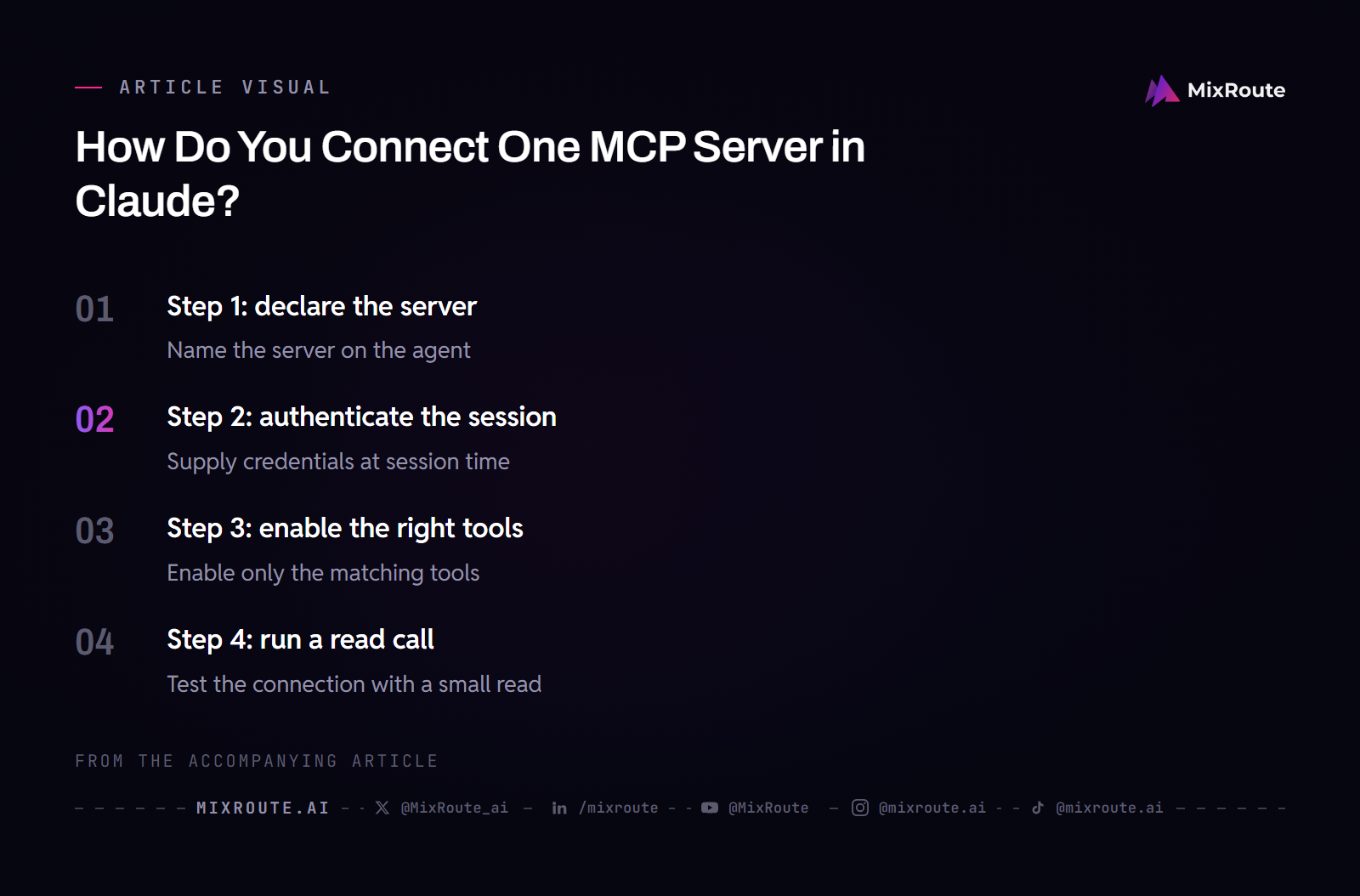
Four steps: declare the server on the agent, authenticate the session with a vault, enable the tools you want in the matching toolset entry, then run a read call. In Claude Managed Agents the first two are deliberately separate. Agent creation names the servers; session creation supplies the credentials. That split keeps secrets out of an agent definition you may reuse for months.
Step 1: declare the server
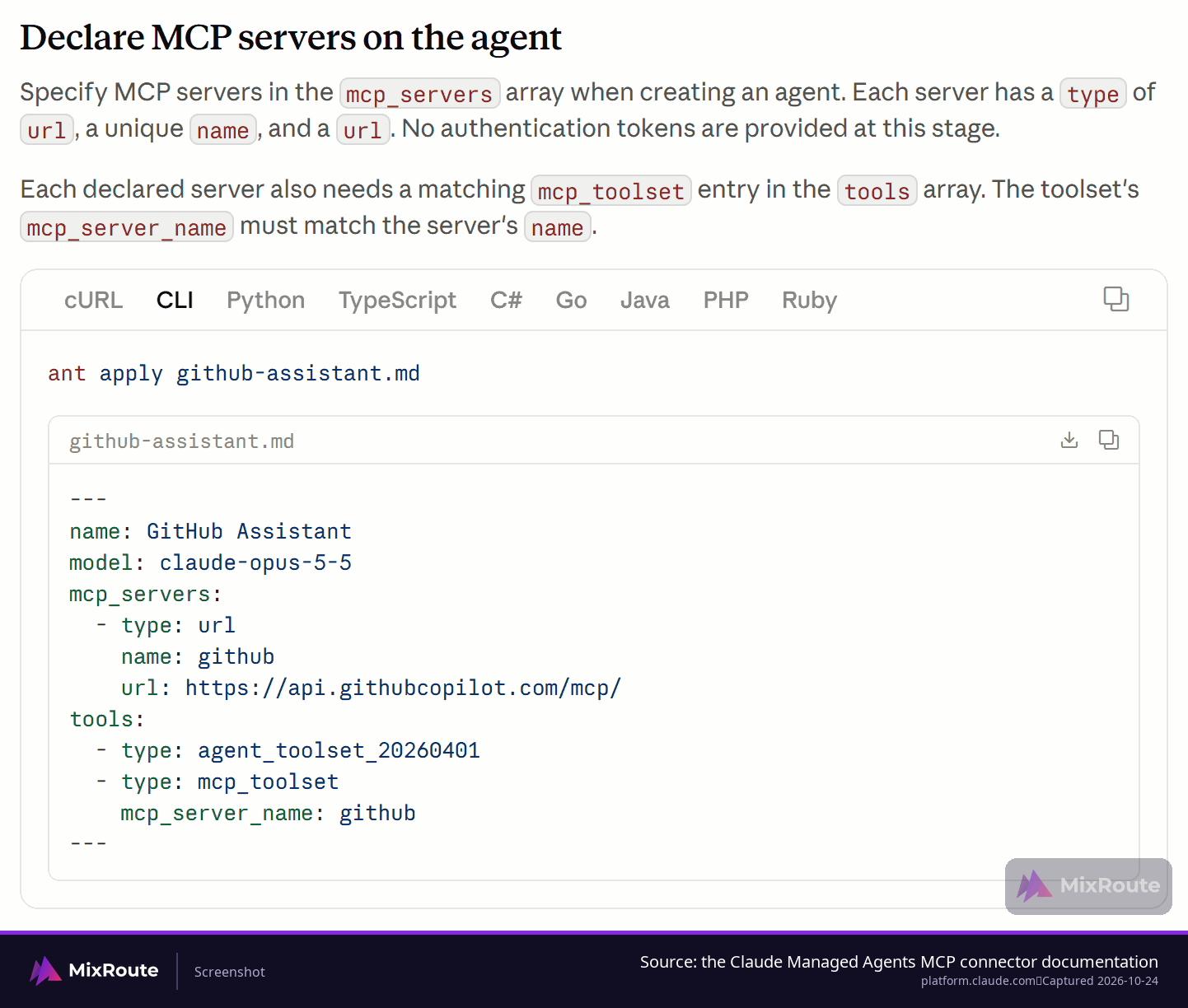
Each entry in mcp_servers needs a type, a unique name and a url. The name is what everything else references: it becomes the mcp_server_name in the tools array and it appears on MCP tool events in the session event stream, which is how you tell later which server a call went to. Names must be unique within the agent, and one agent can declare up to 20 servers.
Every declared server must be referenced by an mcp_toolset, and every mcp_toolset must point at a declared server. The API rejects agent definitions with unreferenced servers or dangling toolsets, which is a useful guardrail once the list grows.
| Field | Required | Value |
|---|---|---|
type |
Yes | Must be url. |
name |
Yes | Unique within the agent, 1 to 255 characters. Reused as mcp_server_name and shown on MCP tool events. |
url |
Yes | Endpoint of the remote MCP server, up to 2,048 characters. |
tools[].mcp_toolset.mcp_server_name |
One per declared server | Must match that server’s name exactly. |
name: issue-triage
model: claude-opus-5-5
mcp_servers:
  - type: url
    name: github
    url: https://api.githubcopilot.com/mcp/
tools:
  - type: agent_toolset_20260401
  - type: mcp_toolset
    mcp_server_name: github
Notice that the same file names a model and a set of servers, which is exactly where the two layers get tangled in people’s heads. The model line decides what answers. The mcp_servers block decides which tools answer alongside it.
If you are wiring up Claude Code rather than a managed agent, the file path matters as much as the syntax. Project-scoped servers belong in .mcp.json at the project root, which also hands them to everyone who clones the project. User-scoped servers go through claude mcp add --scope user, which writes to the mcpServers key in ~/.claude.json. Claude Code does not read ~/.claude/.mcp.json, ~/.claude/config/mcp.json, ~/.claude/mcp.json, or %APPDATA%\Claude\mcp.json, so a server declared in one of those paths stays invisible.
Step 2: authenticate the session
No tokens go into the agent definition. When you start a session you pass credentials through a pre-registered vault, and each session authenticates with its own. A staging vault and a production vault can hold different credentials for the same server, so rotating a secret does not mean editing the agent.
Step 3: enable the right tools
Every tool the server exposes is enabled by default. That is convenient and usually wrong for a first connection. Each entry in the toolset’s configs array accepts only name, enabled and permission_policy. MCP tool entries do not take a type field, and the web settings that apply to web_search and web_fetch do not carry over. The name is the bare tool name as the server reports it.
Two patterns cover the common cases. To run with a short allowlist, set default_config.enabled to false and enable the tools you want by name, which also keeps tools the server adds later switched off until you have reviewed them. To keep everything except a couple of dangerous tools, omit default_config and set enabled to false on those entries.
{
  "type": "mcp_toolset",
  "mcp_server_name": "github",
  "default_config": { "enabled": false },
  "configs": [
    { "name": "issue_read", "enabled": true },
    { "name": "list_issues", "enabled": true },
    { "name": "add_issue_comment", "enabled": true }
  ]
}
The path a tool call takes
Once the connection is live, a request moves through fixed stages. Use the list as a map when something stalls.
- You send a message to the host.
- The host identifies which connected server exposes a tool that could handle it.
- The model reads the tool descriptions and picks a tool and its parameters.
- The connector invokes that tool on the server, handling authentication, formatting and errors.
- The server reaches the underlying system: a database, an API or a document store.
- The result is formatted into a structured, model-friendly response.
- The model folds that result into its answer.
Stalls have addresses. If nothing reaches stage 4, the model never chose a tool, so look at the prompt and the tool descriptions. If the call reaches stage 5 and stops, the server or the system behind it is the one to inspect.
Which Permissions Should You Approve Before You Click Connect?
Read the permissions list before you approve it, because the scopes you grant are the scopes the agent gets. A read-only connection needs read scopes and nothing else, so the per-tool enabled flag is where you keep write and delete tools out of the agent’s reach. A tool you want to keep available can also carry its own permission_policy, set on that entry in the toolset.
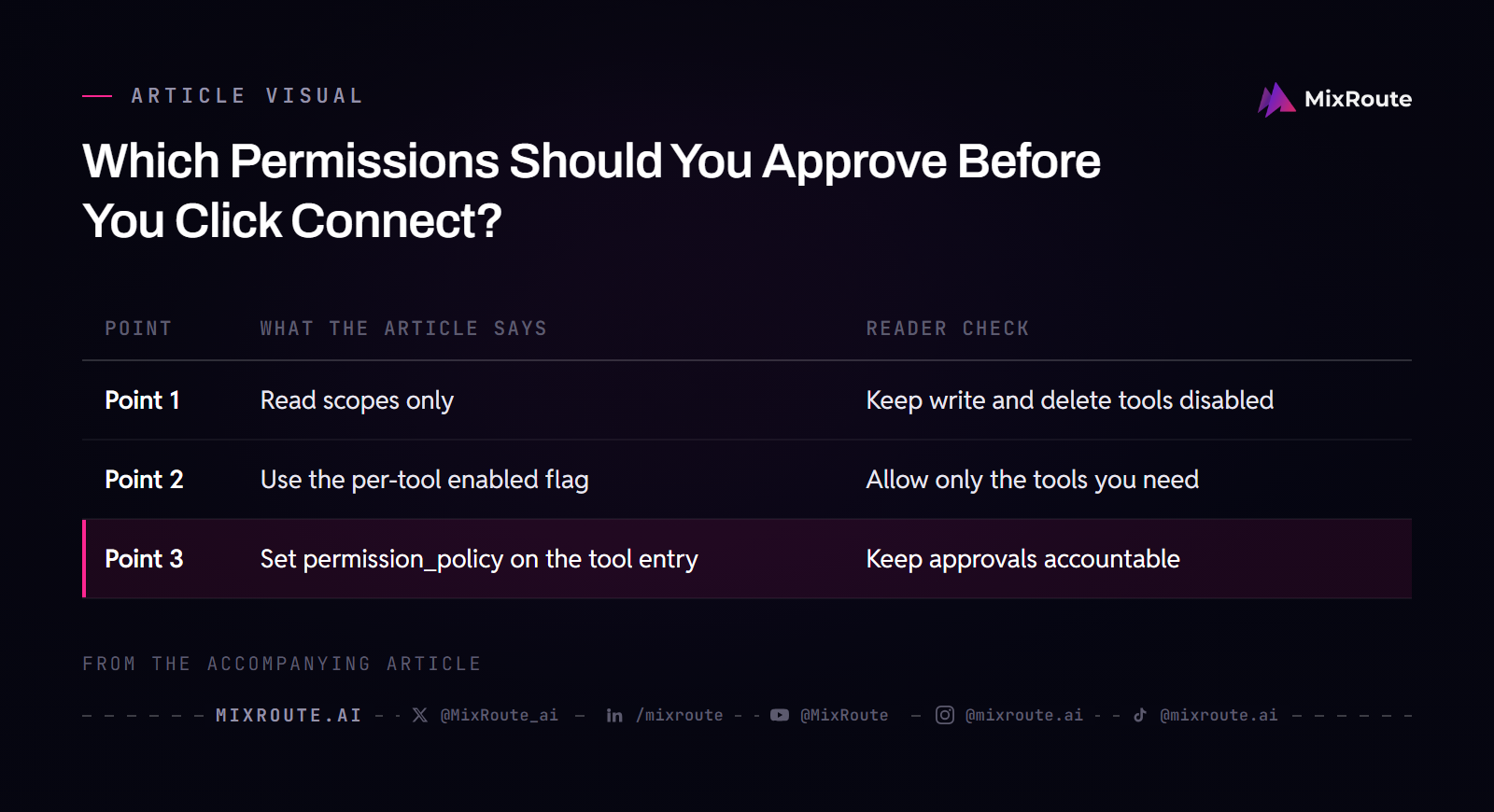
The reason to bother is accountability. An action the agent takes in a connected system is an action taken under your account, the same as if a colleague had clicked it from your seat. There is a second shape of risk. A connector pulls outside content into the model’s context, and a document or page the agent reads can carry instructions it may follow, a class of attack known as prompt injection. A mode that lets the agent act without pausing removes the checkpoint where a bad instruction would have become visible before it did anything.
| Tool | What it does | Review decision |
|---|---|---|
issue_read |
Reads one issue | Enable. Read is what a first connection usually needs. |
list_issues |
Reads a list of issues | Enable when the task needs search. |
add_issue_comment |
Writes public content under your account | Enable only if posting is the job. |
delete_repository |
Destructive and slow to walk back | Leave disabled unless a named workflow needs it. |
Standing connections deserve a periodic look. If your team connected a server for a project that shipped last quarter, that permission is still live and nobody is watching it. Disconnect the ones your team has moved past.
How Do You Confirm the Connection Actually Works?
Send one read-only prompt that targets a single tool on the connected server, then check the shape of what comes back. A structured result that matches what the server documents is the handshake. A timeout or a rejected credential is information rather than a dead end, because each one points at a specific step to revisit.
A test that takes a minute
Keep the test small on purpose. A narrow prompt, such as listing a few items from a source you already know, exercises the whole path without dragging a large payload through it. If the tool call shows up in the session events and the data looks like what you expected, the connection is live. If you already know the value the source should return, a wrong value tells you more than a timeout does. Run the same test again after any change to the toolset config, since disabling a tool can make a previously working prompt stop selecting one.
One behavior surprises people during that first test. When an MCP tool output exceeds 100,000 characters, about 25,000 tokens, it is written to a file in the sandbox, and the model receives a truncated preview plus the path to the full content. A short answer to a big query is the host protecting the context window, not a broken connection.
| Symptom | What it usually means | Check first |
|---|---|---|
A session.error event carrying mcp_connection_failed_error |
The server could not be reached: a network error, a timeout, or an HTTP failure unrelated to authentication; the session starts anyway | Whether the URL is correct and the server is up and reachable |
A session.error event carrying mcp_authentication_failed_error |
The server rejected the credential supplied at session creation; the session starts anyway and stays usable | The vault you passed and the credential it holds |
| The model answers without calling a tool | The prompt matches no tool the server exposes, or you disabled the one that would fit | The enabled set in the toolset config and the bare tool names the server reports |
What Changes After You Connect: Tool Calls vs. Model Calls
Tool calls go to the MCP server. Model calls go to the LLM endpoint your host is configured with. Adding a connector does not change which model runs, and pointing the host at a different endpoint does not break the connector, so the two are worth diagnosing separately.
Two failure domains
A fluent answer that is wrong about live data points at the tool layer: the call never fired, the server is down, or a credential expired quietly. Tool data that comes back fine behind an answer that still does not hold together points at the model layer. Naming which side broke turns a vague “the agent is broken” into one log to open.
The endpoint is also where routing lives, and that decision never touches the connector. Smart Routing works on a model pool you define, all of it on the model side: how routing works on the model side.
If you are writing the client that sits over both layers, how to vibe code with an AI coding agent walks the build loop, so the layer split stays a design decision rather than a debugging surprise.
Where MixRoute Sits on the Model Access Side
MixRoute is the model-access half of this picture: one OpenAI-compatible API in front of 250+ models, with a 0% platform fee listed on the pricing page. Where your host lets you choose the endpoint it sends model calls to, that choice sits in a different layer from the tool connection you just configured, and it is a separate purchase decision.
What the endpoint decision changes is reach and cost. The model call is the part of a run that carries the cost, so the question comes down to which models you can call and at what price. The pricing page lists the current models and their rates, so the count and the costs come from one place instead of from a blog post written months ago.
Both layers reward the same habit: start narrow. A first model call through one endpoint, using a key that can only reach the models you have tested, is the same instinct as a tool allowlist. MixRoute’s console puts that at the key level. A key can carry a model allowlist, a spend budget that is drawn down request by request and stops the key when it reaches zero, and an expiration time. The account balance is always the outer ceiling; a key budget adds an inner one only when you set it.
Teams arrive here with a procurement question rather than a config question: who approves the endpoint, and what happens as usage grows. Settling the plan and capacity for your traffic is a conversation with the MixRoute sales team, and it can happen before any commitment: choose the plan and capacity for your traffic with MixRoute sales.
FAQ
Is an MCP connector the same thing as an MCP server?
No. The server is the vendor-hosted side that exposes tools, and the connector is the client-side piece inside your AI application that reaches that server. The server defines what can be done and how it is described. The connector handles the practical work of sending requests in the protocol’s format and processing what comes back. Because the format is fixed at both ends, the same connector code can talk to a different server without being rewritten, and one server can serve many hosts at once.
Do I need to write code to connect an MCP server in Claude?
No, not for a hosted or remote server. You declare it by name and URL in the agent definition and supply a vault at session creation, with no custom SDK or adapter on your side. A server you run yourself over stdio is a different story: it is a process on your machine, so someone has to install it, start it, and keep it running. If the agent runs somewhere else, that process needs to be reachable from where the agent sits.
What is the difference between an MCP connector and a regular API call?
An MCP connector presents one external system to the AI as a defined set of readable data and callable actions in a standard format. A raw API makes the agent learn endpoints, auth schemes, and response shapes for every system it touches. The system behind the connector keeps working exactly as before, and its own functionality does not change. The difference shows up in maintenance more than in capability: with a raw API, every new pairing becomes a small integration project that someone owns.
Can I connect more than one MCP server to a single Claude agent?
Yes. An agent can declare up to 20 MCP servers, each with a unique name, and every server has to be referenced by a matching mcp_toolset entry in the tools array. Credentials still arrive from a vault when the session starts, so one session can authenticate to several servers without any secret being written into the reusable definition. The toolset entry is also where you narrow each server down, so a large server does not have to hand its whole tool list to the agent at once.
Does connecting an MCP server change which model my requests go to?
No. The connector routes tool calls to the MCP server, while model calls still go to whatever LLM endpoint your host or gateway is configured with. The two layers are independent, so swapping models does not require touching the connector entries. Inside a single request they also run as separate stages: the model picks a tool and its parameters, and the connector invokes that tool and returns a structured result for the model to work from.
What should I do if the connection test times out?
Check three things in order: the URL is reachable from the host environment, the vault credentials match the server’s auth method, and the tool you expect is enabled in the toolset config. One tell is worth knowing. When a second server on the same agent answers normally and this one times out, the agent definition is working and the endpoint is the next place to look.