Claude Code Worktrees: Give Every Task Its Own Checkout
Give every task its own git worktree and the sessions stop competing for one set of files. A staff engineer onboarding a teammate onto parallel work starts at the terminal: she runs claude --worktree feature-auth in one pane and claude --worktree bugfix-billing in another, then asks the new teammate to point at both directories. Two branches, two sets of files, one repository. The sessions edit at the same time, and you combine the results the way you combine any branch, by reviewing it and merging it or throwing it away. The main checkout keeps its own branch and its own uncommitted edits the whole way through.
What a git worktree changes for a Claude Code session
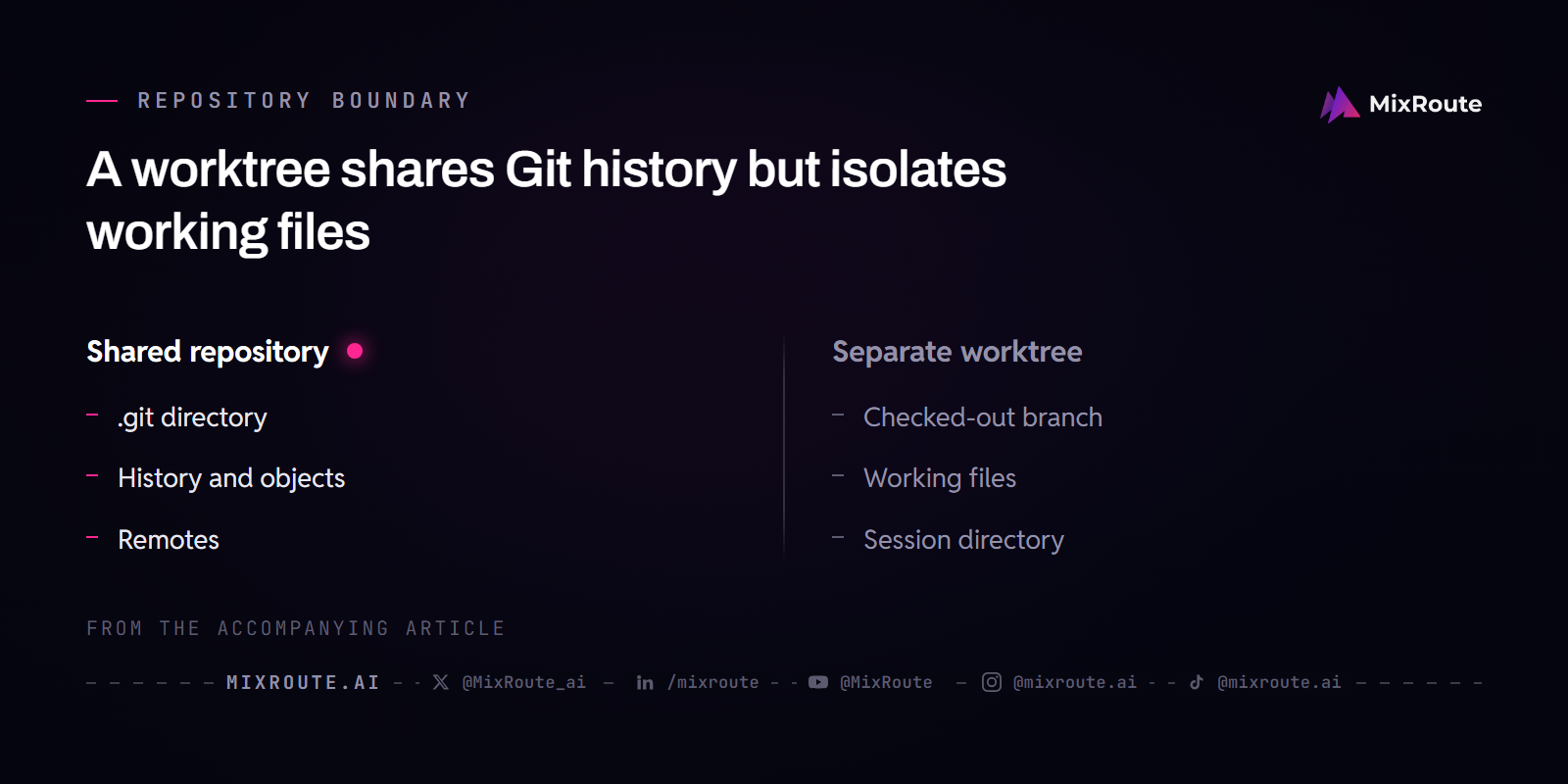
A worktree is another working directory on the same repository. It checks out its own branch and keeps its own files on disk, while the git commands you run inside it write to the shared .git directory. Picture a library with one card catalog and several reading rooms: each room holds a different open book, and every note you file lands in the same catalog. History, objects and remotes are shared. Working files and the checked-out branch are not, and that split is what lets a second task start immediately instead of waiting its turn.
| Directory | Branch checked out | Working files | Shared with the others |
|---|---|---|---|
| my-project (main checkout) | main | its own | .git directory, history, remotes |
| ../my-project-payments (linked worktree) | feature/payments | its own | .git directory, history, remotes |
| ../my-project-refactor (linked worktree) | feature/refactor | its own | .git directory, history, remotes |
Sandboxing does not disturb that split. Git commands in a worktree write to the main repository’s shared .git directory, and those writes are allowed, so git commit still works from inside a worktree with the sandbox on.
Isolation you do not have to enforce yourself
Claude Code holds the main-checkout boundary for file edits and git commands on its own. A plain shell command that writes into the main checkout without running git there, such as cp or a shell redirect, is not covered, and falls under your permission and sandbox settings like any other command. It refuses three kinds of call:
- An
Edit,WriteorNotebookEditthat targets a path in the main checkout. - A Bash, PowerShell or Monitor command whose working directory resolves into the main checkout, or cannot be verified to stay outside it.
- A command that redirects git back into the main checkout, whether the redirect arrives through
git -C,--git-dir, aGIT_DIRorGIT_WORK_TREEvariable, or acdinto the main checkout before git runs.
The command-shape check is the strict one, and it cannot be turned off. When the command text does not let Claude Code verify that any git it runs stays inside the worktree, because the name is computed at runtime, the syntax cannot be parsed, or a shell expansion could run something the text never spells out, the call is refused and Claude is told how to rewrite it, for example by splitting it into plain, separate commands.
Start a session in a worktree and know where it lands
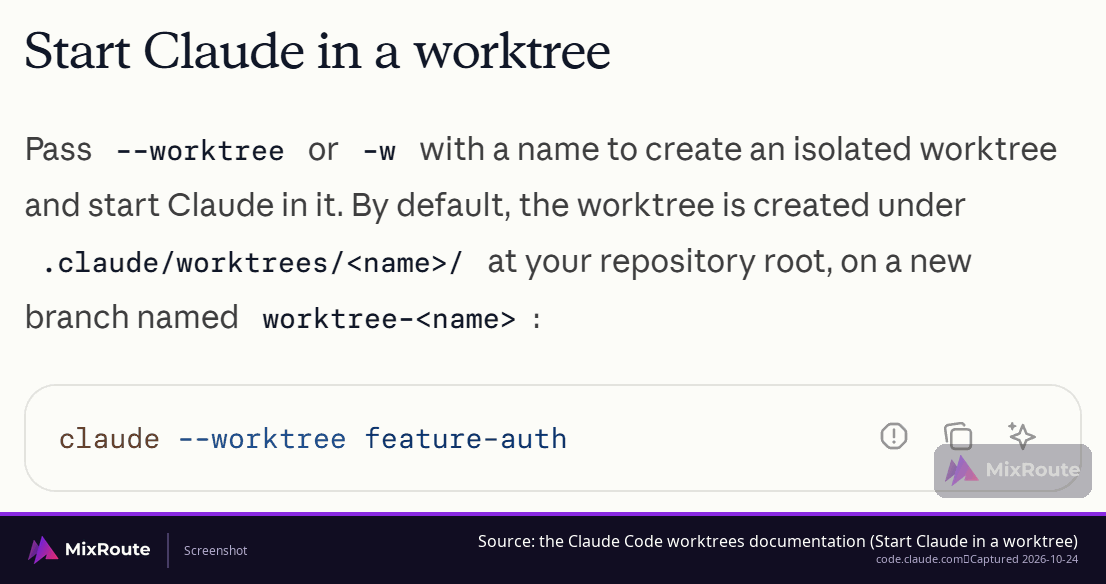
One flag does the whole setup. Run claude --worktree feature-auth from inside a git repository and the session is already isolated, with no directory to create first. If you have never run Claude in that repository, run plain claude there once to accept the trust dialog, or the flag exits with an error asking you to. Use the name you want, or skip it and Claude Code generates one.
 / location”/>
-w is the shorthand for the same flag. It is native support, so there is nothing to install ahead of time. When a blog post shows claude -w feature-payments, it means the same command.
Where the directory lands
A Claude-created worktree lands inside the repository at .claude/worktrees/<name>. A hand-rolled git worktree add ../my-project-payments -b feature/payments puts the directory wherever you point the path, and ../ keeps it as a sibling of the main project folder. Because the Claude-created one sits inside the repository, add .claude/worktrees to .gitignore so it does not turn up as untracked files or ride along in a commit.
The git-level commands stay available next to the flag, and none of them needs a plugin or an extension.
| Goal | Command |
|---|---|
| Create a worktree on a new branch | git worktree add ../project-feature-a -b feature-a |
| Create one for a branch that already exists | git worktree add ../project-payments feature/payments |
| Start Claude in the directory you just made | cd ../project-feature-a, then claude |
| See every worktree | git worktree list |
| Delete one | git worktree remove ../project-feature-a |
| Start a session in one step instead | claude --worktree feature-auth or claude -w feature-auth |
git worktree list is how you find the directories you forgot about, and git worktree remove <path> is how you delete one once its branch is done.
Create, review, merge, and clean up a worktree session
A worktree session follows the loop you already run with a human teammate: work, review, combine, clean up. Take one task, a payments integration, from start to finish.
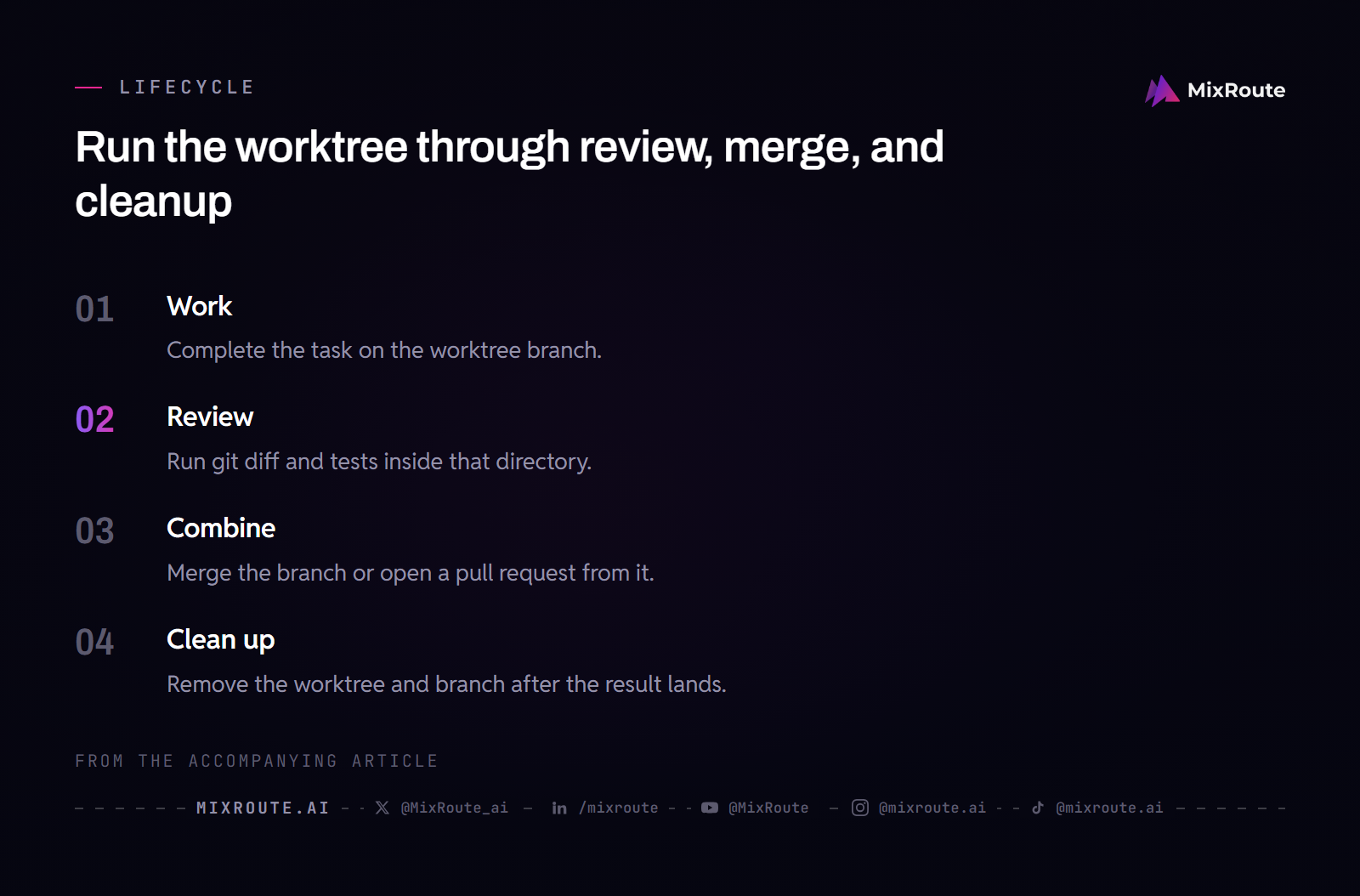
The session runs in the worktree on feature/payments and finishes its edits there. From that directory, review what it produced with git diff main..HEAD, then run the test suite in the same directory, so the results describe this branch and nothing else.
Once the review holds up, combine it. From the main checkout, git merge feature/payments puts the work on main, or you push the branch and open a pull request so someone else reads it first. The branch exists in the repository and the worktree directory is still on disk at that point, which is what makes either route work.
Then close it with git worktree remove ../my-project-payments and git branch -d feature/payments. Skipping that step is how worktrees quietly pile up on disk.
What Claude Code does with the worktree when you exit
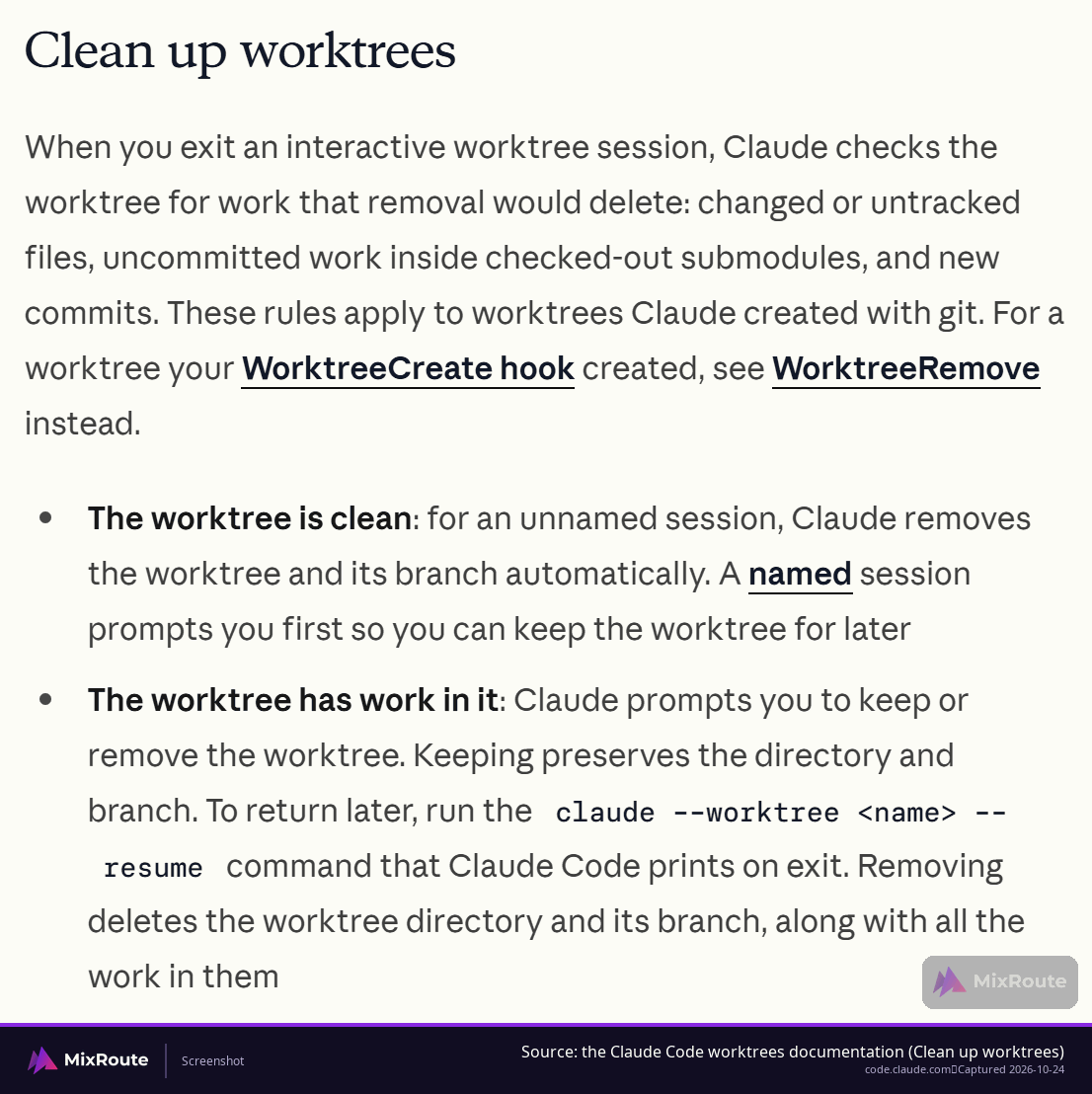
A clean session you started with --worktree is handled for you. An unnamed one has its worktree and branch removed automatically. A session you have given a name, with -n at startup or /rename, gets a prompt first, so you can keep the worktree for later.
When the worktree holds work, the choice is yours. Keeping it preserves the directory and the branch, and the exit prints the claude --worktree <name> --resume command that brings you back. Removing it deletes the directory, the branch and everything in them. If Claude Code cannot verify the worktree’s state, because it cannot count the changes or cannot inspect submodule checkouts, it stops and asks, naming what it could not check.
Conflicts and uncommitted changes that isolation does not fix
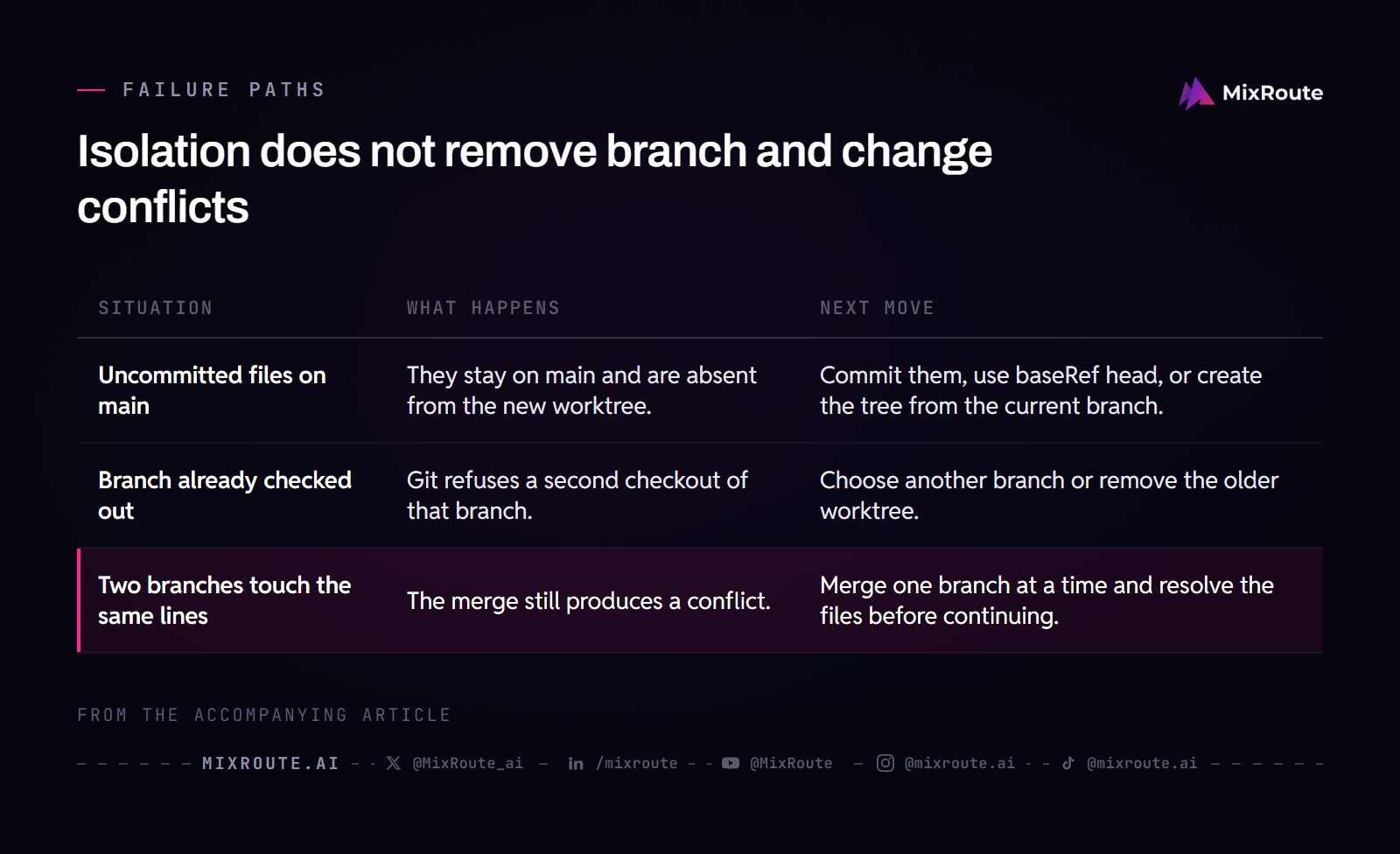
Isolation covers the working files. Five situations still catch people, and each one sits beside the step it breaks.
| What you do | What happens | What to do instead |
|---|---|---|
| Launch a session while the main checkout has uncommitted edits | Those edits stay in the main checkout and never appear in the new worktree, which starts from a commit | Commit the work first, then push it to the remote default branch, set worktree.baseRef to “head”, or create the worktree by hand from your current branch |
| Add a worktree on a branch that is already checked out | git fails with fatal: ‘feature/payments’ is already used by worktree at ‘/path/to/main-worktree’ | Use a different branch, or remove the existing worktree |
| Run git stash in one worktree | The stash is visible from every worktree of the repository | Keep each task’s work on its own branch instead |
| Merge branches that touched the same file | An ordinary merge conflict | Resolve it the way you resolve any two diverged branches |
| Run tests in a fresh worktree | Its own node_modules or build artifacts are missing | Run the install in that worktree before the tests |
Uncommitted changes come first. Anything loose in the main checkout stays there, because a new worktree starts from a commit and the session cannot see it. A task that depends on that in-progress work needs the commit on the remote default branch before the session starts, since that is where Claude Code branches by default. Two other routes work: set worktree.baseRef to "head" so the worktree carries your unpushed commits, or create it by hand from the branch you are already on.
The upside is real. A dirty main checkout never leaks half-finished edits into a parallel task.
The branch is the second. Git refuses to check one branch out in two worktrees at the same time, and the error names the branch and where it already lives: fatal: 'feature/payments' is already used by worktree at '/path/to/main-worktree'. Pick a different branch for the new worktree, or remove the older one. Claude Code avoids this when it creates the branch itself. Stashes are easy to misread on top of that: a stash lives in the shared object store, so git stash in one worktree is visible from every worktree of the repository, while the working directory state is not shared at all. Once each task has a branch to sit on, there is little reason to stash.
Merging works the way it always did. If the main checkout and a worktree both edited Services/PaymentService.cs, combining the branches gives you an ordinary merge conflict, resolved the usual way. Worktrees change where an edit happened; merging behaves the same, and the overlap costs the review time it would between two human branches.
Dependencies are the last one. Each worktree is a separate directory, so node_modules and build artifacts are not shared between them. Run the install in a fresh worktree before you expect its tests to pass, or the first run reports failures that say nothing about the code.
Run several sessions at once without leaving a mess
Parallel sessions are just more worktrees: one session per worktree, one branch per worktree, the same review loop for each result. What runs out first is not disk space, it is your attention. Three finished branches waiting for review is a different kind of backlog than three sessions still typing.
How many sessions to run at once
One third-party guide puts the practical ceiling near two to four concurrent sessions. Treat that as advice from one blog, with no product limit or measured number behind it. Start with two, get the review loop smooth, and add a third when the waiting starts to outlast the reading. Whatever concurrency limit your provider account carries still applies to every session, because each one makes its own calls.
When to keep a task in the main checkout
The pattern buys nothing when tasks depend on each other, since a worktree deliberately hides the other session’s edits. Keep dependent work in the main checkout until the first piece lands. A one-line fix is not worth a directory, a branch and a cleanup step either. Whether a task belongs in its own worktree depends on the task.
If directing an agent while it works is still new to you, how to vibe code is the better place to start before you add parallel sessions.
Editors, pull requests, and repository requirements
A worktree branch ships through the release route you already have. Push from inside the worktree directory and open the pull request there, or ask the session to do both. Because the session runs in that directory, it sits on the right branch already, so there is no chance of pushing from the wrong checkout.
You can also start from a pull request. claude --worktree "#1234" fetches the change and branches a worktree from it: on github.com it fetches pull/<number>/head, on gitlab.com it fetches merge-requests/<number>/head, and on other hosts it tries the pull path first and falls back to the merge-request path.
VS Code opens a worktree directory like any other folder. Open one window per worktree to keep a single branch in view, or open the repository root and read the Source Control panel for the full list of active worktrees. The root view makes a stale directory obvious instead of letting it sit quietly on disk.
What the repository needs
Repository requirements are small. The project has to be a git repository, and every worktree needs a branch of its own, which is the constraint behind the already-checked-out error when you forget it.
How running several sessions changes the bill
No published price covers a worktree session, because a worktree is not something that gets billed. On usage-priced API access, spend follows the model each session calls and how many tokens it moves, so the bill tracks what each task does, and directory count never enters into it.
MixRoute lists 250+ models behind one API with a 0% platform fee on its current homepage and pricing page, and those pages display rates in USD. Which model a session reaches for stays a per-task choice, and a worktree does not change it.
Rates in USD keep an estimate for several sessions in one currency. For payment terms, tax documents or invoicing that depend on your location and plan, Sales is the route.
Sessions fan out in parallel while rates stay per model, so check the current pricing and platform fee before you decide how many tasks to run at once.
FAQ
What does the -w flag do in Claude Code?
It does two things at once: it creates the worktree for the task and keeps the session inside it, on a branch of its own, with the main checkout left alone. Run claude -w feature-payments and every edit, command and commit the session makes stays in that one directory. The long form is --worktree, and if you leave the name off, Claude Code picks one for you.
Is this the same as running Claude in two terminals?
No. Two terminals pointed at the same checkout share one working directory and one checked-out branch, so each session can read the other’s half-finished edits, and neither can switch branches without disturbing the other. A worktree gives each session its own files on disk and its own branch, which is also what lets you review one finished branch while a second task is still running. Two terminals in two worktrees is the setup you are after.
Can I run more than one Claude Code session at a time?
Yes, one session per worktree. Nothing published sets a cap, so the useful limit is your review time: a branch that finished an hour ago and has not been read is worth less than a slower task you are actually directing. Keep the concurrency limit on your provider account in mind too, since every session makes its own calls and draws on the same allowance.
What happens to uncommitted changes on main when I start a worktree session?
They stay exactly where they are. A new worktree starts from a commit, so anything you have not committed in the main checkout is invisible to the session running beside it, and those edits survive untouched for as long as the parallel task runs. The catch is the other direction: if the new task needs that in-progress work, commit it first, then push it to the default branch, set worktree.baseRef to "head", or create the worktree by hand from your current branch.
Do I have to delete the worktree when the session ends?
Not always. A clean, unnamed session has its worktree and branch removed for you, while a named session or one holding uncommitted work gets a prompt to keep or remove it. Keep it if you plan to come back, and use the claude --worktree <name> --resume command the exit prints. A worktree you created yourself with git worktree add is never swept up automatically, so clear it with git worktree remove <path> once its branch is merged.
Does this work with any git repository?
Yes, as long as the repository has at least one commit, and with one constraint: every worktree needs a branch of its own, because git will not check the same branch out twice. Claude Code can also refuse to create one when the repository’s own git config carries settings it cannot neutralize, such as a conditional include, and each refusal message comes with a fix, like moving the included settings into .git/config and removing the includeIf. Worktree support arrived in Git 2.5, so an older git client is worth checking.
Can I open a worktree for a pull request?
Yes. claude --worktree "#1234" fetches the pull request head and branches a worktree from it, so you can read and run a teammate’s change in a directory of its own before you decide anything. github.com and gitlab.com each have a defined fetch path, and other hosts try the pull path first and fall back to the merge-request path. It is the quickest way to test a review without touching your own checkout.