Cursor vs Devin Desktop (Formerly Windsurf): Which Editor Fits Your Workflow?
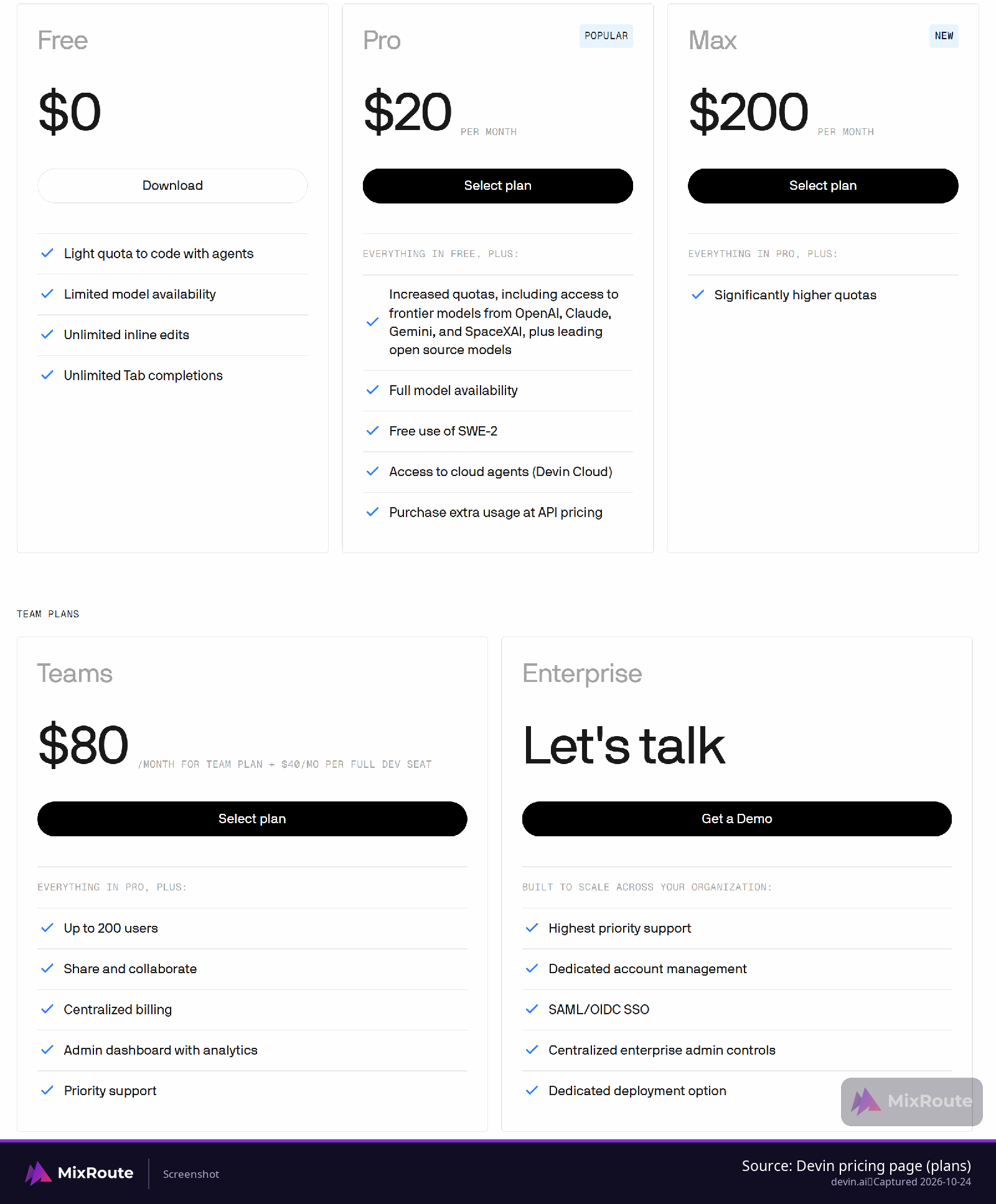
Pick Cursor if you want an agent that edits files as it works, reviews changes in a diff, and runs whole tasks in the cloud: Cursor Premium is $30 per month, Teams starts at $30 per user per month. Pick Devin Desktop, the editor formerly called Windsurf, if you want the local agent to hold every edit until you approve it: Devin Pro is $20 per month, Teams is $80 per month plus $40 per full dev seat. Those are the vendors’ pricing pages as of October 23, 2026. Cost per seat decides for some teams, the review loop for others.
Which editor fits which developer
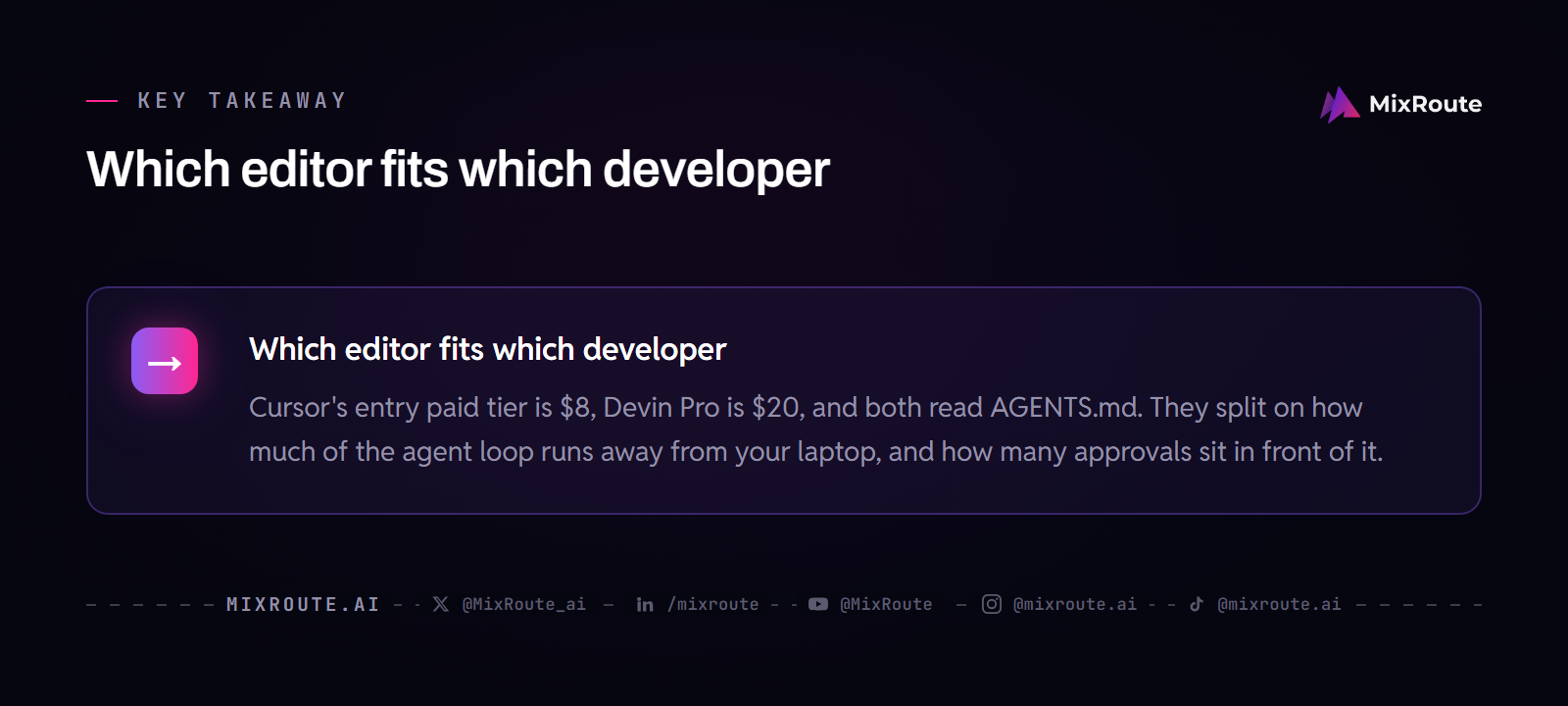
Cursor’s entry paid tier is $8, Devin Pro is $20, and both read AGENTS.md. They split on how much of the agent loop runs away from your laptop, and how many approvals sit in front of it.
- If you want the agent to run a whole task in the cloud and hand back a pull request, Cursor’s Cloud Agents are the fit. Each runs on its own dedicated virtual machine with a full development environment, and can build features, fix bugs, write tests, open PRs and share a video of the result.
- If you want the agent on your machine and an approval before anything writes, Devin Local is the fit. An edit only runs after you approve it, and a session can run inside a git worktree so the main workspace stays untouched.
- If your security team needs SSO at the team tier, Cursor Teams includes SAML/OIDC SSO. On new Devin Teams plans SSO is Enterprise-only.
- If you bring your own key for chat models, Cursor documents BYOK for OpenAI, Anthropic, Google, Azure and AWS Bedrock, and on individual plans those requests do not draw from your included usage.
Cursor’s site carries the copyright notice of Anysphere, Inc., and Devin Desktop is made by Cognition. Extensions arrive the same way either way, since Cursor installs from Open VSX and Devin Desktop downloads from an Open VSX mirror, not the Microsoft VS Code Marketplace.
Devin Desktop, formerly Windsurf: what changed
The name changed, the editor did not. Windsurf became Devin Desktop on June 2, 2026, delivered as an over-the-air update, and the changelog entry for v3.0.12 on that date says Windsurf is now Devin Desktop. Cognition describes it as the same IDE and editor under the Devin brand, and groups its products as Devin Cloud, Devin Desktop, Devin CLI and Devin Review. The desktop application is named Devin, Devin.app on macOS and Devin.exe on Windows. Cognition announced a definitive agreement to acquire Windsurf, covering its IP, product, trademark and brand.
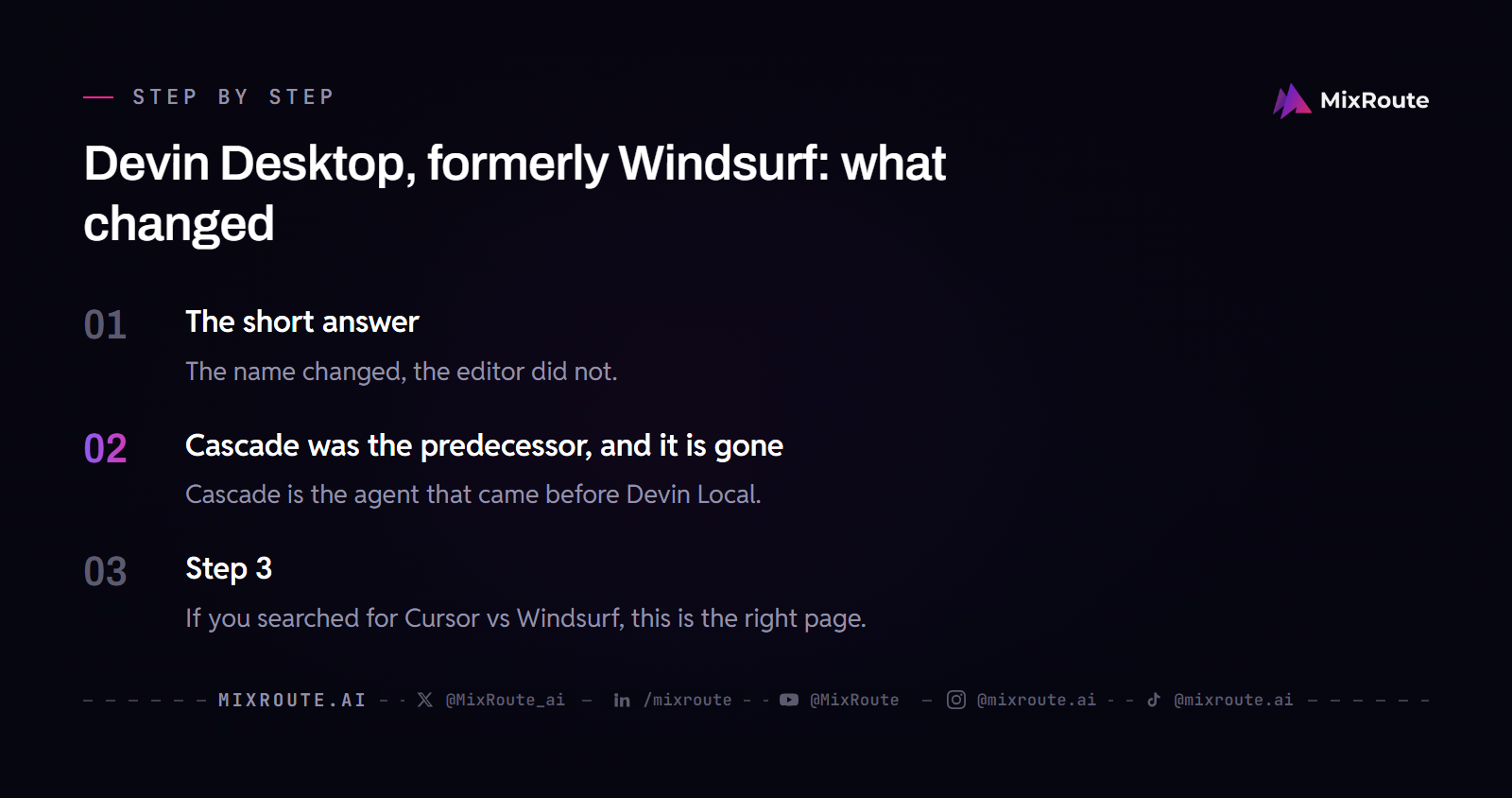
If you searched for Cursor vs Windsurf, this is the right page. Existing Windsurf settings are ported over automatically and Devin Local inherits them. The rename did not change plans or pricing for existing Windsurf users, and Devin Desktop stays backwards-compatible with Windsurf and VS Code extensions, keybindings and workflows. The vendor’s extensions page calls it an agentic VS Code OSS experience.
Cascade was the predecessor, and it is gone
Cascade is the agent that came before Devin Local. Cognition introduced Devin Local as its successor, and the changelog entry for v3.9.19 on September 8, 2026 states that Cascade has been removed and Devin Local is the only agent available. The launch post said the legacy Cascade agent could still be used through July 1st for incremental migration. Cascade memories and workflows migrate to skills with the Devin: Open Cascade Migration Wizard command.
How each agent handles a multi-file change
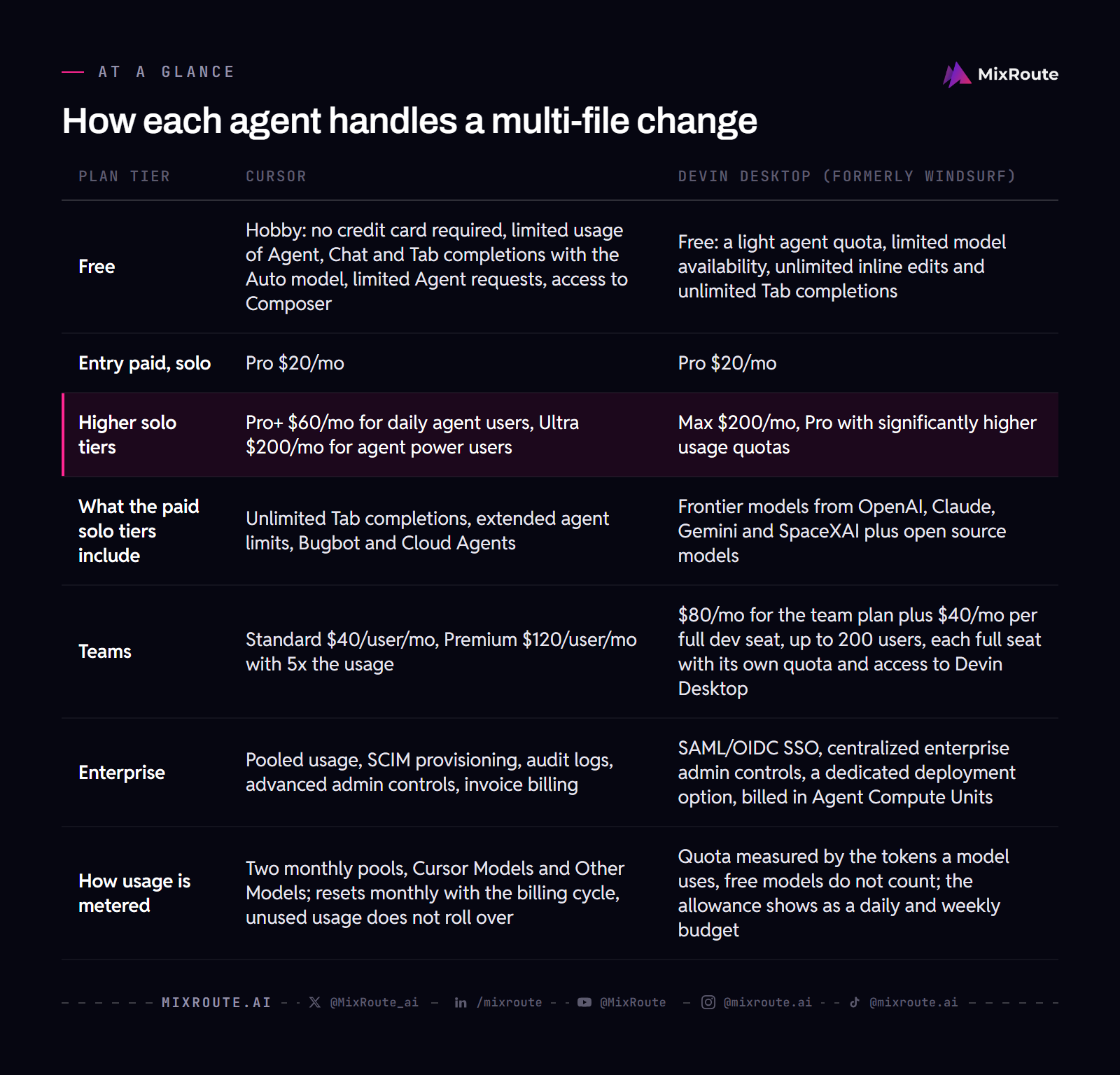
Cursor shows the work as it happens and gives you a way to undo it. Devin Desktop holds the edit until you say yes.
Cursor Agent
Agent is the name of the agent; Composer 2.5 is a model, not a mode. Composer is Cursor’s own model line, and Composer 2.5 is described as its own agentic model. Agent completes coding tasks independently, runs terminal commands, edits code, searches the codebase, edits multiple files and fixes errors on its own. You do not have to point it at files with @ mentions; without them, Agent finds relevant files through its own search.
For a multi-file change, Plan mode produces a plan for review before Agent writes code. Ask mode is read-only, so Agent answers without editing. While Agent writes, edits are applied as it works and reviewed in a diff view, where unwanted changes can be rejected. Checkpoints are stored locally, separate from Git, and exist for undoing Agent changes.
The run mode decides how much gets confirmed. Auto-review, which Cursor recommends for most people, runs known-safe calls, sandboxes shell commands when it can, and has a classifier review the rest. Run Everything runs every tool call automatically. Cursor can also run agent terminal commands inside a sandbox that blocks unauthorized file access and network activity. Agent Review runs a dedicated code review on local changes, and Agent can delegate research, shell commands or browser interactions to subagents that run in parallel. Cloud Agents, which Cursor used to call background agents, run a task in the cloud from start to finish and can open a PR and share a video of the result.
Devin Local
Devin Local runs on your machine and is the primary local agent in Devin Desktop. It has three agent modes, Normal, Plan and Ask, the same as Devin CLI. In Plan mode the agent researches read-only, writes up an approach and asks for approval before implementing. Cognition says Devin Local is up to 30% more token efficient, and it supports subagents.
Permissions are where it departs from Cascade. Devin Local replaces Cascade’s auto-execution levels with a finer-grained permissions system, and the harness has five permission modes: Normal, Accept Edits, Smart, Bypass and Autonomous. In the default Normal mode, read-only operations are auto-approved while writes and shell commands need explicit approval, and an edit only runs after you approve it.
Devin Local spawns independent subagents in the foreground or background, supports OS-level sandboxing, and can run a session inside a git worktree so the main workspace is untouched. A shell command still running after the default wait moves into the background and the agent keeps working. Quick Review is a dedicated subagent for rapid feedback on changes. Two limits: it does not persist memories between sessions, and workflows are not available with it.
Devin Cloud is built into Devin Desktop and included with the self-serve plans, Pro, Max and Teams. Each session runs on its own VM with a desktop, browser and computer use. The Agent Command Center shows local and cloud agents on one Kanban board grouped by status.
Plans and prices, side by side
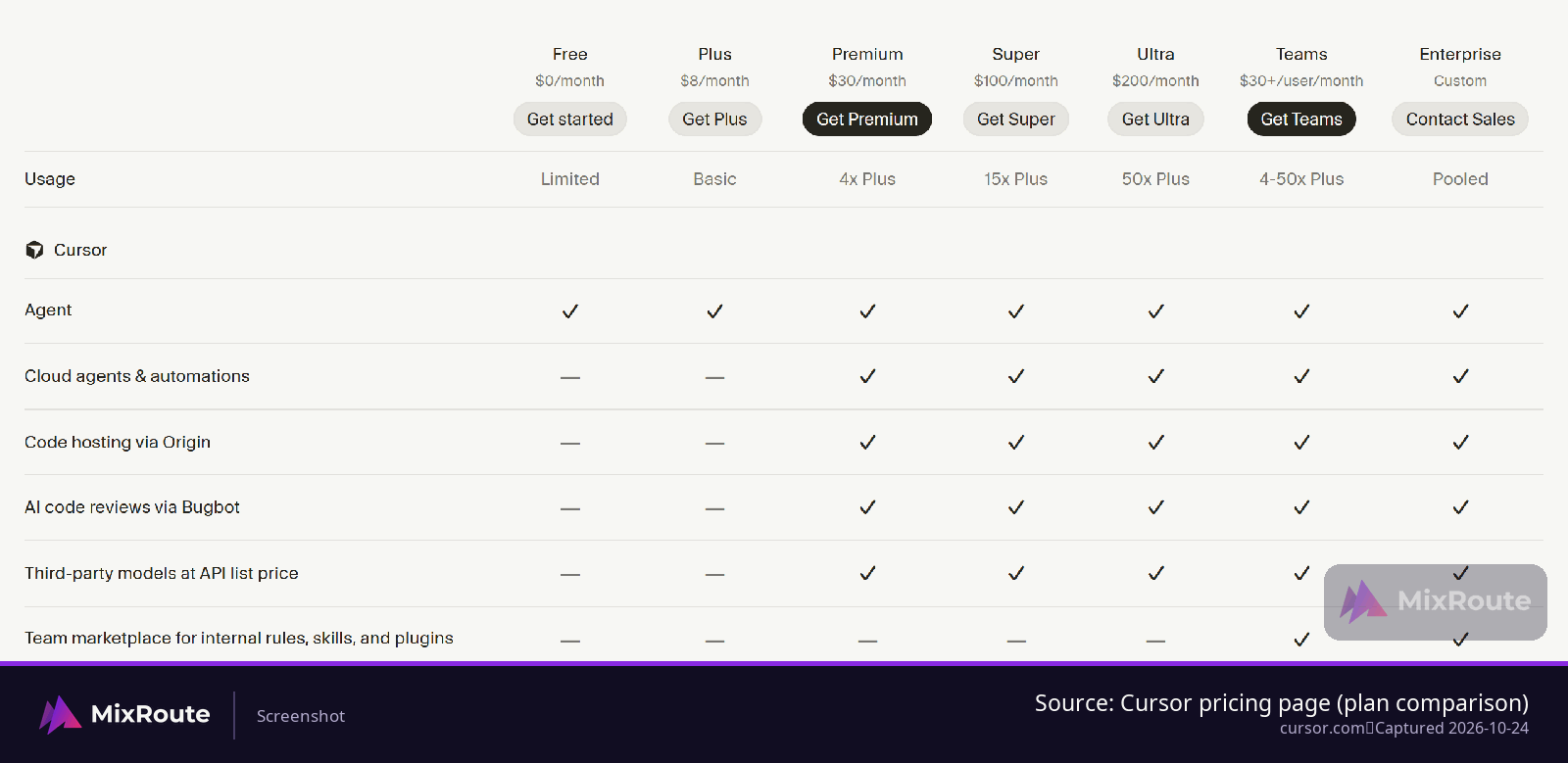
Both offer free plans, but Cursor’s entry paid tier is $8 per month and Devin’s is $20. The real difference is metering: Cursor counts against one usage pool, shared with Grok, that refreshes weekly, Devin counts the tokens a model spends against a daily and weekly budget.
| Plan tier | Cursor | Devin Desktop (formerly Windsurf) |
|---|---|---|
| Free | Free: limited usage, with limited Agent and Chat requests | Free: a light agent quota, limited model availability, unlimited inline edits and unlimited Tab completions |
| Entry paid, solo | Plus $8/mo, Grok models only | Pro $20/mo |
| Higher solo tiers | Premium $30/mo, Super $100/mo with 15x Plus usage, Ultra $200/mo with 50x Plus usage | Max $200/mo, Pro with significantly higher usage quotas |
| What the paid solo tiers include | Premium includes 4x Plus usage; Premium and up include cloud agents and automations, AI code reviews via Bugbot, and third-party models at API list price | Frontier models from OpenAI, Claude, Gemini and SpaceXAI plus open source models |
| Teams | $30+/user/mo, with Premium, Super or Ultra seats at the same per-seat prices as the individual plans | $80/mo for the team plan plus $40/mo per full dev seat, up to 200 users, each full seat with its own quota and access to Devin Desktop |
| Enterprise | SCIM provisioning, audit logs, advanced admin controls, invoice billing | SAML/OIDC SSO, centralized enterprise admin controls, a dedicated deployment option, billed in Agent Compute Units |
| How usage is metered | One usage pool shared across Cursor and Grok; the allowance refreshes weekly | Quota measured by the tokens a model uses, free models do not count; the allowance shows as a daily and weekly budget |
| Over the limit | Buy top-ups or wait for the weekly refresh; third-party models are billed at API list price | Free users wait for the next reset; Pro, Teams and Max users can buy extra usage at API list prices |
Cursor’s included usage pool is shared across Cursor and Grok, and Plus offers Grok models only. Third-party models have no included allowance and are billed at API list price. Cursor recommends Premium for new AI users, Super for daily agent users and Ultra for power users.
Devin replaced its credit-based system with a quota-based one in March 2026. At the quota limit, Free users wait for the next reset while Pro, Teams and Max users can buy extra usage at API list prices for the model used. Devin Cloud usage on self-serve plans draws from the same quota and extra-usage balance as Devin Desktop. Existing Windsurf Pro subscribers at $15 per month keep that price indefinitely, and existing Windsurf Teams subscribers keep $30 per seat per month indefinitely.
Rules files, MCP and where the config lives
Both editors read AGENTS.md, which is the one piece of configuration you can keep identical across them. Everything else sits in a directory named after the editor.
| What you are configuring | Cursor | Devin Desktop (formerly Windsurf) |
|---|---|---|
| Project rules | .cursor/rules, as .mdc files, version-controlled. A plain .md file in .cursor/rules is ignored by the rules system. | .devin/rules/*.md, with .windsurf/rules/*.md read as a fallback. |
| Single file at the workspace root | .cursorrules is legacy and slated for deprecation, with a documented migration to .cursor/rules. | There is no .devinrules single-file format. .windsurfrules at the workspace root is still read. |
| Global rules | User rules and team rules, alongside AGENTS.md. | An AGENTS.md file in the user config directory. |
| Cross-tool file | Reads AGENTS.md in the project root and in subdirectories, and reads CLAUDE.md the same way. | Reads AGENTS.md files, and can import Cursor’s .cursor/rules (.mdc) into .devin/rules/. |
| MCP servers | Global config at ~/.cursor/mcp.json, project-level at .cursor/mcp.json. | Project-scope servers in .devin/config.json, checked into version control. The harness imports MCP servers from Cursor’s .cursor/mcp.json. |
Cursor separates rules into four kinds: project rules, user rules, team rules and AGENTS.md. If you still carry a .cursorrules file, the vendor’s steps are to copy its content into a new rule set to Always Apply and delete the old file. Cognition recommends AGENTS.md for project rules because it works across multiple AI tools, which is also what makes it the cheapest thing to share between these two editors. By default, Devin Local asks for approval before calling any MCP tool.
Moving rules from Cursor to Devin Desktop
- Put rules you want both editors to follow in an AGENTS.md file at the project root. Cursor reads it there and in subdirectories, and Devin Desktop reads it too.
- Leave Cursor-specific rules in .cursor/rules as .mdc files, and let Devin Desktop import them into .devin/rules/.
- Copy global rules into an AGENTS.md in your user config directory so Devin picks them up outside the workspace.
- Move MCP servers by letting Devin’s harness import from .cursor/mcp.json, then keep project-scope servers in .devin/config.json so the team gets them from version control.
JetBrains, model choice and bring-your-own-key
If your team works in IntelliJ IDEA, PyCharm or WebStorm, both vendors have a route in, and neither is the old Windsurf JetBrains plugin, which is in maintenance mode.
- Cursor’s agent runs inside IntelliJ IDEA, PyCharm, WebStorm and other JetBrains IDEs through the Agent Client Protocol. It needs the JetBrains AI Assistant plugin at 2025.1 or later, and a paid Cursor plan.
- Devin runs inside JetBrains IDEs from AI Chat over ACP, including JetBrains Remote Development. The vendor recommends Devin over ACP rather than the older plugin.
Cursor supports frontier models from OpenAI, Anthropic, Google, SpaceXAI and others. Bring-your-own-key covers chat models from OpenAI, Anthropic, Google, Azure and AWS Bedrock, and two details matter for planning spend: custom keys work only with chat models, so Tab completion keeps using Cursor’s built-in models, and on individual plans those requests do not draw from your included usage. They are still routed through Cursor’s servers.
Devin Desktop Pro includes frontier models from OpenAI, Claude, Gemini and SpaceXAI plus open source models, and a model router called Adaptive picks a model for each task. Devin Pro lists free use of the SWE-2 model in Devin Desktop and CLI through October 16, 2026, so that offer is dated rather than open-ended. Tab in Devin Desktop is powered by Cognition’s own in-house model, and Cursor’s Tab autocomplete can edit multiple lines and add missing imports.
Devin Desktop can also run third-party agents through the Agent Client Protocol, for Pro, Max and Teams users. When one of those runs, Devin Desktop’s privacy policy and terms do not apply, and billing is between you and that agent’s provider. For Teams and Enterprise, Devin Desktop can index remote repositories.
Where a pay-per-token API key fits
MixRoute serves 250+ models behind one OpenAI-compatible base URL at https://api.mixroute.ai/v1 with a 0% platform fee. Any tool that accepts a custom base URL, whether that is a terminal agent, a CLI coding tool, or a script you wrote, can point at it with one key, and MixRoute’s pages show prices in USD across all four locales. That is the other half of the bill: an editor subscription covers the agent loop inside the editor, and a pay-per-token key covers runs outside it, where nothing is counting seats. If you write your own loops around a model, how to vibe code is worth reading alongside the plan you are comparing.
If part of your work runs outside the editor, compare the platform fee and plan terms before you put a budget behind those runs.
Privacy modes and data controls
Cursor’s switch is called Privacy Mode, and it is available to anyone. With it on, Cursor says it keeps zero data retention agreements with all providers. With it off, Cursor may use and store code data and prompts to improve its features and train its models. On team accounts, Privacy Mode is on by default for members. Cursor holds a SOC 2 Type II attestation plus ISO/IEC 27001:2022, ISO/IEC 42001:2023 and AIUC-1 certifications.
Devin runs the other way around. Cognition may use customer data for model training by default, and paid-plan users can opt out on the Data Controls settings page. On the Teams plan, only an administrator can opt out. Cognition says it never trains on Enterprise customer data without express prior written consent, and it has been SOC 2 Type II certified since September 2024. After a paid user opts out, Zero Data Retention is enabled with Cognition’s model providers.
One gap worth flagging before a security review: Cursor’s Zero Data Retention policy does not apply to requests made with your own API key, even though those requests still pass through Cursor’s servers.
FAQ
Is Windsurf still called Windsurf?
No. Windsurf became Devin Desktop on June 2, 2026, delivered as an over-the-air update, and the desktop app itself is named Devin, Devin.app on macOS and Devin.exe on Windows. Existing Windsurf settings were ported across automatically, and the rename did not change plans or pricing for existing Windsurf users.
What happened to Cascade in Devin Desktop?
Cascade was removed. The changelog entry for v3.9.19 on September 8, 2026 states that Cascade has been removed and Devin Local is the only agent available. Cascade memories and workflows migrate over as skills with the Devin: Open Cascade Migration Wizard command.
Can I use Cursor’s agent in JetBrains IDEs on a free plan?
No. Cursor inside IntelliJ IDEA, PyCharm, WebStorm and the other JetBrains IDEs requires a paid Cursor plan, and it runs through the JetBrains AI Assistant plugin at 2025.1 or later over the Agent Client Protocol. Devin reaches JetBrains from AI Chat over ACP as well, including JetBrains Remote Development.
Does using my own API key in Cursor use up my plan?
Not on individual plans. Custom keys work with chat models only, so Tab completion keeps using Cursor’s built-in models, and requests made with your own key do not draw from your included usage. They are still routed through Cursor’s servers, and Cursor’s Zero Data Retention policy does not apply to them.
How do I move my Cursor rules into Devin Desktop?
Let Devin Desktop import them. It can pull Cursor’s .cursor/rules (.mdc) files into .devin/rules/, and it also reads AGENTS.md, which Cursor reads in the project root and in subdirectories, so anything you write there works on both sides. MCP servers come across from .cursor/mcp.json.
What happens when I hit the usage limit in each editor?
On Cursor, you can buy top-ups or wait for the weekly refresh, and third-party models are billed at API list price. On Devin, Free users wait for the next reset while Pro, Teams and Max users can buy extra usage at API list prices for the model used.