Codex vs Claude Code: Which Coding Workflow Fits You?
A common shortcut in these comparisons splits the two down the middle: Codex is the cloud agent, Claude Code is the terminal tool. As of September 8, 2026, that split is out of date. OpenAI documents Codex on a local CLI, a VS Code extension, the ChatGPT desktop app, and hosted cloud tasks that need a ChatGPT sign-in. Anthropic documents Claude Code in the terminal, in VS Code and JetBrains, in a desktop app, in browser sessions, and in cloud sessions that outlive your laptop. So the 2026 choice comes down to two things: where the loop runs, and which meter pays for it, a subscription allowance or a per-token API key.
What does each agent actually run, and where?
Both agents now ship a local CLI, an editor extension, and hosted cloud work, so the surface list no longer separates them. What does: how those surfaces connect. Claude Code revolves around a terminal session you supervise, with the editor, desktop, mobile, and cloud surfaces built around that loop. Codex spreads the same product across local tools and a cloud dashboard held together by your ChatGPT account.
Claude Code runs one engine across terminal, editors, desktop, mobile, and the cloud
Claude Code is Anthropic’s coding agent, and Anthropic’s documentation, current on September 8, 2026, describes one engine behind all of it: the terminal, VS Code, JetBrains, a standalone desktop app, browser sessions at claude.ai/code, and the Claude mobile app. The terminal CLI is the full-featured surface. Install it with a curl script, Homebrew, Winget, or a Linux package manager, then run claude inside a project directory. The VS Code and JetBrains extensions give you inline diffs and plan review without leaving the editor, and the desktop app can run several sessions side by side or hand work between surfaces.
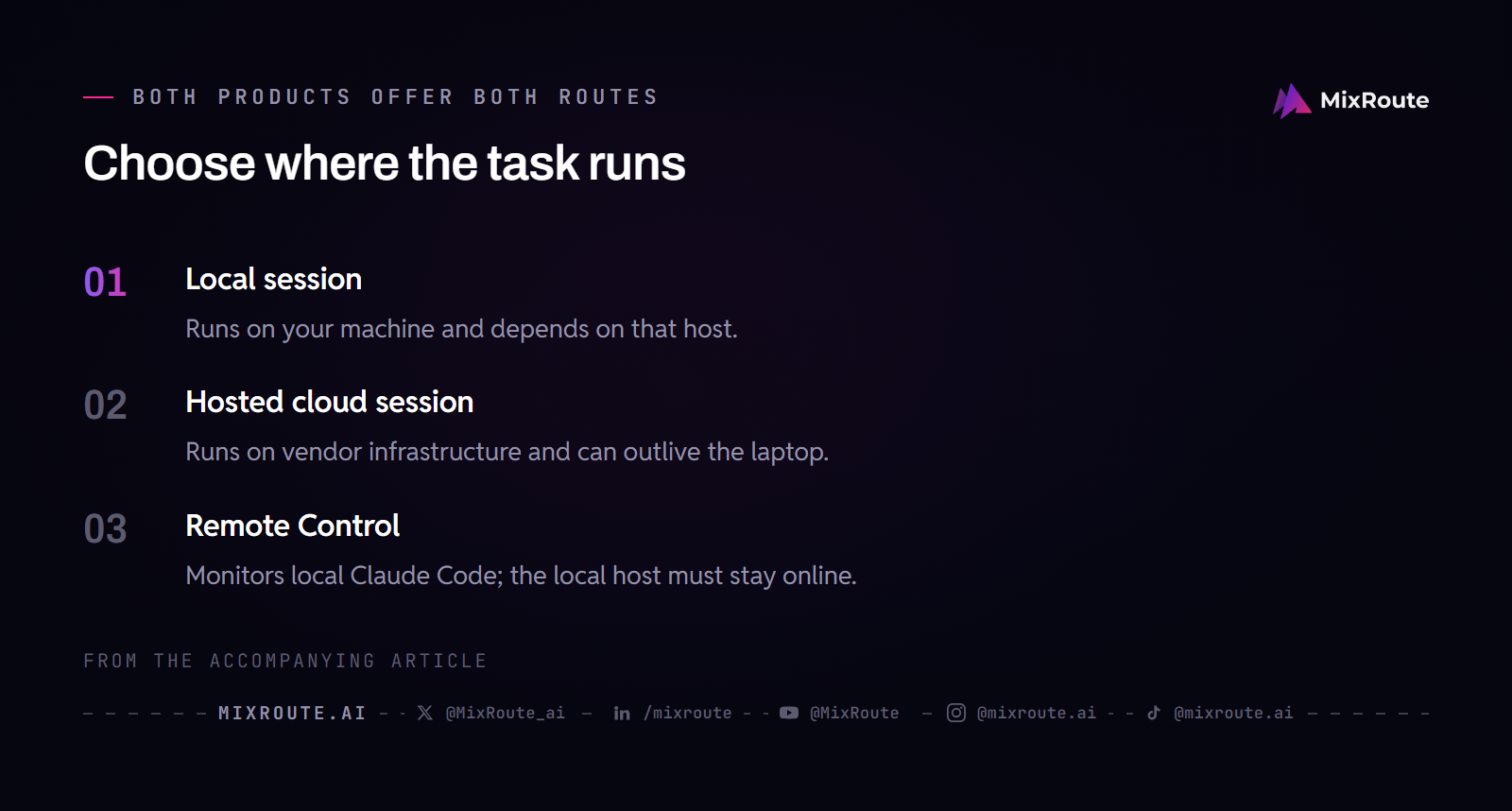
Two features change where a session can live, and they are easy to mix up. Claude Code on the web, meaning sessions started at claude.ai/code or with claude --cloud "task", runs on Anthropic-managed infrastructure and keeps working after you close the browser or the laptop. Anthropic labels that product a research preview for Pro, Max, Team, and eligible Enterprise seats. Remote Control is the reverse pattern: it lets you watch and steer a local Claude Code session from your phone or another browser, and it stops when the machine hosting that local session goes offline. A paid Claude subscription or a Claude Console account covers most surfaces, and the Terminal CLI, VS Code, and JetBrains can also point at third-party providers such as Amazon Bedrock or Google Cloud’s Agent Platform.
Codex combines a local CLI and editor work with hosted cloud tasks under one ChatGPT login
Codex is OpenAI’s coding agent. OpenAI’s pricing and authentication documentation, current on September 8, 2026, puts Codex on the web, in the CLI, in the IDE extension, and on iOS through ChatGPT, plus the ChatGPT desktop app for local chats. Cloud chats run in isolated OpenAI-managed containers and require signing in with ChatGPT. Local work in the CLI, the IDE extension, or the desktop app accepts a second sign-in route: an OpenAI API key, which moves those calls to standard per-token API pricing instead of your plan’s included allowance. The CLI is open source, and a task begun in one surface keeps its context when you pick it up in another, which is the account-level thread that holds the product together.
Because both agents ship editor extensions, the editor decision stays separate from the agent decision. Codex runs inside VS Code, and Claude Code has extensions for VS Code and JetBrains. If the editor is where you plan to spend the day, read our Cursor versus VS Code comparison to see which host fits the way you already work before you layer an agent on top of it.
How does the same development task play out on Codex versus Claude Code?
Surface differences show up fastest in a concrete task, so run one through both. The shared test here is a compound-interest calculator: it takes a principal, an annual interest rate, and a number of years, prints a year-by-year balance table, and draws a growth chart from the same data. Start both agents from the same commit, give them the same prompt, and judge the result against the same test list. This is a walkthrough of each tool’s documented local, editor, and cloud workflow, not a measured benchmark.
The calculator task through Claude Code
In the terminal, you run claude at the project root and describe the calculator. The agent plans an approach, edits the files, runs the commands you approve, and iterates when something fails. In Manual mode it asks before first use of each tool. In acceptEdits mode it accepts file edits inside the working directory while still gating commands. Plan mode lets it explore and propose an implementation without touching source files. The VS Code and JetBrains extensions run the same loop against the same working tree with editable diffs, and the desktop app mirrors the session for visual review.
The cloud route starts the same task on Anthropic infrastructure instead. Open claude.ai/code and create a session, or run claude --cloud "Build the calculator..." from a terminal, which clones the repository’s current branch into a cloud VM and runs there while you keep working. The session persists if the laptop closes, and the Claude mobile app can check on it. When you want the work back under your own supervision, claude --teleport pulls the cloud session and its branch into a local terminal. Teleport requires a claude.ai subscription login, a clean local git state, and a checkout of the same repository.
The calculator task through Codex
Locally, the same prompt goes to the Codex CLI. By default it runs with an OS-enforced sandbox that limits writes to the current workspace and keeps network access off, and it asks for approval before editing outside the workspace or reaching the network. The IDE extension gives you the same agent inside VS Code with inline review of the changes it proposes. You can also sign the CLI in with an API key instead of ChatGPT, which keeps the same local workflow but moves the cost to per-token API billing.
The cloud route moves the code to OpenAI infrastructure. From the web dashboard at chatgpt.com/codex, or from cloud chats in the ChatGPT desktop app, Codex works inside an OpenAI-managed container that starts with the repository and returns a diff or pull request. These cloud tasks require ChatGPT sign-in, run in OpenAI’s infrastructure, and continue after you close the laptop. The container uses a two-phase runtime: setup can reach the network to install dependencies, and the agent phase runs offline by default unless you enable internet access for that environment.
A single table keeps the surface-level paths in one place. Every entry is as documented on September 8, 2026, and either vendor can change these routes in a future release.
| Workflow step | Codex as documented September 8, 2026 | Claude Code as documented September 8, 2026 |
|---|---|---|
| Start the calculator task locally | Run codex in the repository or use the IDE extension |
Run claude at the project root or use the VS Code or JetBrains extension |
| Start the calculator task in the cloud | Open cloud chats in the Codex dashboard or ChatGPT desktop app; requires ChatGPT sign-in | Open claude.ai/code or run claude --cloud "task"; requires a claude.ai subscription login |
| Where code is written | Local workspace for the CLI and IDE extension; OpenAI-managed container for cloud chats | Local working tree for terminal and editor sessions; Anthropic-managed VM for web and --cloud sessions |
| Keeps running after the laptop closes | Cloud chats continue in OpenAI infrastructure; local CLI sessions stop with your machine | Web and --cloud sessions persist on Anthropic infrastructure; local sessions stop with your machine |
| Monitor a task from another device | Cloud dashboard and ChatGPT mobile can show cloud tasks; mobile remote control is available for local work on eligible plans | Claude mobile app monitors cloud sessions; Remote Control monitors a local session only while its host stays online |
| Repo-level instruction file | Reads AGENTS.md |
Reads CLAUDE.md |
Both products support Model Context Protocol servers and repo-level instruction files, but the files are not interchangeable. Claude Code’s claude mcp add defaults to local scope, and --scope project writes a shared .mcp.json at the project root for the rest of the team. Codex keeps personal defaults in ~/.codex/config.toml and also reads project overrides from a .codex/config.toml file in the repository, where the default model and MCP servers can be set for the team. Codex loads that project layer only after you trust the project. AGENTS.md and CLAUDE.md are guidance files that shape what the model tries, not an OS-level security boundary, and neither product enforces rules through them. If you run both agents on one repository at the same time, concurrent edits can conflict. Give each agent its own worktree for simultaneous isolation, or let one write while the other reviews the diff, and check every change before it lands.
If you have not yet walked an agent through a full first project, our how to vibe code walkthrough builds the supervise-and-iterate rhythm on a small codebase before you commit either tool to your main repository.
Where does each tool draw the safety boundary?
Both agents rely on OS-enforced boundaries and permission gates that act regardless of what the model outputs. That is the primary enforcement, and it is not the model deciding on its own to behave. Each product also adds a layer that does use model judgment: Claude Code’s auto mode runs a classifier over actions that would otherwise prompt, and Codex offers automatic approval reviews, where a reviewer agent evaluates eligible requests before the action runs. The mechanical sandbox and the configurable approval policy do the heavy lifting in both products; model judgment supplements those layers in specific modes rather than replacing them.
Codex treats the sandbox and the approval policy as separate dials
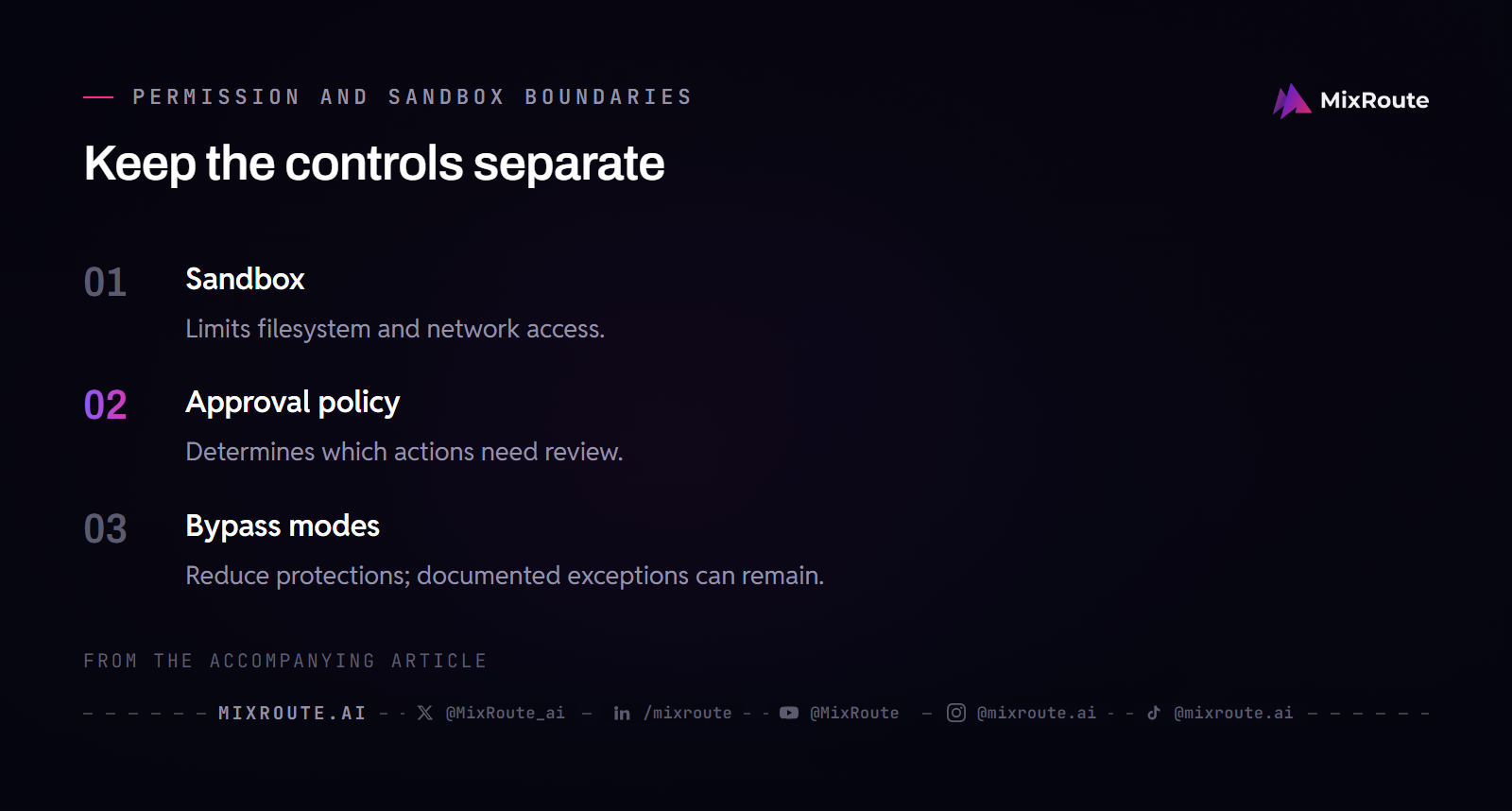
Codex documentation, current on September 8, 2026, describes the sandbox and approvals as two layers that work together. The sandbox defines what the agent can touch: on macOS, commands run under sandbox-exec with a Seatbelt profile; on Linux, Codex uses bwrap plus seccomp by default; native Windows uses the Windows sandbox implementation. The documented sandbox modes are read-only, workspace-write, and danger-full-access, while the approval policy is set separately with on-request or never. The older untrusted policy was retired in Codex 0.149.0, released August 20, 2026, and a config that still sets it now fails with an error. In the default Auto preset, which maps to --sandbox workspace-write --ask-for-approval on-request, the agent can read files, make edits, and run commands inside the workspace, and it asks before editing outside the workspace or using the network. Network access is off by default in that mode unless you enable it in configuration. The two settings are independent: danger-full-access removes OS-level sandbox isolation, but it does not by itself disable the approval prompt. The --yolo flag (alias --dangerously-bypass-approvals-and-sandbox) turns off both controls at once, and OpenAI documents that combination as not recommended.
Splitting the dials means you can tune the pair to the job:
read-onlyplus--ask-for-approval neveris a constrained inspection configuration. The agent can read files, cannot write or run mutating commands, and never asks. That suits a CI job that only needs to check output without changing source, though it is not a blanket safe CI mode, because a misconfigured prompt can still make the agent read sensitive files.workspace-writeplus--ask-for-approval on-requestlets the agent read, edit, and run commands inside the workspace, and it asks before editing outside the workspace or using the network.
Codex also offers an automatic approval review that routes eligible approval requests through a reviewer agent before the action runs. Those reviews make extra model calls, so they add to your usage.
Claude Code layers permission modes and hooks over OS-level sandboxing
Claude Code’s safety model has more than one layer as well. OS-level sandboxing restricts the Bash tool’s filesystem and network access, using Seatbelt on macOS and bubblewrap on Linux and WSL2. On top of that sit permission modes that decide which tool calls ask for approval: Manual mode prompts on first use, acceptEdits mode allows file edits in the working directory while gating commands, plan mode permits read-only exploration without editing source files, and auto mode runs classifier-based checks on actions that would otherwise prompt. dontAsk auto-denies tool calls that have not been pre-approved via /permissions or permissions.allow rules, so how strict it is depends on the allow rules you configure. AskUserQuestion, MCP tools marked requiresUserInteraction, and connector tools your organization set to ask are denied even when an allow rule covers them, because dontAsk never prompts. bypassPermissions is not the mirror image: it skips permission prompts except for the actions no mode auto-approves, and the cross-session messaging safeguards still apply. Anthropic labels it dangerous and restricts its use to isolated environments like containers or VMs where the agent cannot cause damage.
Hooks extend this system with shell commands you write. A PreToolUse hook runs before a tool call and can block an action, and a PostToolUse hook runs after an action and cannot prevent the action it follows. Permission rules are evaluated in deny, then ask, then allow order regardless of what a hook returns. None of these layers replaces the others: hooks give you programmable policy, permission rules give you a consistent gate, and OS sandboxing confines what a command can reach even if prompt injection steers the model. Guidance files like CLAUDE.md do none of that enforcement work on their own.
What does each tool cost, and which bill are you actually paying?
The pricing question is really two questions: which subscription gates the agent’s daily use, and which API key bills per token when the agent runs outside that subscription. Both products have both modes, and the two bills behave differently. Keep them separate when you compare costs, because a plan allowance and a per-token invoice are different purchases even when they run the same harness on the same task.
Subscription tiers gate surface access and included usage
Codex access rides on ChatGPT plans, and OpenAI’s current pricing lists several tiers. The Free plan exists for quick coding tasks; Go costs $8 per month for lightweight work; Plus costs $20 per month and is described as enough for a few focused coding sessions each week; Pro starts at $100 per month for 5x or 20x higher rate limits than Plus. OpenAI frames each tier’s allowance with a range of messages per five-hour period by model and explicitly says the figures are estimates, not fixed limits, because model choice, context, reasoning, tool use, and caching all change consumption. Cloud chats on ChatGPT plans may use more of the allowance than local messages, and usage resets on vendor-defined windows.
Claude Code requires a paid Claude subscription or a Claude Console account on most surfaces. Anthropic’s documentation names Claude Pro and Claude Max subscription tiers, Claude for Teams and Enterprise for organizations, and Claude Console access for API-billed usage, and it directs you to the current claude.com pricing page for exact amounts. Cloud sessions on claude.ai/code are a research preview for Pro, Max, Team, and eligible Enterprise seats, so plan availability gates that surface before any usage limit does. As with Codex, Anthropic does not publish one universal cap you can compare across accounts. The binding number is whatever your plan dashboard shows for your current window.
None of that tells you what a task costs. To get that number for your own codebase, run the same task from the same starting commit in both tools and compare accepted changes, passing tests, human corrections, elapsed time, and the usage reported by each plan or API account.
Authentication decides which bill a session actually hits
Choose your sign-in method deliberately, because it selects the meter. The Codex CLI supports both a ChatGPT login and an API key login. The explicit API path is documented as printenv OPENAI_API_KEY | codex login --with-api-key, and codex login status verifies which authentication method is active before you start a long session. Treat that key as a secret: it is stored in a local auth file or your OS credential store, and it should never be committed or pasted into a ticket. A custom model provider configured in Codex has its own authentication rules, which can be OpenAI authentication, a provider-specific environment variable, or no authentication for local models, depending on the provider configuration.
Claude Code documents its own precedence. On first launch, running claude opens a browser login with your Claude account. If ANTHROPIC_API_KEY is already set in your environment, Claude Code skips the login prompt and asks you to approve that key instead, which sends traffic to per-token API billing under your Console organization’s rates. A Console login can also be created without an API key on current versions. When multiple credentials exist, environment-based credentials rank above a saved subscription login, so check /status in Claude Code to see which login method is active rather than assuming your subscription is the one being used.
Which agent fits your workflow, and when does an API gateway enter the picture?
Pick the agent by running your own task, not by following the louder community consensus. Both tools cover local CLI, editor, and hosted cloud work, so the deciding factors are which surfaces you actually use, which permission model you are willing to configure, and whether your spend sits inside a subscription or on an API invoice. Start with a small real task from a clean commit, run it once in each tool, and compare the diff, the test results, the time, and the usage your plan dashboard reports. If you supervise interactive work and want to program the rules around every tool call, Claude Code’s permission modes, plan mode, and hooks reward that attention. If you want local and cloud work under one account and a sandbox whose OS boundary you can tune separately from approvals, Codex’s split controls suit that pattern. Running both on one repository is workable when you keep them in separate worktrees for simultaneous isolation or use one to write and the other to review.
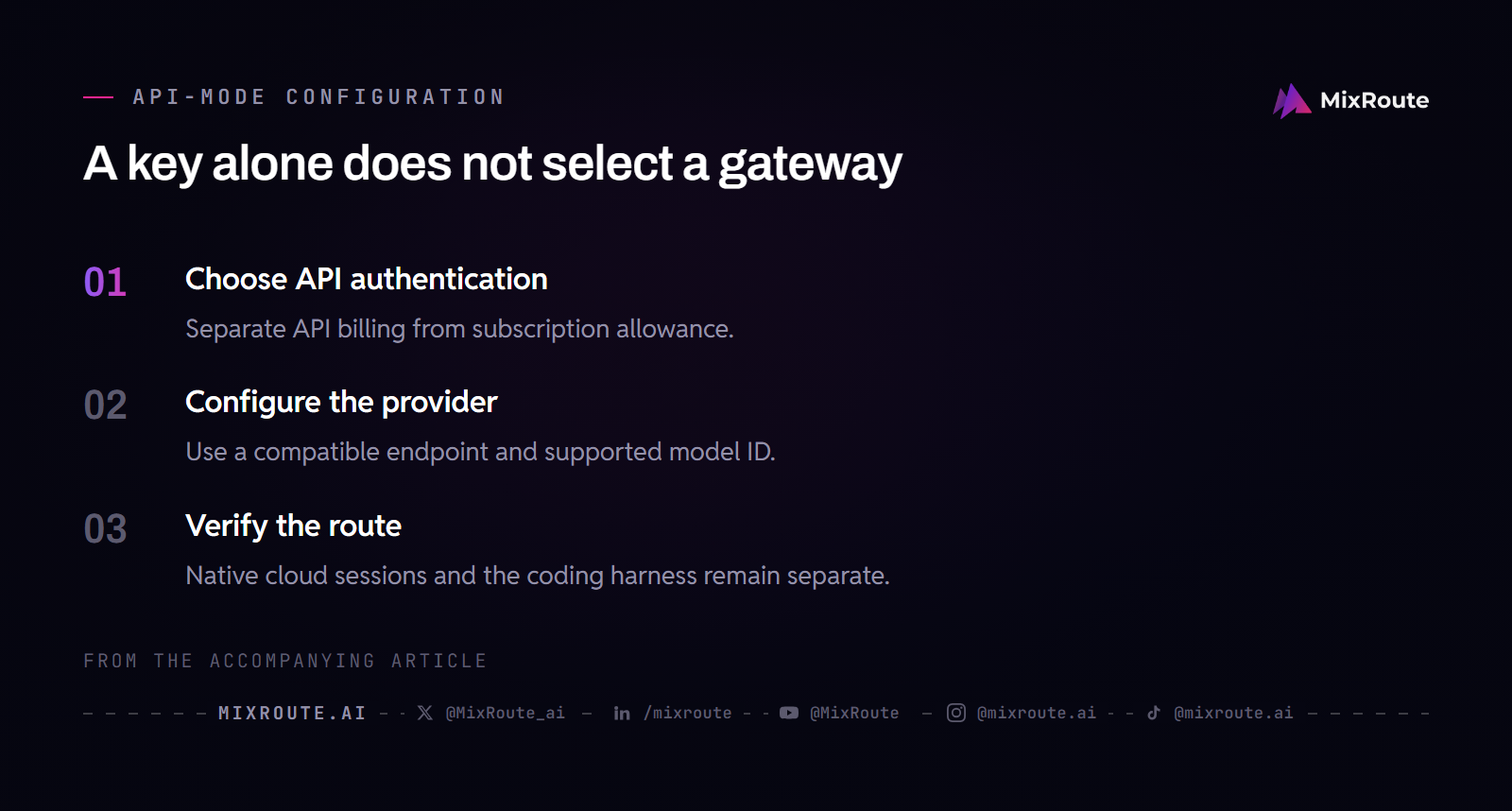
An API gateway only enters the picture on the per-token bill, and its role is narrower than most product pages suggest. Subscription-gated agent usage inside ChatGPT Plus or a Claude Pro or Max account is metered inside the vendor’s own account and runs through the vendor’s own infrastructure. API-key authentication alone does not route that traffic through a third-party gateway: the CLI must also carry a compatible provider and endpoint configuration that points model calls at the gateway’s base URL and names a supported model. Only then does each model call become an ordinary HTTP request you can redirect. An OpenAI-compatible base URL reroutes API-mode traffic; it does not migrate native cloud sessions or replace either vendor’s coding harness.
MixRoute documents this arrangement for the Codex CLI. Its Codex CLI integration requires the Codex CLI itself, a MixRoute API key, connectivity to api.mixroute.ai, and a configuration that names a model provider plus a supported model ID. The integration covers the CLI’s local API-mode traffic. When your coding agent runs per token and you want one key and one invoice across the models you call, compare your API-key workload against MixRoute’s model catalog and per-token rates before you wire another harness to a single provider key.
FAQ
Is Codex cloud-only?
No. Codex runs locally too: the CLI, the VS Code extension, and local chats in the ChatGPT desktop app all execute on your machine, under the OS sandbox and against the copy of the repo on your disk. Cloud chats are the piece that requires a ChatGPT sign-in, and they run in OpenAI-managed containers rather than on your hardware. If your laptop is locked down and you cannot install a CLI, the browser dashboard is the route that still works.
Is Claude Code only a terminal tool?
The terminal CLI is still the full-featured surface, but it is one surface among several. VS Code and JetBrains extensions, a desktop app, browser sessions at claude.ai/code, and the Claude mobile app all connect to the same engine. Remote Control is the piece people mix up with the cloud product: it watches a session that is still executing on your own machine, so it goes dark the moment that machine goes offline. If you want work to continue while the laptop is shut, that is the web session.
Which tool lets a task keep running after I close my laptop?
Both do, as long as the session was started in the cloud; a local session still stops with its host. Codex cloud chats keep running in OpenAI-managed containers while your machine is offline. Claude Code sessions started from claude.ai/code or with claude --cloud stay on Anthropic-managed infrastructure, and claude --teleport can pull one back into a local terminal, which needs a claude.ai subscription login, a clean git state, and the same repository checked out. The cloud route is the one to pick when a task is long and your laptop is not part of the answer.
Is subscription access the same as API pricing?
No. The sign-in method picks the meter. A ChatGPT plan or a Claude Pro or Max plan includes an allowance, while an API key bills each token at the provider’s published model rates, and the two are not convertible into each other. Neither vendor publishes one cap you can compare across accounts, so the number that matters is what your own dashboard shows for the current window. On the Codex CLI, codex login status tells you which login is active before you start something long.
Can I run Codex and Claude Code on the same project?
Yes, with one condition: they must not edit the same files at the same time. Give each agent its own worktree if both need to run, or let one write while the other reviews the diff. They read different instruction files, AGENTS.md for Codex and CLAUDE.md for Claude Code, so both need to stay current when the two tools share a repository. Check each diff before it lands, because neither instruction file is a security boundary.
How do the two tools stop the model from doing something destructive?
The enforcement is mechanical rather than a matter of the model’s judgment. Codex keeps the sandbox mode and the approval policy as separate settings, so danger-full-access opens the filesystem while approvals still prompt unless you also pass --yolo, which disables both. Claude Code stacks OS sandboxing with permission modes: dontAsk denies anything you have not pre-approved, and bypassPermissions skips prompts except for the actions no mode auto-approves. Hooks add programmable policy around tool calls, but they do not replace OS isolation.
When does a gateway like MixRoute fit into either workflow?
Only on the per-token bill, and only for local API-mode traffic. Point the Codex CLI at a MixRoute API key with connectivity to api.mixroute.ai and a provider configuration that names a supported model ID, and those calls travel through the gateway. Nothing changes for a ChatGPT or Claude subscription session, because that usage is metered inside the vendor’s own account, and native cloud sessions stay where they run. If your whole day sits inside a plan allowance, a gateway has nothing to do.