What Is a Claude Skill? Build a Minimal Claude Code Skill
What is a Claude skill?
A Claude skill is not a prompt you paste into a conversation, and it is not an MCP server you install. It is a folder: a required SKILL.md plus optional scripts/, references/ and assets/ folders, loaded when a task matches what the skill says it handles. That description sits in the YAML frontmatter, and Claude reads it before it opens anything else, so it decides whether the rest of the folder ever arrives. You write your own for a workflow you repeat, and the smallest working version is one folder holding one file.
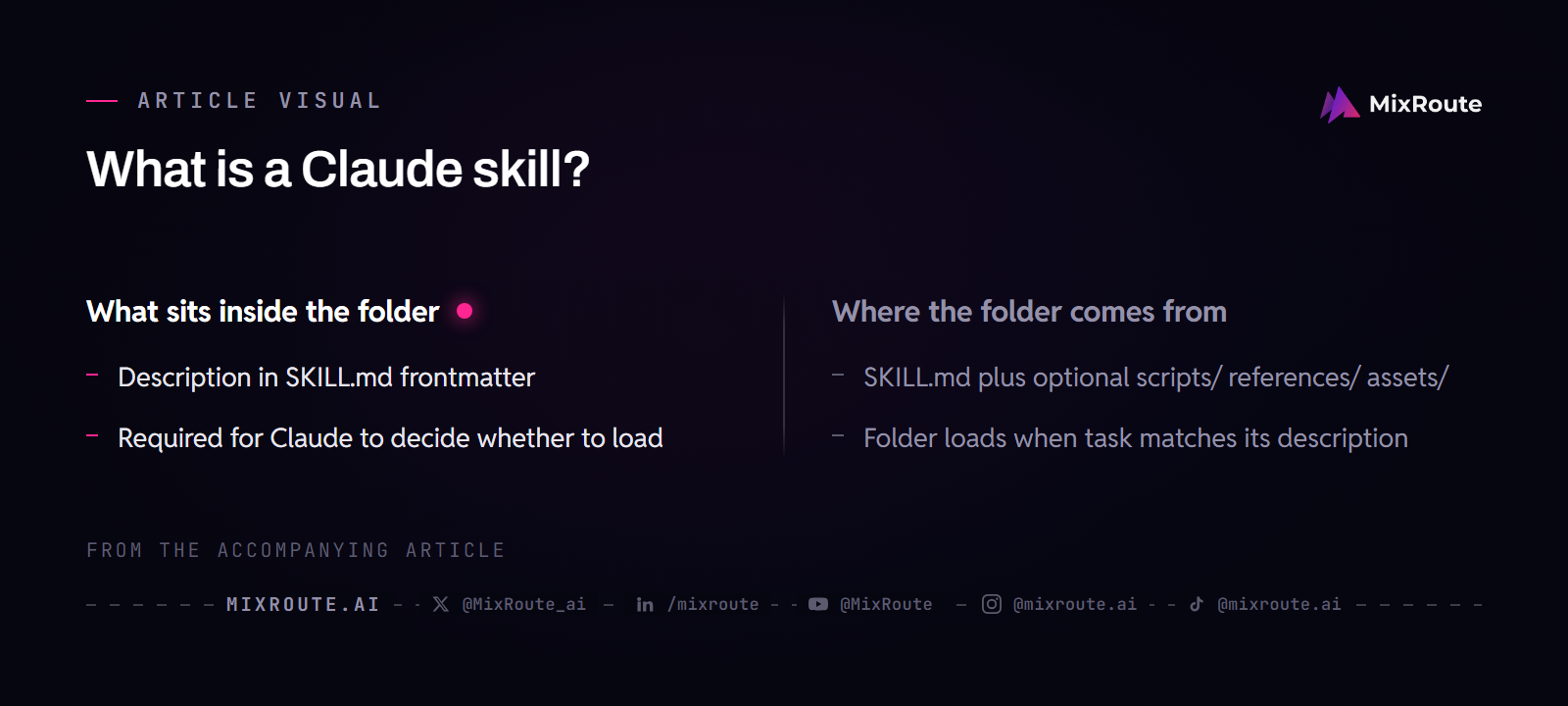
What sits inside the folder
Four things can live in a skill folder, and only the first one is required.
SKILL.md: Markdown instructions with a YAML frontmatter block at the top.scripts/: executable code, Python or Bash, for the steps you would rather run than describe.references/: documentation that Claude opens only when your instructions send it there.assets/: templates, fonts and icons that end up inside the output.
Each optional folder earns its place at a specific step. If you are writing a skill that rewrites a paragraph of text, you can stop after the first item. A skill that renders a PDF from a company template needs assets/ for the template and often scripts/ for the render call. Leaving a folder out until a step depends on it keeps the skill small, and small matters when Claude is choosing between several loaded skills at once.
Where the folder comes from
They arrive from four places, and the difference matters when one of them misbehaves and you go looking for the file to fix.
- Anthropic-maintained skills, such as enhanced document creation for Excel, Word, PowerPoint and PDF files. They are available to all users, and Claude invokes them automatically when relevant.
- Custom skills that you or your organization write for a workflow of your own.
- Organization-provisioned skills. On Team and Enterprise plans an owner can provision a skill for everyone, and it appears automatically in every member’s list, enabled or disabled by default.
- Partner skills in the Skills Directory, built by partners such as Notion, Figma and Atlassian and designed to work with those partners’ MCP connectors.
Skills run on Free, Pro, Max, Team and Enterprise plans and need code execution turned on. Claude Code carries them too, and on the Claude API they are out of beta, though API users still need the code execution tool to use them.
How a skill decides to load
Claude does not read the whole folder before it answers. Loading happens in three stages: the frontmatter sits in front of the model, the SKILL.md body loads when the skill looks relevant, and linked files load only when the instructions reach for them.
That staging is why a vague description keeps an otherwise good skill from firing.
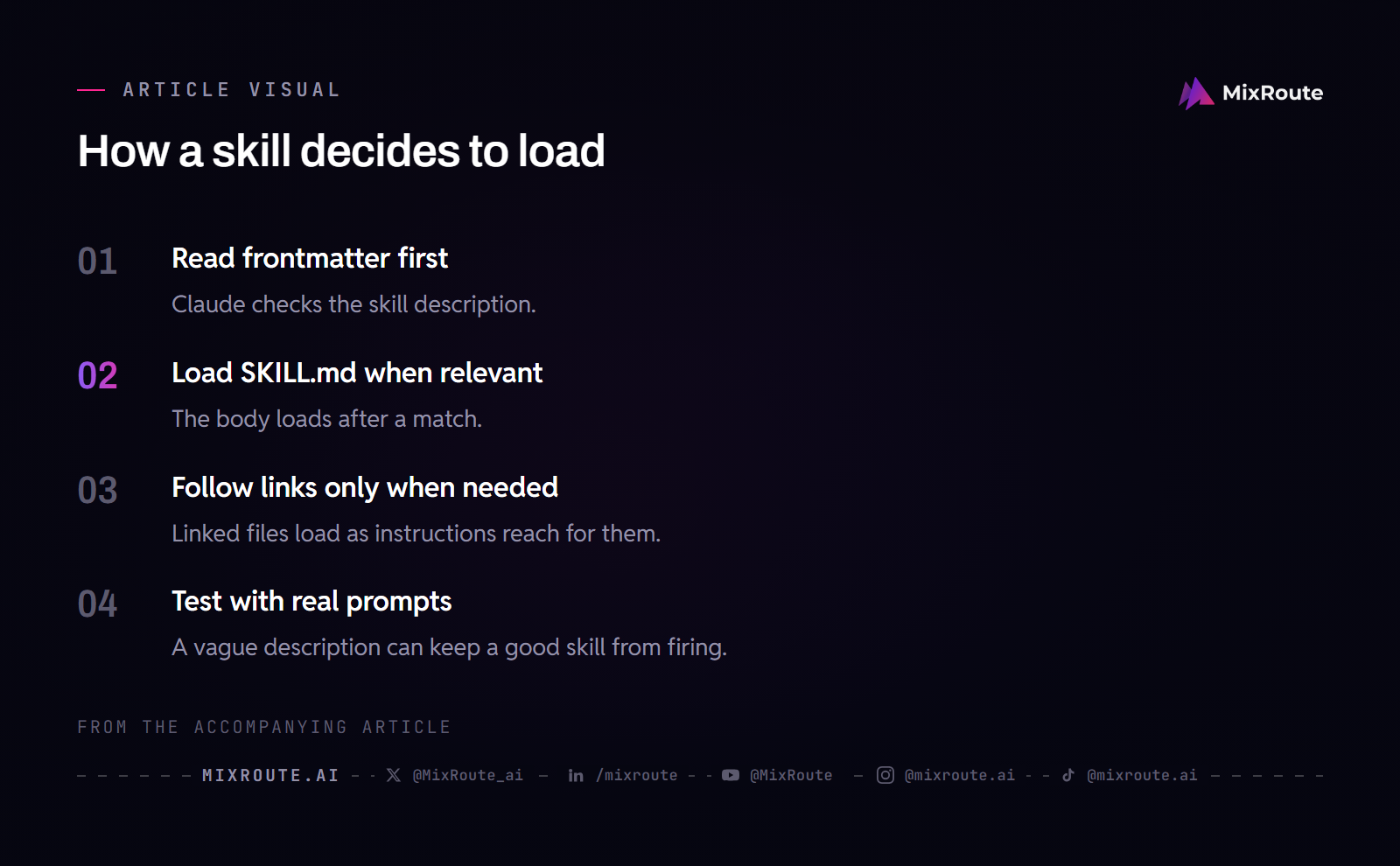
The three stages
The first stage is the YAML frontmatter, which stays in the system prompt and carries just enough information for Claude to know when each skill should be used, without pulling all of it into context. The second is the body of SKILL.md, which arrives when Claude judges the skill relevant to the current task and holds the full instructions. The third is everything linked from that body, opened only as the task needs it. Anthropic calls this progressive disclosure, and the reason is token economy: the specialized knowledge stays available without being paid for on every request.
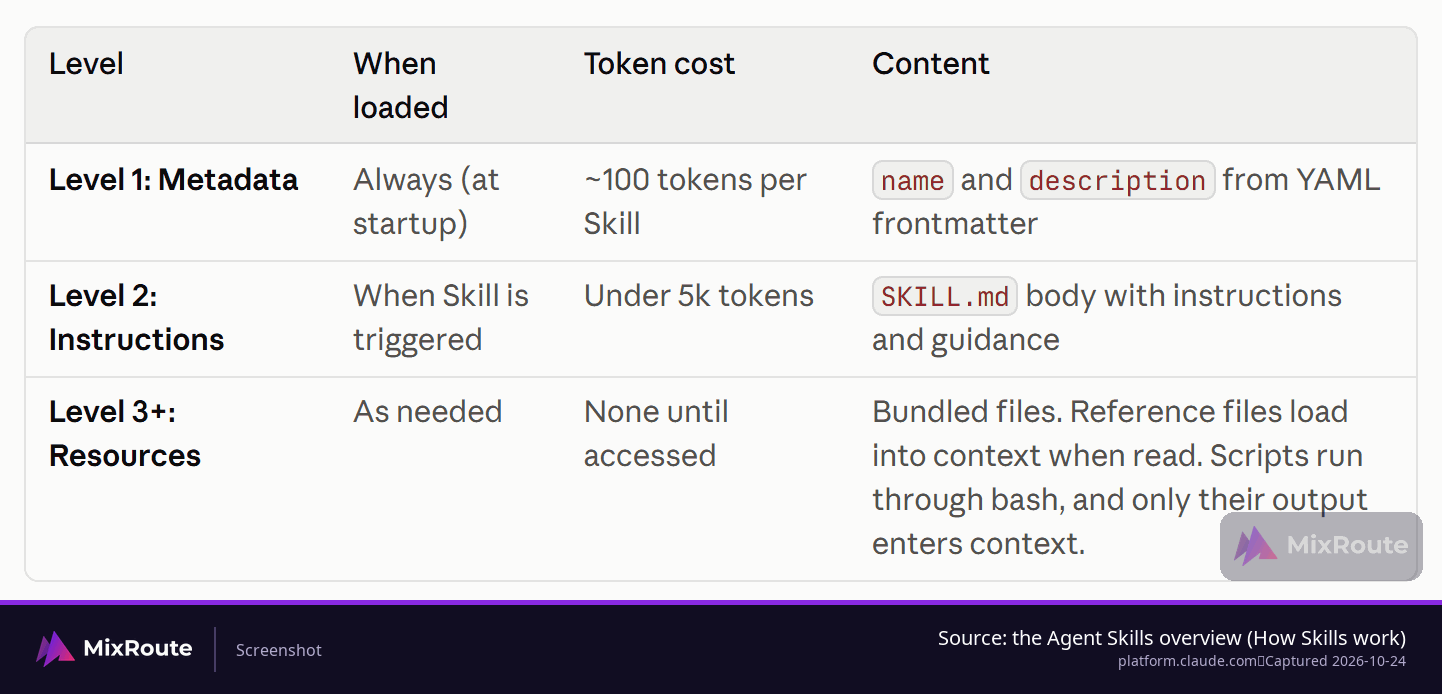
Why the description carries the whole decision
Only stage one is guaranteed to be in front of the model, so the description does work you might expect the instructions to do. Picture a skill of 800 careful lines whose description reads Helps with projects. The body never arrives, because nothing in that sentence tells Claude this folder is the one for sprint planning. The same file, with a description that names sprint planning and quotes the phrases people actually type, loads the first time someone asks.
When a skill gets slow or the answers get vague
Slowness usually means too much text arrived at once. When that is what you are seeing, move long reference material out of SKILL.md into references/ and link to it, keep the core instructions short, and look at how many skills are enabled at the same time, since every enabled skill competes for the same room. Anthropic’s guide suggests keeping SKILL.md under 5,000 words and reviewing the enabled list once it passes 20 to 50 skills. Take the direction rather than the exact number: fewer, smaller, better-scoped skills behave better than a large pile.
The smallest skill folder that works
Start with one folder and one SKILL.md: YAML frontmatter with name and description, then numbered instructions and one worked example. Leave scripts/, references/ and assets/ out until a step actually needs them. If you already know the two or three workflows you want it to handle, Anthropic’s guide expects a first working skill to take 15 to 30 minutes to build and test with skill-creator.
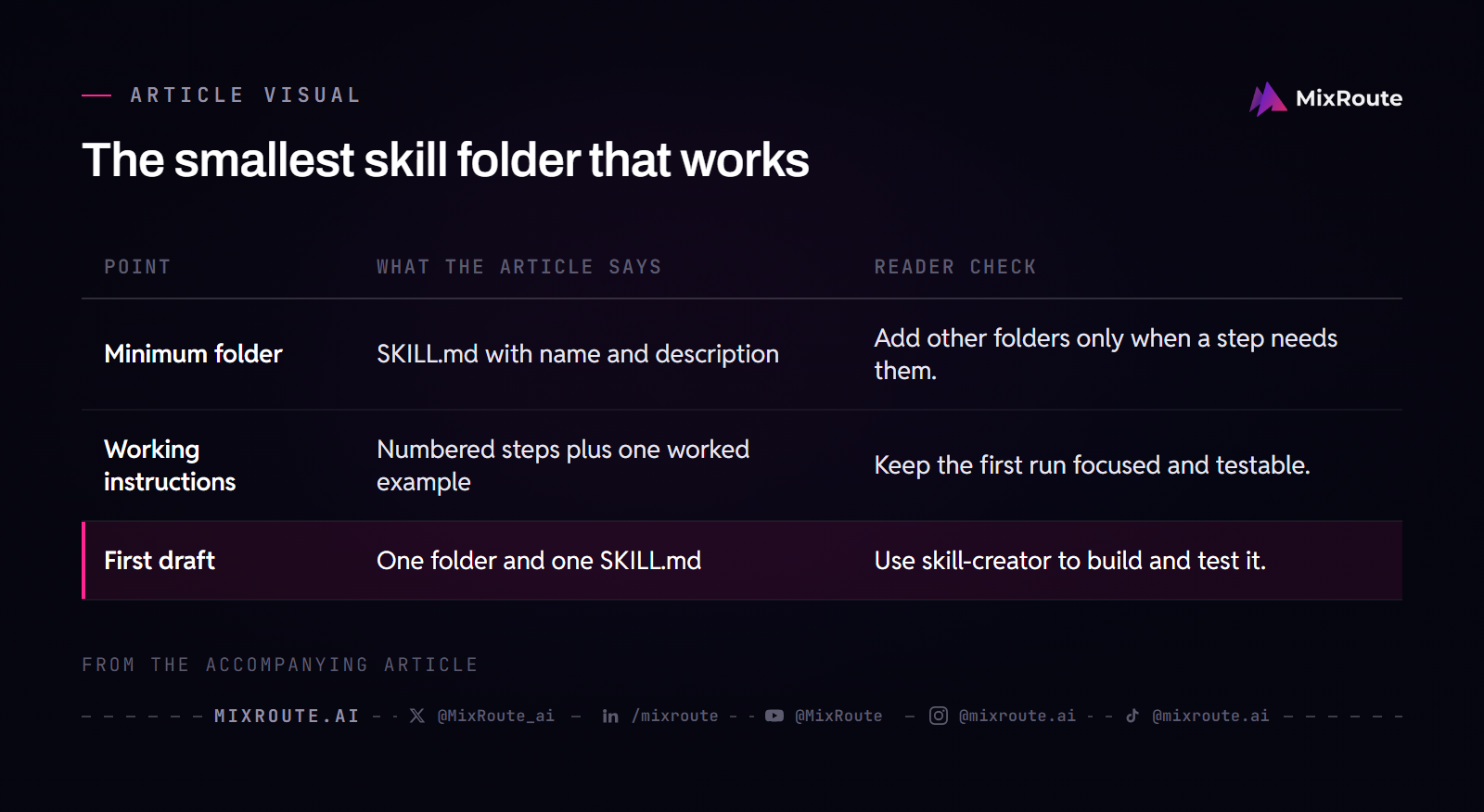
The whole thing is one folder and one file. Here is a skill that turns a range of commits into release notes:
release-notes/
SKILL.md---
name: release-notes
description: Draft release notes from a range of commits. Use when the user asks to "write the release notes", "turn this into a changelog", "summarize what shipped", or pastes commit messages and asks what changed.
---
# Release notes
## Step 1: Collect the range
Run `git log --oneline <last-tag>..HEAD` and keep the output in the conversation.
## Step 2: Group the commits
Sort every commit into Added, Changed, Fixed or Removed. Drop merge commits and version bumps.
## Step 3: Write the notes
One line per change, past tense, naming what a user of the product would notice. Leave internal refactors out.
## Example
User says: "turn this into a changelog" and pastes 14 commit lines.
Result: four grouped sections, 11 lines, three refactors left out.Two frontmatter fields, and the errors they cause
name and description are both required, and the block has to be fenced by --- above and below. Three upload errors account for most first attempts.
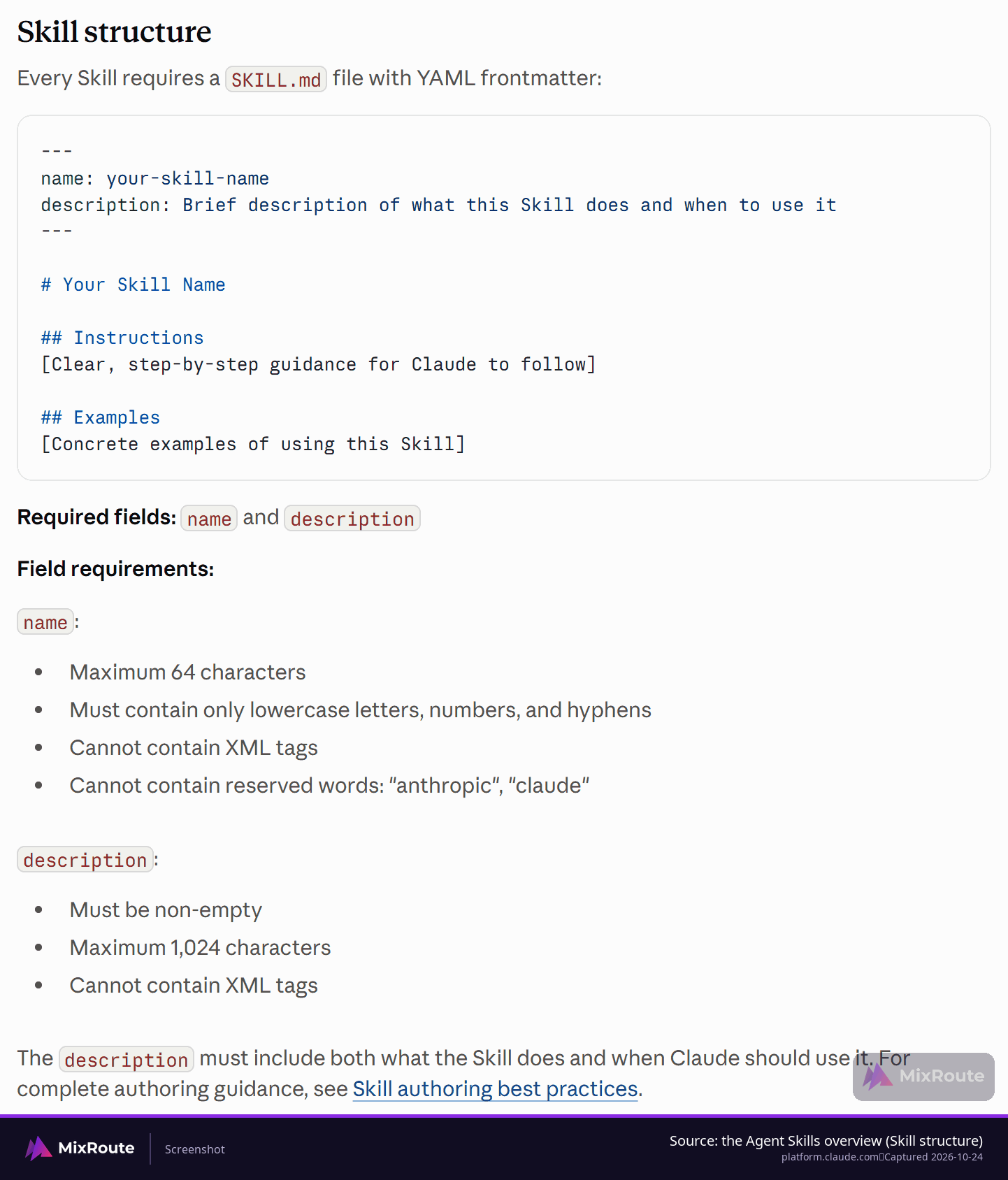
Could not find SKILL.md in uploaded folder: the file is namedskill.mdorSKILL.MD. The name is case-sensitive, andls -lain the folder should show exactlySKILL.md.Invalid frontmatter: missing delimiters or an unclosed quote, usually from editing the block by hand.- A name with spaces or capitals produces
Invalid skill name.my-cool-skillpasses;My Cool Skilldoes not.
Instructions that survive a real run
Below the frontmatter the body is ordinary Markdown, and it works best as numbered steps that pair the command to run with the output that counts as success. Put the instructions that must never be skipped at the top, since a long preamble pushes them out of the way before the real work starts. When a step needs a list of patterns, a style sheet or a set of examples, put them in references/ and name the file from the body instead of pasting the list in. Where a check has to hold every time, such as confirming a field is present before a write, move it into a script: code is deterministic, and language interpretation is not.
Getting to a first draft faster
Writing this folder by hand takes minutes. Many people get there faster by having the agent draft it while they correct the steps that came out wrong, which is the same loop as building software by iterating with the agent, covered in our guide to building software by talking to the agent. Either way the artifact is the same folder, and the field to spend your attention on is the description.
Write a description that fires on the right requests
Name what the skill does, then the phrases a user would really say, including file types where they matter. Get that wrong in one direction and the skill never loads; get it wrong in the other and it fires on everything, including requests a neighboring skill should own.
What a working description contains
Two halves, both short: what the workflow accomplishes, then the cues that pull it in, quoted in the user’s own words. A sprint planning skill reads Manages Linear project workflows including sprint planning, task creation, and status tracking. Use when user mentions "sprint", "Linear tasks", "project planning", or asks to "create tickets". A second example adds the product name and the phrases a support agent would actually hear: Use when user says "onboard new customer", "set up subscription", or "create PayFlow account".
Watch your own trigger fire
Take the release-notes skill from the previous section. Its description quotes “turn this into a changelog”, so a request in exactly those words pulls the skill in. A teammate who writes “what went out in this release?” is asking for the same work, and if that phrasing is nowhere in the description, the skill may simply stay closed. Adding the paraphrase costs one clause and removes a whole class of “it worked for me and not for them” reports. After an edit, you can see what the loader sees: ask Claude when it would use the skill, and it will quote the description back to you.
Descriptions that fail in both directions
Three examples show the shape of the problem. Helps with projects. is too vague to match anything. Creates sophisticated multi-page documentation systems. describes output but names no trigger a user would type. Implements the Project entity model with hierarchical relationships. is written for a developer reading code rather than for the person making the request.
The opposite failure, loading on everything, comes from scope that overlaps a neighboring skill. Narrowing the noun does most of the work: Processes documents becomes Processes PDF legal documents for contract review. When two skills genuinely compete for the same requests, a negative trigger settles it, as in Do NOT use for simple data exploration (use data-viz skill instead).
Skills vs. prompts, plugins and MCP tools
A prompt is a one-time instruction. A skill is a folder the model reloads whenever a matching task arrives. A plugin adds functional extensions, and an MCP server supplies tool access while the skill says how and when to use it.
| Layer | What it adds | Where you edit it |
|---|---|---|
| Prompt | One instruction for one request | The message you type |
| Skill | Instructions and supporting files that reload whenever a matching task arrives | SKILL.md and the files beside it |
| Plugin | Functional extensions installed into the client | The plugin’s own package |
| MCP server | Tool access to an outside service | The server and its connection settings |
| Model endpoint | The model that turns the request into output | The client or script that holds the URL and key |
MCP provides the professional kitchen: the tools, ingredients and equipment. A skill provides the recipe. In practice that split means an MCP server can create a Linear ticket, while the skill knows a sprint planning request needs the current project status first, then three tickets with estimates and labels. Anthropic frames the pair as connectivity against knowledge, which is why a connector installed without a skill leaves users asking how to do anything with it.
That division also tells you where to debug. When a tool call fails, retest the MCP server on its own by asking Claude to use it directly without the skill. If that direct call fails too, the fault is on the MCP side, in the connection or the authentication, and rewriting your instructions will not fix it. If the direct call succeeds, the mismatch is inside the skill: the tool names your instructions reference have to match the server’s names exactly, and those names are case-sensitive.
Skills also stack. Claude can load several at once, so a skill should work alongside others rather than assume it is the only capability available. A release-notes skill that also restyles every heading will fight a documentation skill loaded for the same request. Narrow folders are what make the combination hold.
One more layer sits under all four: the model that produces the tokens. When your skill’s instructions tell Claude to run a script that calls a model, the endpoint and the key live in that script, so changing providers is a script edit rather than a SKILL.md edit. MixRoute keeps that edit small for Anthropic-shaped code, because you point the Anthropic SDK client at base_url="https://api.mixroute.ai" with a MixRoute key and the same client and messages.create call keep working. Its published terms are 250+ models behind one endpoint at a 0% platform fee, and the top-up tiers and terms on the pricing page show what a key costs before you commit to one. Per-million-token prices sit with each model’s own entry in the catalog, which is where a rate comparison belongs.
Check the skill before you trust it
Three checks decide whether a skill is trustworthy: it fires on obvious asks, fires on paraphrases and stays quiet on unrelated ones; its outputs and tool calls are correct; and the same request is compared without the skill. In Claude Code the skill-creator plugin can run that loop for you: it runs each test case in a clean subagent, grades the output, and tunes the description against should-trigger and should-not-trigger prompts.
| Check | What you run | What a pass looks like |
|---|---|---|
| Triggering | The obvious ask, a paraphrase of it, and an unrelated request | The first two load the skill; the third does not |
| Function | The workflow end to end, plus one failure case such as a bad input or an unavailable tool | Output matches your format, tool calls succeed, and the error path produces the message you documented |
| Baseline | The same request with the skill disabled | Fewer turns, fewer retries or less cleanup for the same result |
Triggering tests
For a ProjectHub skill, an example suite lists three requests that should trigger it, such as “Help me set up a new ProjectHub workspace” and “Initialize a ProjectHub project for Q4 planning”, and three that should not, such as “What’s the weather in San Francisco?” and “Help me write Python code”. Triggering lists are worth writing in the phrasing a real teammate would use, and they need another run after every description edit.
Functional tests
A functional test runs the workflow on a real input and checks the output against the format your instructions promise. One is written as given, when, then: given a project name and five task descriptions, when the skill runs the workflow, then the project exists, five tasks carry the right properties, all five are linked, and no API error came back. The failure case matters as much as the happy path, so include one input that should be rejected and watch whether the skill rejects it the way you documented.
The comparison that shows the skill earns its place
Run the same request with the skill disabled and compare the two runs. One sketch of that comparison: without the skill, 15 back-and-forth messages, 3 failed API calls and 12,000 tokens; with it, 2 clarifying questions, no failed calls and 6,000 tokens. That illustrates the measurement rather than a benchmark your skill will match, because the size of the gap depends entirely on the workflow you picked.
When the failure is not the skill
Instructions get ignored for reasons that have nothing to do with the model. Verbose instructions get skimmed, so bullet points and numbered steps beat paragraphs. Critical instructions buried mid-file get passed over, so they belong under a heading such as ## Critical near the top. Vague language invites interpretation: Make sure to validate things properly leaves the model to decide what properly means, while naming the checks, an empty name, an unassigned member, a start date in the past, leaves nothing to decide. A line of encouragement helps too, and it works better in a user prompt than inside SKILL.md.
The habit that saves the most time: take one challenging task, keep working it until Claude succeeds, and only then extract the winning approach into a skill folder. Broader test cases come after that foundation works.
Where a skill comes from and where the folder lives
Skills ship with the product, arrive from a directory that includes partner-built ones, or come from a folder you wrote. The upload path is short: package the skill folder as a ZIP file, go to Customize > Skills, click the “+” button, choose “+ Create skill” and then “Upload a skill”, or place the folder in the Claude Code skills directory.
Organizations get a second path. Admins can deploy skills workspace-wide, a capability the guide dates to December 18, 2025, with automatic updates and centralized management. On Team and Enterprise plans that is the difference between asking every teammate to install a folder and having it appear in their list already.
Sharing across products is the other reason to keep the folder plain. The same skill format is meant to work on Claude.ai, Claude Code and the API without modification, provided the environment supports any dependencies the skill requires, and the Agent Skills specification is published as an open standard at agentskills.io with a reference Python SDK for platforms implementing skills support. Nothing in the build above depends on a single client, so a skill you write today can move with you.
A folder that only ever runs on your machine is still worth writing, and a folder meant for a whole team costs no more effort to make. If you have explained the same workflow twice this month, that is the one to start from.
FAQ
Do I need to write code to make a skill?
No. A simple skill is Markdown instructions, and scripts are an optional add-on for the parts you would rather run as code. A folder holding only SKILL.md is a complete skill. Add scripts/ when a step needs deterministic behavior, such as checking that required fields are present before a write, because code gives the same answer every time and a sentence in the instructions does not.
Why does my skill never load?
Start with the description. A vague description, or one with no trigger phrases in it, is the usual cause, and the folder can be perfect underneath. Read it as a stranger would: if it does not name the task and quote phrases a user would type, add them. File naming and frontmatter problems stop the upload instead, and you see them as an error message rather than silence, so they are the easier half to rule out first.
Why does my skill load on requests it should ignore?
The description is too broad. Narrow the noun so it overlaps fewer neighboring skills, and add a negative trigger that names what the skill should leave alone. The loader is not doing anything wrong when two skills keep competing for one request; that overlap is a scope problem in the descriptions themselves. A release-notes skill and a documentation skill both claiming “write the summary” is the same collision seen from the other side.
Is a skill the same as an MCP server?
No. An MCP server connects Claude to a service and gives it tool access; the skill carries the workflow for when and how to use that access. That is why a working connector without a skill still leaves users asking what to do with it. When a tool call fails, the test is the same call with no skill loaded: if it fails there too, the fault is on the MCP side, in the connection or the authentication. When the direct call works, look inside the skill, starting with tool names that do not match the server’s names exactly.
Can two skills work at the same time?
Yes. Several skills can be loaded for one request, and the case to watch is a request that two of them both claim. Tightening each description, or adding a negative trigger, settles which one steps back. The other half of the same problem is volume: the recommended review point is once the enabled list passes 20 to 50 skills, because every enabled skill competes for the same room.
How long should SKILL.md be?
The recommended ceiling is 5,000 words, with detailed material moved into references/ and linked from the body. The test is whether a step needs the detail at load time. A table of error codes that only one branch of the workflow reads belongs in a linked file; the three lines that tell Claude when to open it belong in the body. Short instructions are also less likely to get skimmed.
How do I know the skill is producing good output?
Run triggering tests first, then functional tests, then compare the result against the same request handled without the skill. The order matters, because a skill that never loads and a skill that loads and produces the wrong output are two different problems. One task done well is a better signal than a broad suite run before the skill works at all.
Do skills work outside Claude Code?
The same skill format is meant to work on Claude.ai, Claude Code and the API without modification, as long as the environment supports any dependencies the skill needs. That holds because the folder is plain Markdown plus whatever files you put beside it, and the specification is published as an open standard, so tools that adopt it read the same folder. Dependencies are the practical limit: a skill that calls a Python package your teammate has not installed waits on that package, not on the format.