n8n LLM Integration: Run GPT, Claude, and Gemini Through One API
To run GPT, Claude, and Gemini in n8n, create one OpenAI credential, set its Base URL to https://api.mixroute.ai/v1, and paste in a MixRoute API key. Then add an OpenAI Chat Model sub-node to an AI Agent or Basic LLM Chain node, turn Use Responses API off, and type a model ID such as gpt-6-luna, claude-sonnet-5-5, or gemini-3.8-flash. To move a step to another vendor, change the model ID in the node. The steps follow the n8n docs and node source for release 2.43.7, and the model IDs come from MixRoute’s model pages as of October 19, 2026.
The problem with wiring models into n8n one model at a time
Every model vendor you add to n8n brings its own account, API key, billing page, and balance. Say a workflow needs GPT for drafting, Claude for the reasoning step, and a cheap fast model for bulk classification. That is three signups, three keys, and three balances to top up before the first run.
Then one provider has a bad hour and its calls start failing. The node throws, the workflow stops, and nobody knows until someone opens the executions list. Swapping that step to another vendor means editing the credential and the model field by hand in every node that used it.
What n8n LLM integration really needs: one credential, every model
n8n needs one OpenAI credential whose Base URL points at an OpenAI-compatible API. The credential has a Base URL field that defaults to https://api.openai.com/v1, and the OpenAI Chat Model sub-node sends its requests to whatever URL that field holds. Change the URL and n8n keeps speaking the request format it already knows. The model on the other end changes. The workflow does not.
MixRoute is that kind of API: one OpenAI-compatible endpoint for 250+ models, including GPT, Claude, Gemini, and DeepSeek. You point the credential at the MixRoute base URL once, and from then on every model is a model ID away, billed from one balance.
Native nodes vs a gateway: how teams connect LLMs to n8n
Native nodes fit a workflow that only ever uses one vendor, and a custom Base URL fits everything else. There are three ways to get language models into an n8n workflow.
| Approach | Accounts to manage | n8n credentials | Switch models | Payment |
|---|---|---|---|---|
| Native per provider nodes | One per provider | One per provider | Change node and credential by hand | A card on each provider |
| OpenAI credential with the MixRoute Base URL | One | One | Change the model ID | Card (Visa, Mastercard, JCB) or USDT / USDC |
| HTTP Request node pointed at MixRoute | One | One, reused from the OpenAI credential | Change the model field in the JSON body | Card (Visa, Mastercard, JCB) or USDT / USDC |
With native nodes, the moment you want a second vendor you maintain two of everything: two credentials, two balances, two sets of node settings.
The HTTP Request node is the manual route. The n8n docs suggest it when a node lacks an operation, and it can reuse an existing credential through Authentication > Predefined Credential Type. You write the JSON body and parse the response yourself, and an AI Agent cannot use it as its chat model, so keep it for single calls. For agents and chains, the OpenAI Chat Model sub-node is the path this guide follows.
How to integrate n8n to run GPT, Claude, and Gemini
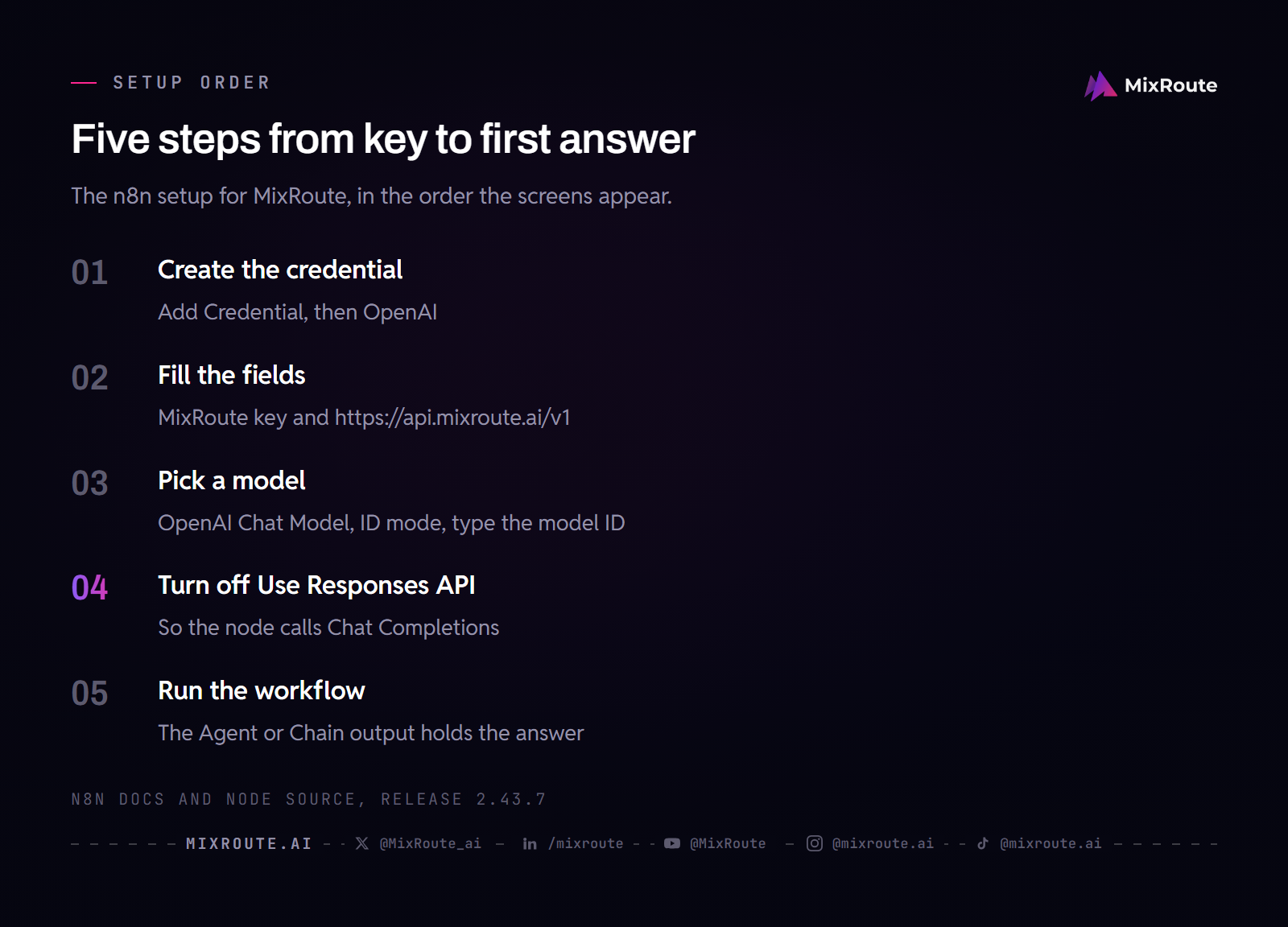
Setup is one credential and one chat model node, and it works on n8n Cloud and self-hosted installs.
Before you start
You need two things:
- A MixRoute API key. Create one in the MixRoute console under API Keys.
- The MixRoute base URL:
https://api.mixroute.ai/v1. The/v1suffix is required.
Step 1: Create an OpenAI credential in n8n
In n8n, open Credentials, select Add Credential, search for OpenAI, and choose it. You can also edit an existing OpenAI credential. The OpenAI type is deliberate: GPT, Claude, and Gemini are all reached through it, because MixRoute serves each of them on its OpenAI-compatible /v1/chat/completions endpoint.
On n8n Cloud, the OpenAI nodes also offer Use Gateway credits in their credential field. Skip it here. That option runs the node without an OpenAI account, so it bypasses the credential this setup depends on.
Step 2: Add your MixRoute API key and base URL
Fill the credential like this.
| Field | Value |
|---|---|
| API Key | Your key from the MixRoute console, not an official OpenAI key |
| Organization ID | Leave blank |
| Base URL | https://api.mixroute.ai/v1 |
| Add Custom Header | Leave off |
The Base URL field sits on the credential form and ships with the OpenAI default, so replace that value. Save the credential. n8n tests it by requesting /models under the Base URL, and a green confirmation means the key and URL reached the MixRoute model list.
Step 3: Pick a model in the OpenAI Chat Model node
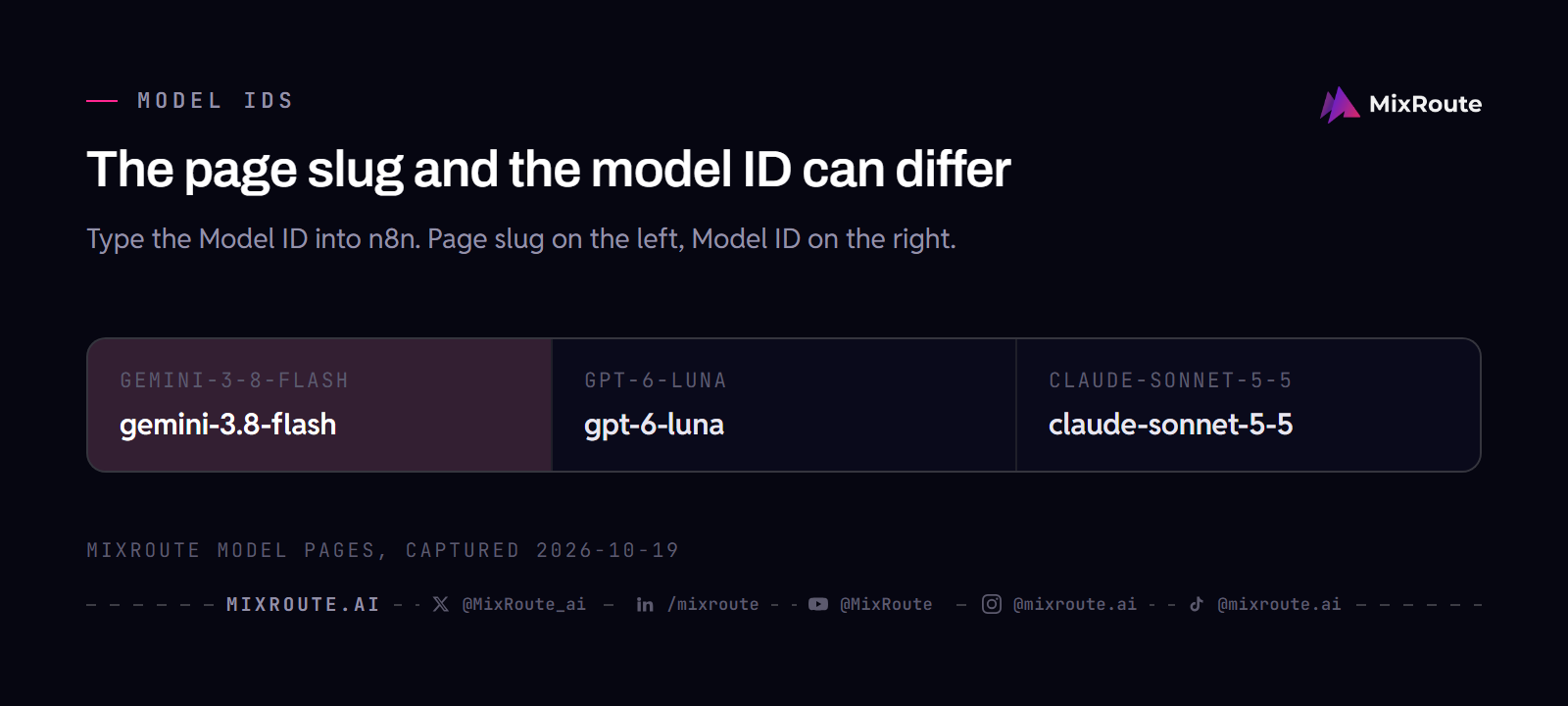
Add an AI Agent or Basic LLM Chain node, open its chat model connector, and choose OpenAI Chat Model. Select the MixRoute credential you just made. The Model field has two modes: From List asks the endpoint for its model list, and ID lets you type the model ID. Use ID when you already know which model you want. Examples from the MixRoute model list:
gpt-6-luna
claude-sonnet-5-5
gemini-3.8-flash
Copy the ID from the spec card on the model page, because the page URL is not always the ID. The Gemini model lives at /models/gemini-3-8-flash/ but its ID is gemini-3.8-flash. The live list is in the MixRoute model center, and the public catalog is at mixroute.ai/models.
If you want to see what n8n is actually sending, this is the same call in the OpenAI Python SDK. The base URL is the only thing that changed from a standard OpenAI script, and the call is Chat Completions, the same endpoint the node uses once the next step is done.
from openai import OpenAI

client = OpenAI(
    api_key="YOUR_MIXROUTE_KEY",
    base_url="https://api.mixroute.ai/v1",
)

resp = client.chat.completions.create(
    model="claude-sonnet-5-5",
    messages=[{"role": "user", "content": "Summarize this lead in one line."}],
)

print(resp.choices[0].message.content)
Step 4: Turn off Use Responses API
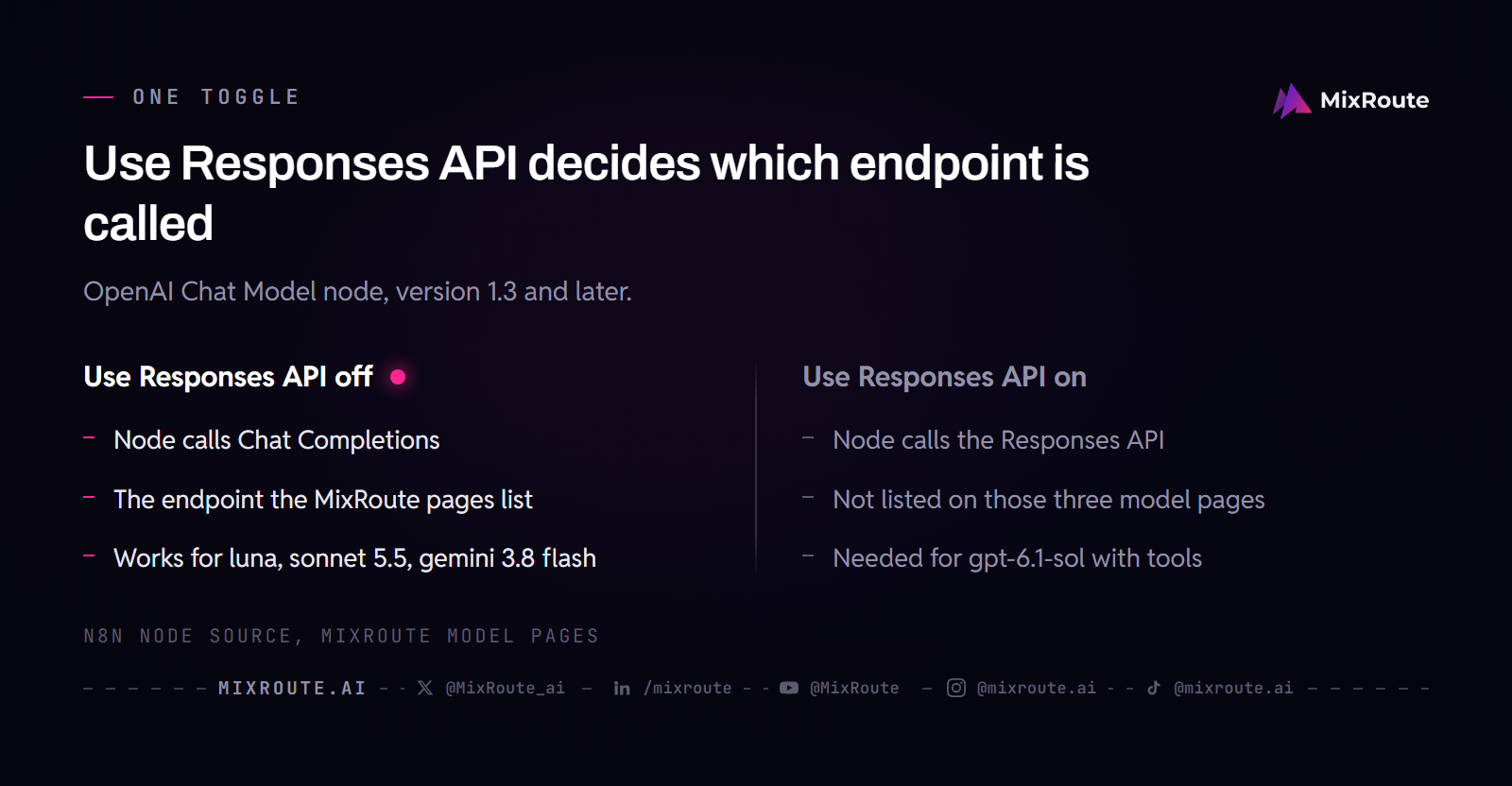
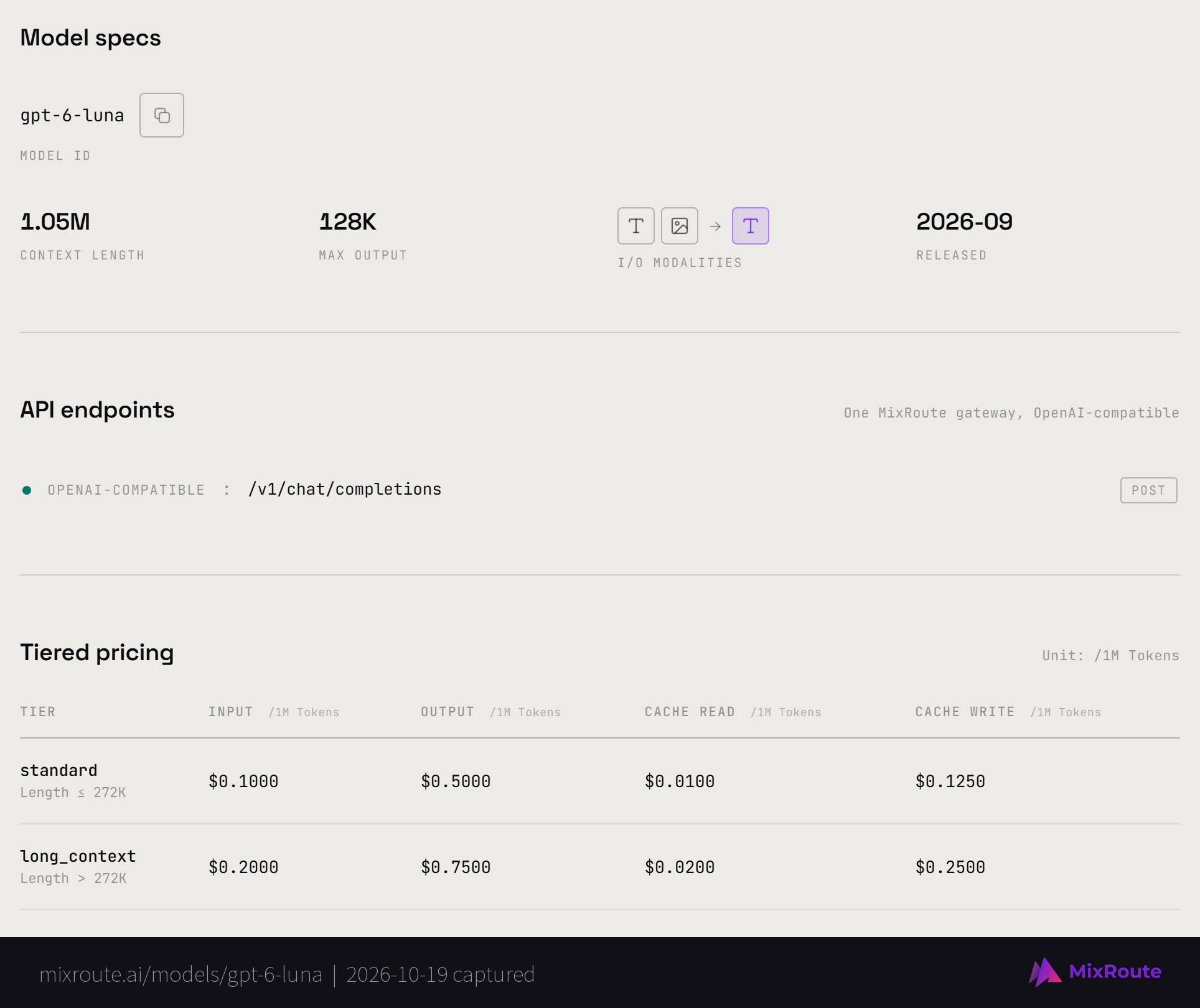
In the OpenAI Chat Model node, find Use Responses API and switch it off. With it on, the node calls OpenAI’s Responses API instead of Chat Completions, and the MixRoute pages for gpt-6-luna, claude-sonnet-5-5, and gemini-3.8-flash all list /v1/chat/completions as their OpenAI-compatible endpoint. Check the toggle even if you never touched it, because the node’s code sets it on by default from node version 1.3. If you do not see it, your node is older and already uses Chat Completions.
Step 5: Run the workflow
Save and execute. The Agent or Chain node’s output holds the model’s answer, and a valid answer means the connection is live. You are now running a frontier model inside n8n without creating an account with that model’s vendor.
Switching models without rebuilding your workflow
To switch models, change the model ID in the node. The credential, the balance, and the wiring stay where they are, so a test of Gemini against GPT on your extraction step takes one edit.
These three IDs cover a typical split between bulk steps and hard steps. Prices are per 1M tokens as listed on the MixRoute model pages on October 19, 2026.
| Model ID | Context | Input / output per 1M tokens | Fits |
|---|---|---|---|
gpt-6-luna | 1.05M | $0.10 / $0.50 up to 272K tokens | High volume, latency-sensitive steps such as classification |
gemini-3.8-flash | 1.048576M | $0.75 / $3.75 | Agent work and multimodal input at Flash-tier speed |
claude-sonnet-5-5 | 1M | $2 / $10 | Well-scoped coding and everyday knowledge work |
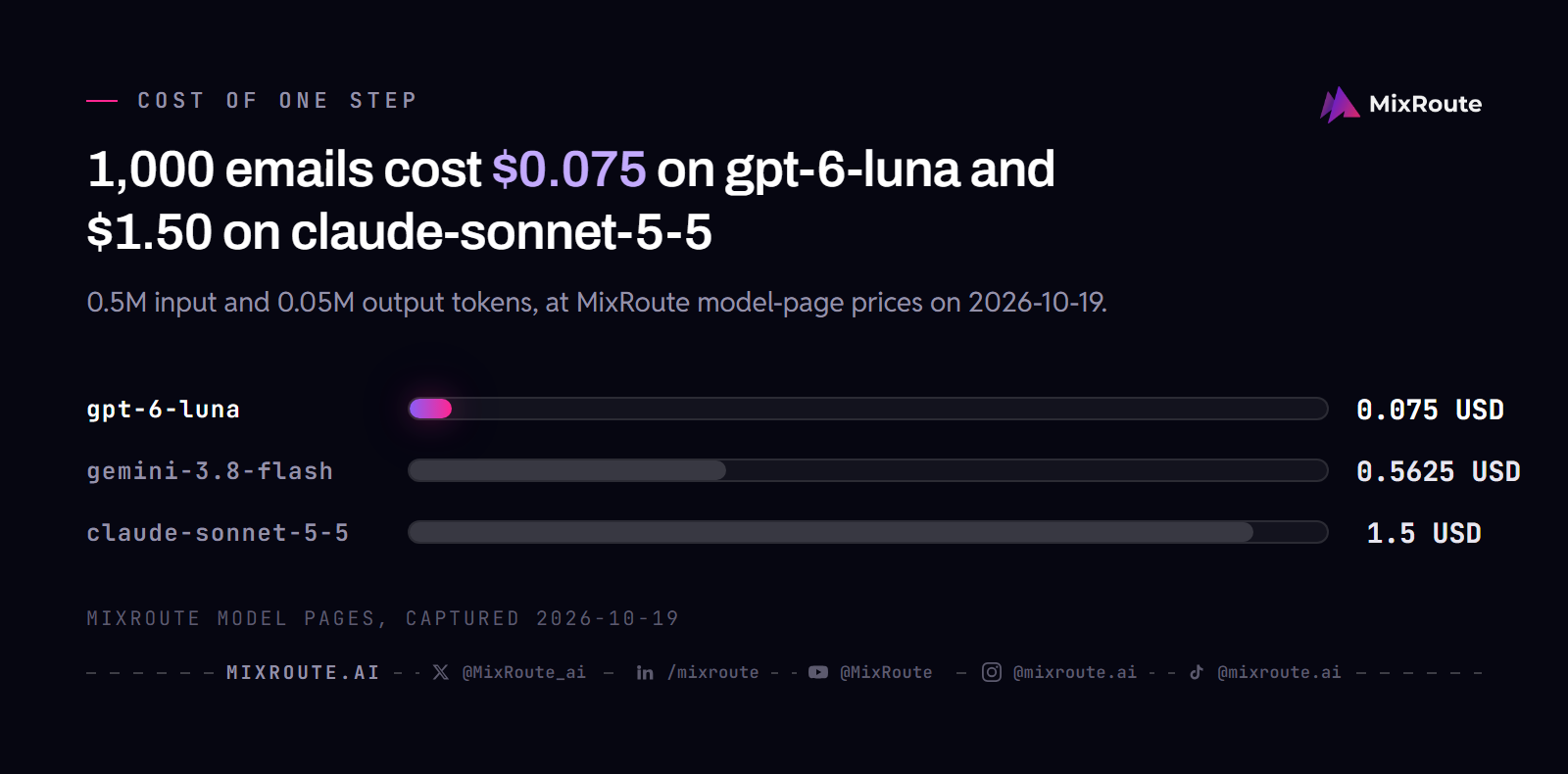
Take a support inbox. A classification step reads 1,000 emails of about 500 input tokens each and writes about 50 tokens back per email, which is 0.5M input and 0.05M output tokens. At the prices above that costs $0.075 on gpt-6-luna, $0.5625 on gemini-3.8-flash, and $1.50 on claude-sonnet-5-5. Run classification on the cheap model, and keep the stronger one for the reply-drafting step that needs it. With separate vendor accounts that means two credentials and two balances. Through MixRoute it is two model IDs in two nodes, billed from one place.
An AI Agent also needs a model that can call tools. n8n shows a notice on the chat model node when you override the Base URL: with a non-OpenAI model, not every model supports tool calling or JSON response format. The pages for the three models above list tool calling, so check a model’s page before you pair any other ID with an agent.
MixRoute also fails over automatically when a provider has trouble, which is the stalled-workflow case from the start of this guide. For an automation that runs unattended, that is the difference between a quiet morning and a 3am alert.
Troubleshooting the n8n MixRoute connection
Most failures trace to the Base URL, the model ID, the key, or the Responses toggle.
- Connection failed. Check the Base URL is exactly
https://api.mixroute.ai/v1, including the/v1. The credential test requests/modelsunder that URL, so a missing suffix sends it to the wrong path. - Model not found. The model ID does not match what MixRoute exposes. Copy the exact ID from the model’s spec card, not from the page address.
- Authentication failed. The key is wrong or was truncated on paste. Recopy the full key from the console, and confirm you are not using an official OpenAI key by mistake.
- Credential tests fine but the node fails at runtime. The test only requests the model list, so it passes even when the chat call goes elsewhere. Open the OpenAI Chat Model node and switch Use Responses API off. If you used the OpenAI node instead, its Generate a Model Response operation posts to
/responses, so use the chat model sub-node for Claude and Gemini IDs. - An agent with tools fails on gpt-6.1-sol. The MixRoute docs say
gpt-6.1-soltakes function calls on the Responses API, and that Chat Completions accepts requests without tools for it. Pickgpt-6-lunafor tool-using agents, or keep Use Responses API on in the node that runsgpt-6.1-sol.
FAQ
Can I use Claude and Gemini in n8n without separate accounts? Yes. With MixRoute behind the OpenAI credential, you reach Claude, Gemini, GPT, DeepSeek, and 250+ models in total through one key and one balance. You never create an Anthropic or Google account, and the model changes when you change the ID.
Do I use the OpenAI node or the Anthropic node for Claude? Neither provider node. Use the OpenAI Chat Model sub-node with the MixRoute credential, because MixRoute serves Claude on its OpenAI-compatible endpoint. The Anthropic Chat Model node needs an Anthropic credential and only offers Claude models, so it takes you back to one account per vendor.
How do I add a custom base URL to the n8n OpenAI node? Open the OpenAI credential and set the Base URL field to https://api.mixroute.ai/v1. The field is on the credential form and defaults to https://api.openai.com/v1. Only workflows with a very old OpenAI Chat Model node (version 1.0) show a second Base URL under the node’s Options.
Why does my n8n OpenAI node fail at runtime even though the credential tested fine? The credential test only requests /models, while the node sends the chat call. If Use Responses API is on, that call goes to the Responses API, which the model pages above do not list. Switch the toggle off in the OpenAI Chat Model node, and use that node rather than the OpenAI node for Claude and Gemini IDs.
Can I pay for AI models in n8n with crypto? Yes. MixRoute accepts USDT and USDC, as well as Visa, Mastercard, and JCB cards, so you can fund the balance that powers your n8n AI nodes without putting a card on file with every model vendor. Credits never expire. See the pricing page for top-up tiers.
Does this work on n8n Cloud and self hosted? Yes, on both. The credential setup is identical, because you are only configuring an OpenAI credential. On n8n Cloud, create the credential yourself rather than choosing Use Gateway credits, which replaces it.
Can I connect an OpenAI-compatible gateway to n8n instead of each vendor? Yes. Any gateway that serves the OpenAI Chat Completions format works the same way: put its base URL and key into the OpenAI credential and select models by ID. MixRoute is one such endpoint, with 250+ models behind https://api.mixroute.ai/v1.
Should Use Responses API be on or off for MixRoute? Off for most models. The OpenAI-compatible endpoint listed on the model pages for gpt-6-luna, claude-sonnet-5-5, and gemini-3.8-flash is Chat Completions. The exception is gpt-6.1-sol with tools, which MixRoute documents on the Responses API.
The bottom line
Your first workflow needs a MixRoute key, one OpenAI credential with the /v1 base URL, and a model ID in the chat model node. Browse the model catalog to pick IDs and prices, then start building on MixRoute.