How to Migrate to a Multi-Provider LLM API Without Breaking Production
How to Migrate to a Multi-Provider LLM API Without Breaking Production
Moving your application from a single LLM provider to a multi-provider API is not a URL swap. It is a production migration that touches authentication, request routing, output quality, cost tracking, and failure handling. This guide walks through six migration phases: audit what you have, test behavioral parity, deploy a canary, cut over with rollback receipts, monitor after the switch, and verify the rollback path. Each phase has a clear entry condition and exit condition.
Why Single-Provider Migrations Fail Without a Process
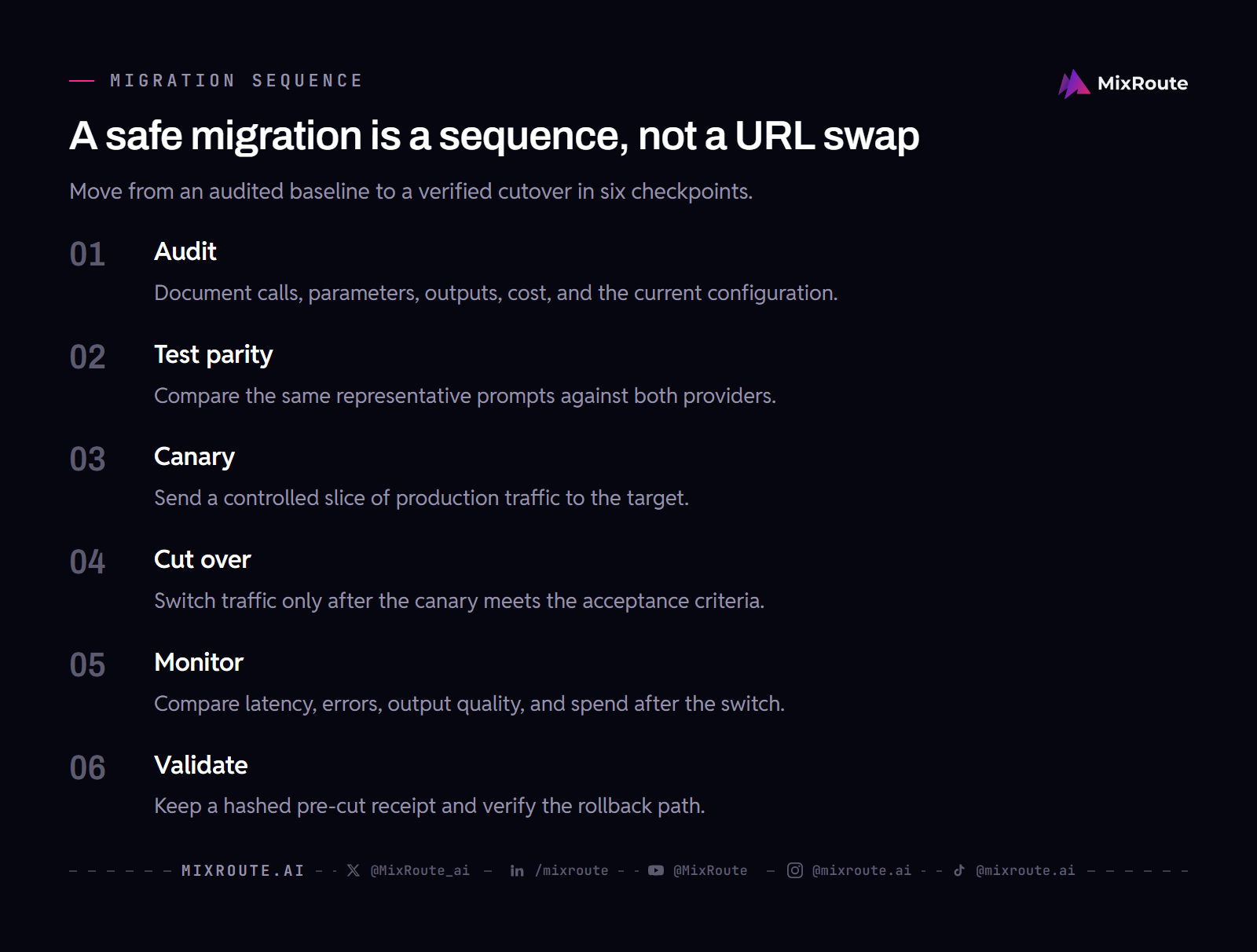
Most migration failures follow the same pattern. A team changes the base URL and API key, sees successful responses, and declares success. Later, a customer reports that a summary that used to be concise now produces extra paragraphs, or a classification task behaves differently on edge cases. The API format was compatible. The behavior was not.
LLM providers return different outputs for identical prompts. A GPT completion and a Claude completion for the same input are not interchangeable at the semantic level. They differ in reasoning style, instruction-following precision, and edge-case handling. If your application depends on specific output characteristics, testing format compatibility alone is not enough.
Three categories of migration failure show up repeatedly in production systems:
Output quality drift. The new provider returns technically valid but behaviorally different responses. Your classification accuracy drops, your summarization style changes, or your function-calling reliability shifts. These failures are silent until a customer notices.
Latency spikes under load. A provider that responds quickly during a small test may behave differently at production scale. Rate limits, regional routing, and model loading create latency profiles that often appear only under real traffic patterns.
Cost surprises. Token pricing varies by provider, model, and tier. A migration that looks cheaper on paper may cost more when you account for input token volume, output length differences, and retry rates.
A structured migration process catches these before they reach production.
The table below defines when each phase starts and finishes.
| Phase | Entry condition | Exit condition |
|---|---|---|
| Audit | You are ready to document what you have before touching any code. | Another engineer can restore your exact pre-migration state using only the audit document. |
| Test parity | The audit document exists and lists all models, parameters, and critical prompts. | You have either adjusted your prompts to normalize behavior across providers or accepted the difference and updated your output expectations. |
| Canary | Parity testing shows behavioral differences fall within your defined acceptable tolerance. | A small traffic fraction routed to the new provider produces stable evidence matching your acceptance criteria. |
| Cut over | The earlier phases have produced evidence about compatibility, behavior, and rollback, a rollback receipt has been prepared, and it is stored in a location independent of your deployment system. | All production traffic moves to the new provider while the old configuration remains stored as a verifiable rollback receipt. |
| Monitor | Cutover completes and full traffic flows through the new provider. | The defined monitoring window shows stable operation against your acceptance criteria. |
| Validate | A rollback receipt exists as a verifiable record of your pre-cutover state that includes a hash of your current configuration, a timestamp, and a snapshot of your monitoring baselines from the stable canary period. | You have rehearsed the rollback procedure in staging and verified that the trigger can restore the old path without relying on undocumented manual steps. |
Audit Your Current Provider Setup Before You Move
Before touching any code, document what you have. This audit becomes your rollback receipt, the proof you can return to your previous state if the migration fails.
Integration points. List every place your application calls the LLM API. For each call, record the model name, temperature, max tokens, system prompt, and any provider-specific parameters. If you are using an OpenAI-compatible API format, note which parameters are standard and which are provider extensions.
Output expectations. For your most critical prompts, capture the expected output characteristics. Not the exact output (which will vary), but the properties: response length range, format (JSON, plain text, markdown), key fields present, and accuracy thresholds for classification tasks.
Cost baseline. Record your current monthly spend, broken down by model and task type. Note your token consumption patterns: average input length, average output length, and peak usage periods. This becomes your comparison point after migration.
Configuration snapshot. Export your current API key permissions, rate limits, model access list, and any organizational settings. Store this with a timestamp and hash. If you need to roll back, you need the exact configuration, not a description of it. Keep the relevant API documentation beside the snapshot so the request and error assumptions are reviewable.
The audit should produce a document you can hand to another engineer who has never seen your system. If the document requires verbal context to understand, it is not complete.
Test Behavioral Parity Across Providers
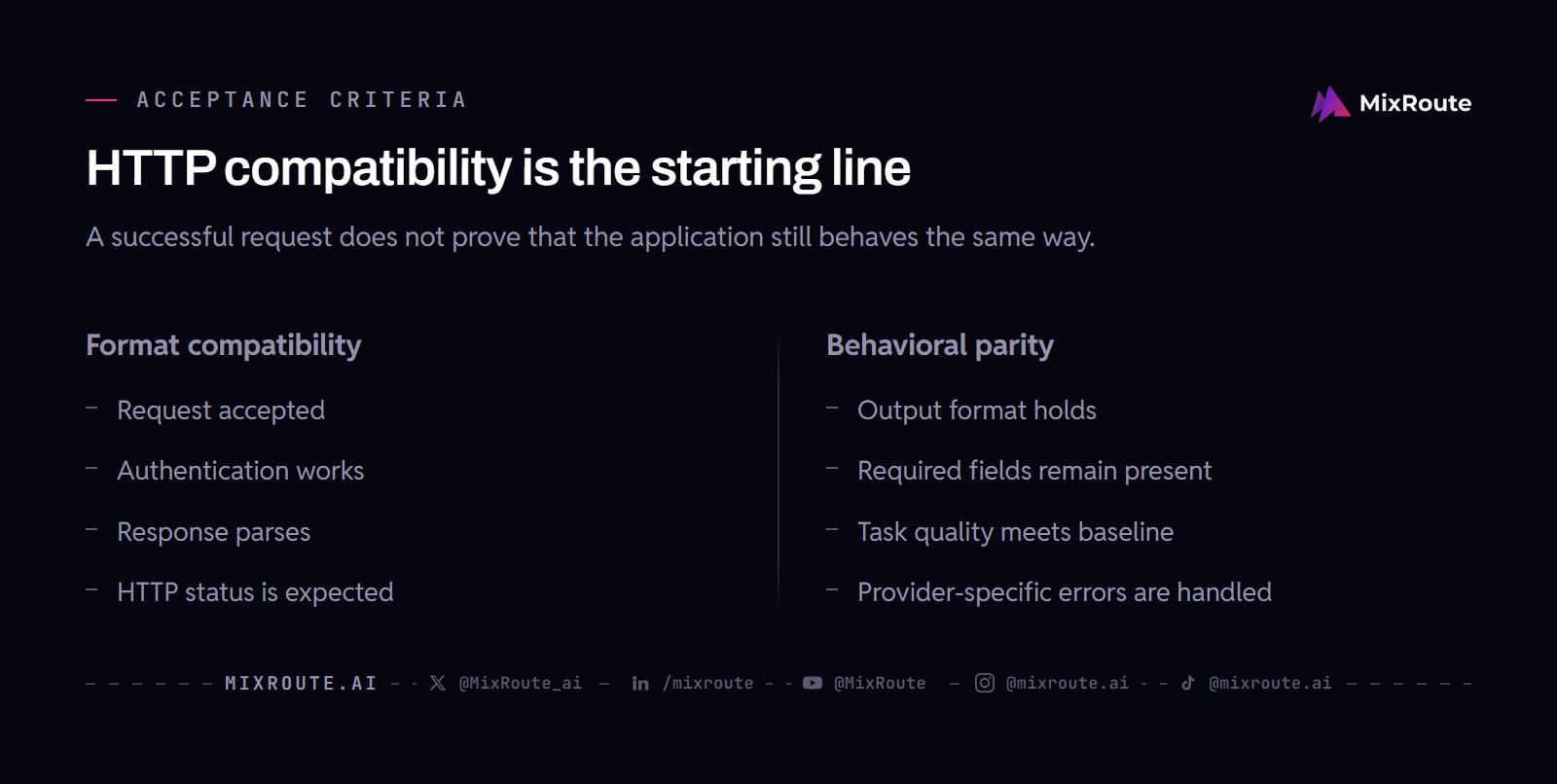
Behavioral parity testing compares outputs from your current provider and the target provider for the same prompts. The goal is not identical output (that is impossible with different models), but equivalent behavior for your specific use case.
Build a parity test suite. For each of your critical prompts, generate outputs from both providers using identical inputs. Store both outputs with metadata: prompt, parameters, provider, latency, token count, and timestamp. Run the suite enough times to expose meaningful variance rather than relying on a single response.
Define acceptance criteria per task type.
For classification tasks: compare accuracy rates across the two providers. Define the acceptable tolerance before running the comparison, based on the task’s business impact and existing baseline. A gap outside that tolerance signals a behavioral difference that may require prompt adjustment.
For generation tasks: compare structural properties. Does the new provider respect your output format? Does it honor constraints like “respond within the application’s length limit”? Does it maintain the same level of instruction-following for system prompts?
For function-calling tasks: compare the schema compliance rate. Does the new provider return valid JSON that matches your expected function signatures? Does it choose the correct function when given multiple options?
Test with production-representative inputs. Synthetic test prompts miss edge cases. Use a sample of real inputs from your logs (anonymized if necessary) to test how each provider handles the distribution of requests your application actually sends.
If the parity test reveals significant behavioral differences, you have two options: adjust your prompts to normalize behavior across providers, or accept the difference and update your output expectations. Either way, you discover this before the migration, not after.
Deploy a Canary and Compare Before You Cut Over
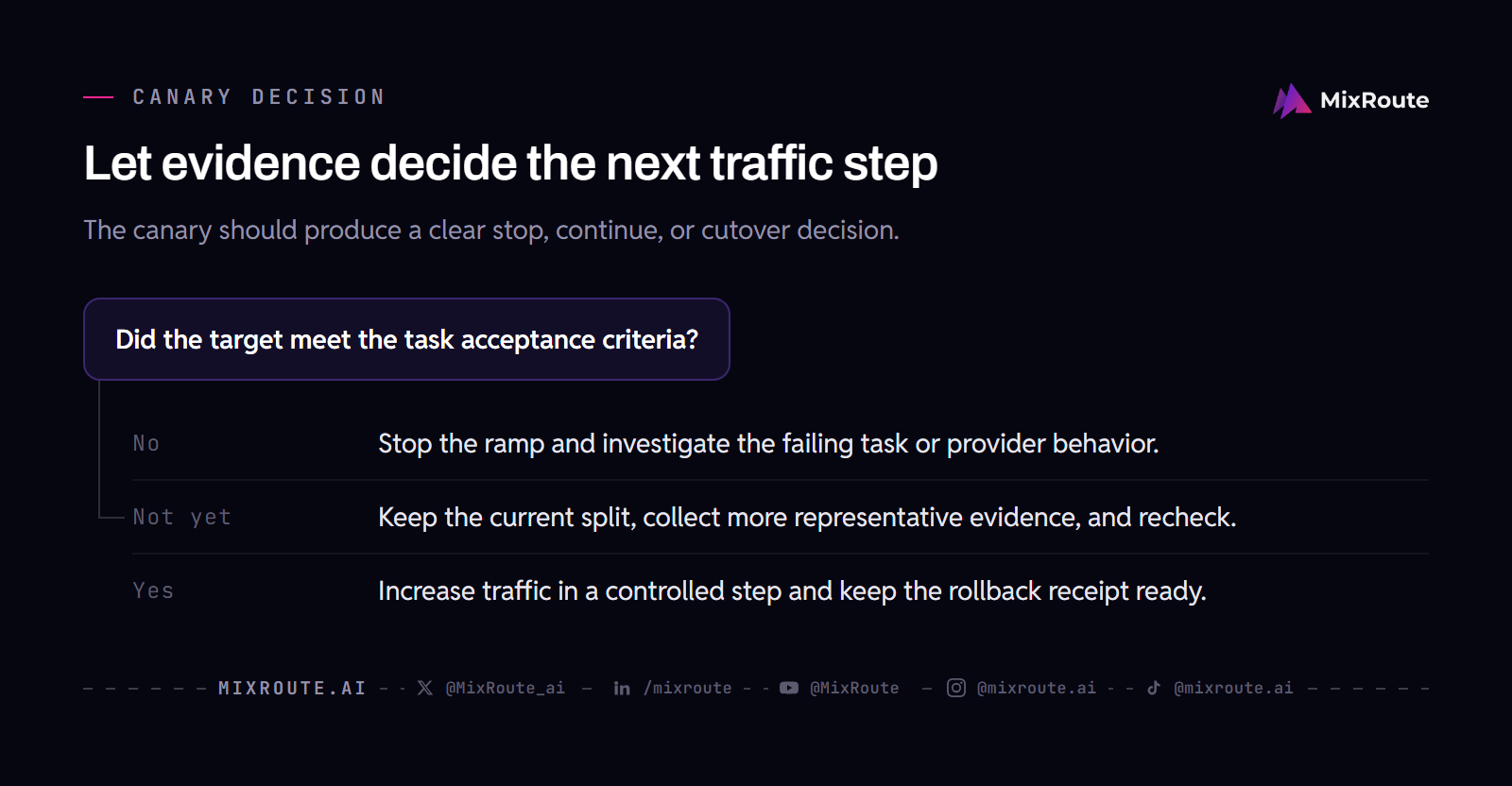
A canary deployment sends a fraction of production traffic to the new provider while the rest continues to the current provider. This catches problems that testing cannot simulate: real user patterns, concurrent load, and provider-specific behavior under production conditions.
Start with a small, reversible slice. Route a limited portion of traffic to the new provider, with the size chosen around your traffic volume, risk tolerance, and observability. Use task-weighted routing if possible: send the simplest, lowest-risk requests first. A classification task with clear correct answers is safer to canary than a generation task where quality is subjective.
Monitor in parallel. Run both providers simultaneously and compare metrics side by side:
Response latency: track P50, P95, and P99 for both providers. A new provider that is slower at P99 may cause timeouts for your longest requests.
Error rates: count 4xx and 5xx responses from the new provider. Some providers return 429 (rate limit) more aggressively than others, especially during the initial ramp-up when their infrastructure is not yet warm for your traffic pattern.
Output quality: sample outputs from both providers and compare against your acceptance criteria. Use automated scoring where possible (format compliance, schema validation) and manual review for subjective quality.
Increase gradually. Move through controlled traffic increments over an observation window that matches your traffic pattern and risk. Each increase should happen only after the previous level has produced enough representative evidence. If any level reveals issues, stop and investigate before proceeding.
The canary phase is where you discover that a provider’s rate limits differ from documentation, that their streaming behavior has subtle timing differences, or that their error messages require different handling logic. These are solvable problems, but only if you find them before the full cutover.
Cut Over With Rollback Receipts
The cutover is the moment you move the remaining traffic to the new provider. It should be a controlled configuration change because the earlier phases have already produced evidence about compatibility, behavior, and rollback.
Prepare the rollback receipt before you cut. A rollback receipt is a verifiable record of your pre-cutover state. It includes:
A hash of your current configuration (API keys, model names, parameters, rate limits). A timestamp of when the receipt was created. A snapshot of your monitoring baselines (latency, error rate, throughput) from the stable canary period.
Store this receipt in a location independent of your deployment system. If your deployment pipeline fails, you still need access to the rollback information.
Execute the cutover. Move the remaining traffic according to the change procedure you tested during the canary. A single coordinated change may be appropriate for a well-observed system; a staged change may be safer when dependencies, queues, or regions are independent. Keep the old path available until the new path has cleared its rollback conditions.
Set a rollback trigger. Define the conditions that automatically trigger a rollback: error rate above a threshold, latency P99 above a threshold, or a specific number of customer complaints. Make this trigger automated, not manual. When a production incident is happening, manual decision-making is unreliable.
Validate the rollback works. Rehearse the rollback procedure before cutover in staging or another controlled environment. After the switch, keep the previous configuration and receipt ready, and verify that the trigger can restore the old path without relying on undocumented manual steps. If the rehearsal or the live checks fail, stop the migration and investigate. For a broader failure-response checklist, see how to handle LLM API failures.
Monitor and Validate After the Switch
The initial monitoring window after cutover requires active attention. The canary produced evidence under a controlled slice, but full traffic may reveal edge cases that the smaller sample missed.
Watch for latency regression. Compare post-cutover latency against your pre-migration baseline. A provider that performed well under a small canary slice may show different behavior at full traffic due to shared infrastructure, rate limiting, or regional routing differences.
Monitor output quality. Continue sampling outputs and comparing against your acceptance criteria. Some quality issues appear only with specific input patterns that are rare in your traffic but critical when they occur.
Track cost. Compare your actual spend against the pre-migration baseline. Token pricing, retry rates, and output length differences can shift your costs in unexpected directions. If the cost delta exceeds your budget tolerance, you have a decision to make before the next billing cycle. Check your current plan to see how the migration affects your cost structure.
Document what changed. Record any prompt adjustments, parameter changes, or configuration modifications you made during the migration. This documentation prevents the next engineer from re-discovering problems you already solved.
When the defined monitoring window shows stable operation against your acceptance criteria, the migration is complete. Your rollback receipt remains valid for future incidents, and your parity test suite becomes a regression test for future provider changes.
FAQ
How long does a typical LLM API migration take?
If your requests already use a compatible format, the base URL and API key swap takes about three to five minutes. The migration described in this guide is a different scope: parity testing, canary observation, and rollback rehearsal are sized by your integration, not by the swap. That part has no general estimate, because it scales with how many models and provider-specific parameters you call, how strict your output requirements are, and how much traffic you need to observe.
Can I migrate without downtime?
A canary approach and parallel readiness can reduce interruption risk, but no general process guarantees zero downtime. Run the failure and rollback scenarios that matter for your application, then keep the old provider configured as a fallback during the monitoring window.
What is behavioral parity testing?
Behavioral parity testing compares outputs from your current provider and the target provider for identical inputs. It measures whether the new provider produces functionally equivalent responses, not just HTTP 200 status codes. This catches output quality drift, format differences, and instruction-following gaps that format-level testing misses.
How do I roll back if the new provider fails?
Use the rollback receipt you prepared before cutover. The receipt contains a hash of your pre-migration configuration and a snapshot of your monitoring baselines. Restore the old provider configuration, verify traffic restores correctly, and investigate the failure offline.
Which providers support OpenAI-compatible migration?
MixRoute documents an OpenAI-compatible endpoint. An existing SDK integration may therefore need only a base URL and API key change for compatible requests, but provider-specific parameters, authentication, streaming behavior, errors, and output semantics still need testing.
Do I need to change my application code to migrate?
Your application code changes may be limited to the base URL and API key when the request is compatible with the target gateway. Still audit provider-specific parameters, authentication, streaming behavior, error handling, and output semantics. If you are migrating directly between providers with different APIs, you may also need to update request formatting. The audit phase identifies which code paths need changes.