

n8n LLM Integration: Run GPT, Claude, and Gemini Through One API
6月 05, 2026 · 9 分で読了
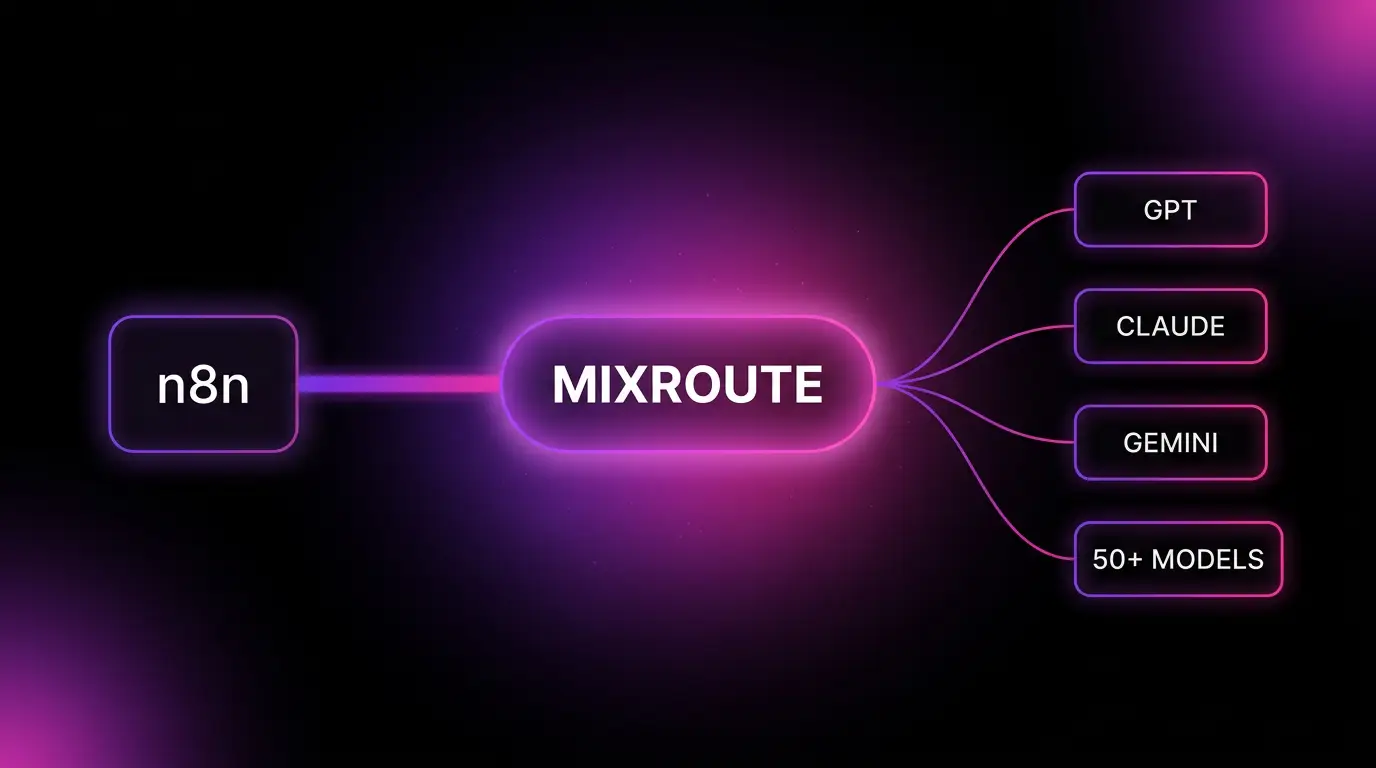
Quick answer: To run multiple LLMs in n8n, create an OpenAI credential, set the Base URL to https://api.mixroute.ai/v1, and paste in a MixRoute API key. Every OpenAI node and AI Agent chat model node in your workflow can then call GPT, Claude, Gemini, or 200+ other models through that single credential. No extra accounts, no per provider billing.
The problem with wiring models into n8n one model at a time
If you build AI workflows in n8n, you already know the shape of this. You want GPT for one step, Claude for the reasoning step, and a cheap fast model for the bulk classification. So you set up an OpenAI account. Then an Anthropic account. Then a Google account for Gemini. Three sets of API keys, three billing dashboards, three card details on file, three separate balances to top up.
Then a provider has a bad hour. Anthropic returns a 529, your workflow throws, and the whole automation sits dead until someone notices. There is no failover inside the node. There is no easy way to swap claude for gpt without touching the credential and the model field by hand.
It gets worse if you are outside the US or EU. Getting a card approved on every provider, passing each one’s billing checks, keeping enough balance on all of them. That is a lot of friction for what should be a single line in a config.
What n8n LLM integration really needs: one credential, every model
n8n’s AI nodes speak the OpenAI API format. The OpenAI node, the AI Agent’s chat model subnode, and the LangChain nodes all build a standard OpenAI style request under the hood. That is the lever.
Any service that exposes an OpenAI compatible endpoint can sit behind that same node. You change one field, the Base URL, and n8n keeps talking the protocol it already knows. The model on the other end changes. The workflow does not.
That is exactly how MixRoute plugs in. MixRoute is an AI API gateway: one OpenAI compatible API that routes across 200+ models including GPT, Claude, Gemini, and DeepSeek. You point n8n’s OpenAI credential at the MixRoute base URL once, and from then on you select any model by its ID. One key. One balance. Every model.
Native nodes vs a gateway: how teams connect LLMs to n8n
There are three honest ways to get language models into an n8n workflow. Here is how they compare.
| Approach | Accounts to manage | n8n credentials | Switch models | Failover | Payment |
|---|---|---|---|---|---|
| Native per provider nodes | One per provider | One per provider | Change node and credential by hand | None inside the node | A card on each provider |
| OpenRouter | One | One (OpenAI credential, custom base URL) | Change model ID | Provider level routing | Card, limited crypto |
| MixRoute | One | One (OpenAI credential, custom base URL) | Change model ID | Automatic, per request | USDT, no KYC, or card |
The native route is fine if you only ever use one provider. The moment you want two, you are maintaining two of everything.
OpenRouter is the well known gateway and it works the same way in n8n: an OpenAI credential with a custom base URL. If you already use it, the n8n setup below is identical, just swap the URL and key. The reasons builders move to MixRoute are the routing on price and latency per request, the automatic failover when a provider drops, and funding a balance with USDT without a KYC process. If those do not matter to you, OpenRouter is a reasonable pick and we will not pretend otherwise.
How to integrate n8n to run GPT, Claude, and Gemini
This works on n8n Cloud and self hosted. The whole thing takes about five minutes.
Before you start
You need two things:
- A MixRoute API key. Create one in the MixRoute console under API Keys.
- The MixRoute base URL:
https://api.mixroute.ai/v1. The/v1suffix is required.
Step 1: Create an OpenAI credential in n8n
In n8n, open Credentials, click Add Credential, search for OpenAI, and select it. You can also edit an existing OpenAI credential if you have one. You are using the OpenAI credential type on purpose. GPT, Claude, Gemini, and every other model are all reached through this one credential, because MixRoute speaks the OpenAI format.
Step 2: Add your MixRoute API key and base URL
Fill the credential like this.
| Field | Value |
|---|---|
| API Key | Your key from the MixRoute console, not an official OpenAI key |
| Base URL | https://api.mixroute.ai/v1 |
In some n8n versions the Base URL field lives under Additional Fields or Options inside the credential rather than on the main form. If you do not see it, expand those. Save the credential. A green confirmation means the connection tested clean.
Step 3: Pick a model in your OpenAI or AI Agent node
Add an OpenAI node, or wire an OpenAI Chat Model subnode into an AI Agent. Select the MixRoute credential you just made. Then set the model by its ID. Examples from the MixRoute model list:
gpt-4o-mini
claude-sonnet-4-20250514
gemini-2.5-flash
Model IDs must match the names MixRoute exposes. The live list is in the MixRoute model center, so check there for the current set before you wire anything to production.
If you want to see what n8n is actually sending, this is the same call in the OpenAI Python SDK. The base URL is the only thing that changed from a standard OpenAI script.
from openai import OpenAI

client = OpenAI(
    api_key="YOUR_MIXROUTE_KEY",
    base_url="https://api.mixroute.ai/v1",
)

resp = client.chat.completions.create(
    model="claude-sonnet-4-20250514",
    messages=[{"role": "user", "content": "Summarize this lead in one line."}],
)

print(resp.choices[0].message.content)
Step 4: Run the workflow
Save and execute. A valid response back from the node means the connection is live. You are now running a frontier model inside n8n without ever creating an account on that model’s provider.
Switching models without rebuilding your workflow
This is where one credential pays off. Want to test whether Gemini handles your extraction step cheaper than GPT? Change the model ID in the node. Nothing else moves. Same credential, same balance, same workflow wiring.
Because MixRoute routes per request and falls back automatically when a provider fails, the dead workflow problem from earlier mostly goes away. If a provider has a bad hour, the gateway routes around it instead of throwing inside your node. For an automation that is supposed to run unattended, that is the difference between a quiet morning and a 3am alert.
A practical pattern in n8n: use a cheap fast model for high volume steps like classification and routing, and a stronger model only on the steps that need it. With separate provider accounts that means two credentials and two balances. Through MixRoute it is two model IDs in two nodes, billed from one place.
Troubleshooting the n8n MixRoute connection
Most issues are one of these.
- Connection failed. Check the Base URL is exactly
https://api.mixroute.ai/v1, including the/v1. A missing suffix is the most common cause. - Model not found. The model ID does not match what MixRoute exposes. Copy the exact ID from the model center.
- Authentication failed. The key is wrong or was truncated on paste. Recopy the full key from the console, and confirm you are not using an official OpenAI key by mistake.
- Credential tests fine but the node 404s at runtime. Some n8n OpenAI node versions have mishandled custom base URLs even when the credential test passes. If you hit this, route the model through an AI Agent’s OpenAI Chat Model subnode instead, or update n8n, since that path has been the reliable one for custom endpoints.
FAQ
Can I use Claude and Gemini in n8n without separate accounts? Yes. That is the point of a gateway. With MixRoute behind the OpenAI credential, you reach Claude, Gemini, GPT, DeepSeek, and 200+ other models through one key and one balance. You never create an Anthropic or Google account.
Do I use the OpenAI node or the Anthropic node for Claude? The OpenAI node. MixRoute exposes every model in the OpenAI format, so even Claude and Gemini are called through the OpenAI credential. There is no need for provider specific nodes.
How do I add a custom base URL to the n8n OpenAI node? Open the OpenAI credential and set the Base URL field to https://api.mixroute.ai/v1. In some versions that field is under Additional Fields or Options inside the credential rather than on the main form.
Why does my n8n OpenAI node fail at runtime even though the credential tested fine? Certain OpenAI node versions have not handled custom base URLs correctly at execution time despite a passing credential test. Use the AI Agent’s OpenAI Chat Model subnode for the call, or update your n8n version.
Can I pay for AI models in n8n with crypto? Yes. MixRoute accepts USDT with no KYC, so you can fund the balance that powers your n8n AI nodes without putting a card on file with every model provider. This is the main reason builders outside the US and EU use it.
Does this work on n8n Cloud and self hosted? Both. The credential setup is identical. You are only configuring an OpenAI credential, which exists on every n8n deployment.
Is MixRoute an OpenRouter alternative for n8n? It connects the same way, through the OpenAI credential with a custom base URL. The differences are per request routing on price and latency, automatic failover, and USDT payments with no KYC.
The bottom line
n8n already speaks the OpenAI API. A gateway just lets that one node reach every model instead of one. Set the Base URL once, and GPT, Claude, and Gemini all answer through a single credential, with failover when a provider drops and one balance to keep topped up.
MixRoute does exactly that. One OpenAI compatible API, 200+ models, automatic failover, USDT with no KYC. About five minutes from signup to your first model running inside n8n. Start building on MixRoute