

OpenClaw Model Provider Setup: Run GPT, Claude, and Gemini Through One API
6 月 08, 2026 · 9 分鐘閱讀
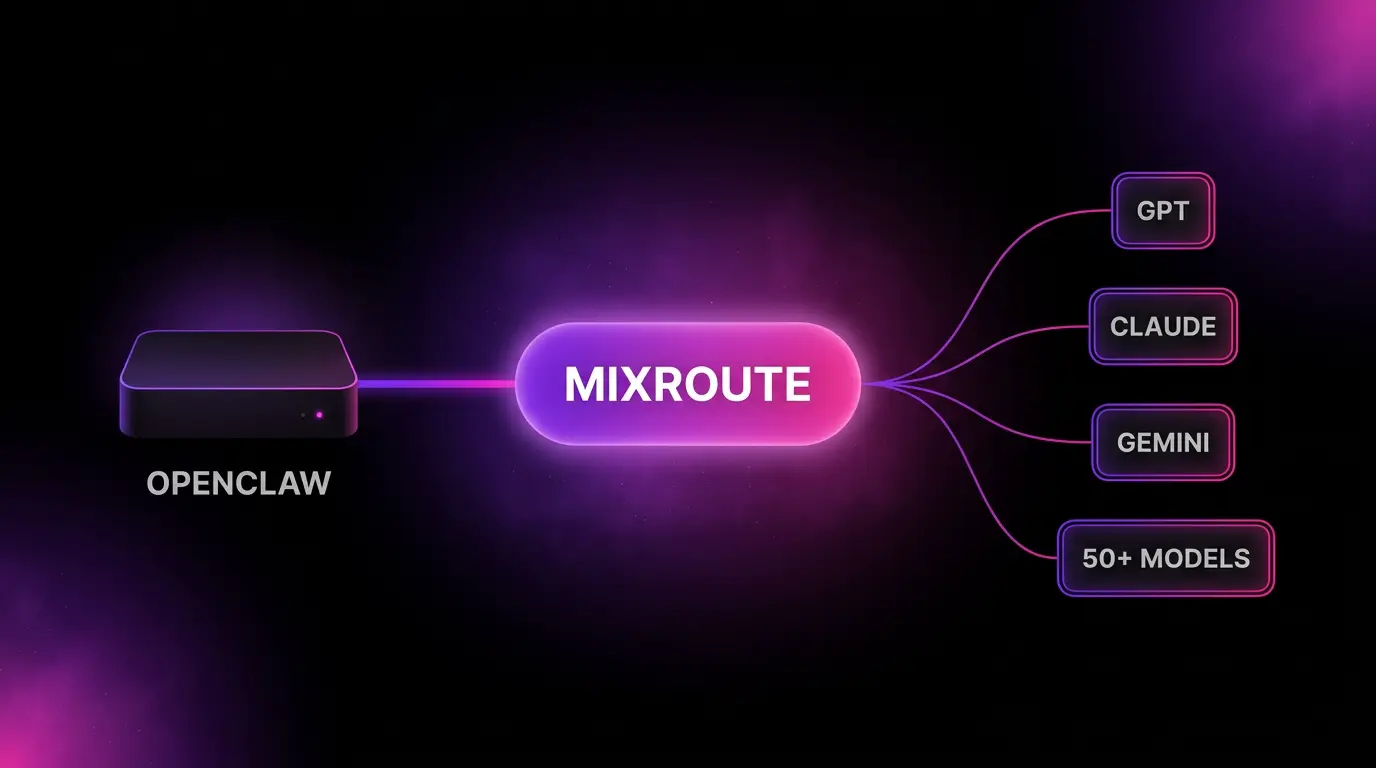
Quick answer: To use any model in OpenClaw, add MixRoute as a custom model provider in openclaw.json. Set baseUrl to https://api.mixroute.ai/v1, set api to openai-completions, and point agents.defaults.model.primary at mixroute/your-model-id. Your self hosted assistant can then run GPT, Claude, Gemini, or 50+ other models, with automatic fallbacks when a provider fails.
You self hosted OpenClaw for control. The model is still the catch.
You ran the install script, finished the onboarding wizard, and now you have a 24/7 assistant living on your own hardware, wired into Telegram or Discord, with context and skills stored locally instead of in someone’s cloud. That is the whole point of OpenClaw. Your data stays yours.
Then you hit the one part that is not local: the model. The brain still calls out to a provider. The default move is to point it at a single vendor, OpenAI or Anthropic, with that vendor’s key and that vendor’s bill.
That undercuts the reason you self hosted in the first place. You are locked to one company’s model lineup. You hand your identity to their billing and KYC. And worst of all for something meant to run around the clock, if that one provider has a bad hour, your always on assistant goes dark with it. There is no second engine.
What an OpenClaw model provider actually is
OpenClaw decides which model answers through its models.providers config. Each provider has a base URL, a key, and an API type. OpenClaw natively supports OpenAI compatible gateways through the openai-completions API type. That is the hook.
Any service that speaks the OpenAI format can be dropped in as a provider. You declare it once, list the model IDs you want, and set a default. OpenClaw routes through it from then on. You can also set fallbacks, a list of models to try when the primary one fails.
That last feature is the tell. OpenClaw already expects you to want more than one model on standby. The cleanest way to feed that is a gateway that exposes many models behind a single provider.
That is what MixRoute is. One OpenAI compatible API that routes across 50+ models including GPT, Claude, Gemini, DeepSeek, and open models like Kimi. You add it as one provider in openclaw.json and your assistant can reach all of them, switch between them by editing one line, and fall back automatically when a provider drops. One key. One balance. Funded with USDT, no KYC, which fits the OpenClaw privacy ethos better than putting a card on file with a frontier lab.
Powering OpenClaw: single vendor vs local vs a gateway
There are three honest ways to give OpenClaw a brain. Here is the tradeoff.
| Approach | Models you can reach | Switch models | Failover when a provider drops | Billing |
|---|---|---|---|---|
| Single cloud vendor | That one vendor’s models | New account and key per vendor | None | Card and KYC |
| Local models on your hardware | Whatever your machine can run | Download another model | Not applicable, it is your box | Free, but you buy the GPU |
| MixRoute gateway | 50+ across vendors | Edit one config line | Automatic, plus OpenClaw fallbacks | USDT no KYC, or card |
Local models are the purest privacy play and worth running if your hardware can handle them. The catch is the ceiling. A laptop or a Mac mini will not run a frontier model at full size, so you trade capability for total locality.
A single cloud vendor gives you frontier capability but rebuilds the lock in and billing friction you self hosted to avoid. The gateway sits in the middle: frontier models on demand, no per vendor accounts, and payment that does not require handing over your identity. Many OpenClaw users run a local model for routine private tasks and a gateway for the heavy reasoning. OpenClaw’s fallbacks field makes that mix trivial.
How to connect OpenClaw to MixRoute
This assumes OpenClaw is already installed and running. If it is not, do that first so you can tell setup issues apart from provider issues.
Before you start
- Node 22.19 or higher (Node 24 recommended).
- A MixRoute API key. Create one in the MixRoute console.
- The MixRoute base URL:
https://api.mixroute.ai/v1. The/v1suffix is required.
Step 1: Get OpenClaw running first
If you are starting clean, install and onboard, then confirm the gateway is up.
curl -fsSL https://openclaw.ai/install.sh | bash
openclaw onboard --install-daemon
openclaw status
openclaw dashboard
If the Control UI opens in your browser, OpenClaw is healthy. You do not need Telegram or Discord configured yet.
Step 2: Store your MixRoute key as an environment variable
Keep the key out of your config file. Set it in your shell, service environment, or a .env file OpenClaw can read.
export MIXROUTE_API_KEY="sk-your-mixroute-key"
Step 3: Add MixRoute as a provider in openclaw.json
The config file lives at ~/.openclaw/openclaw.json. Add MixRoute under models.providers and set it as the default. Use mode: mergeso your built in providers stay intact.
{
  "models": {
    "mode": "merge",
    "providers": {
      "mixroute": {
        "baseUrl": "https://api.mixroute.ai/v1",
        "apiKey": "${MIXROUTE_API_KEY}",
        "api": "openai-completions",
        "models": [
          { "id": "gemini-2.5-flash", "name": "Gemini 2.5 Flash", "contextWindow": 1048576, "maxTokens": 8192 },
          { "id": "kimi-k2.5", "name": "Kimi K2.5", "contextWindow": 262144, "maxTokens": 8192 }
        ]
      }
    }
  },
  "agents": {
    "defaults": {
      "model": {
        "primary": "mixroute/gemini-2.5-flash",
        "fallbacks": ["mixroute/kimi-k2.5"]
      },
      "models": {
        "mixroute/gemini-2.5-flash": { "alias": "flash" },
        "mixroute/kimi-k2.5": { "alias": "kimi" }
      }
    }
  }
}
The pieces that matter: the provider name (mixroute), the model IDs under models, and the default reference (mixroute/model-id). As long as those line up, OpenClaw routes through MixRoute. The fallbacks array is where you list the model OpenClaw should try if the primary one fails.
Model IDs must match what MixRoute exposes. The two above are examples. Pull the current list from the MixRoute model center before you commit anything to your live assistant.
Step 4: Validate and verify the connection
Validate the config first, and let OpenClaw repair any formatting issues:
openclaw doctor --fix
Then start a conversation and check the available models with the in chat command:
/models
If models with the mixroute/ prefix show up and the default reads mixroute/..., you are connected. You can also open openclaw dashboard to confirm. Your self hosted assistant is now thinking with a frontier model it reaches through one provider.
Why fallbacks matter more for an always on assistant
A chatbot you open on purpose can wait out a provider outage. An assistant that sends your morning briefing, watches your alerts, and runs scheduled tasks cannot. Downtime on the model side means missed jobs.
This is where the gateway plus OpenClaw’s own fallbacks earn their place. MixRoute routes per request and fails over across providers on its side. OpenClaw’s fallbacks add a second layer on yours. If the primary model is unreachable, the assistant tries the next one instead of going silent. For a 24/7 setup that is the difference between resilient and fragile.
The same config also lets you spend smartly. Point primary at a cheap fast model for routine messages and routing, and keep a stronger model in the lineup for the tasks that need real reasoning. Changing the mix is one edit to openclaw.json, not a new account.
Troubleshooting the OpenClaw MixRoute connection
Most problems are one of these.
- Missing
/v1in baseUrl. The single most common error. The base URL must be exactlyhttps://api.mixroute.ai/v1. - Wrong model ID. Your
primaryandfallbacksvalues must match theidfields undermodels.providers.mixroute.models, and those must match what MixRoute exposes. - Key not visible to the service. If the gateway runs as a background service, confirm it can actually read
MIXROUTE_API_KEYin its environment. - Need to see what is happening. Run
openclaw doctor --fixto validate and repair the config, thenopenclaw statusto check the gateway.
FAQ
What is the best model provider for OpenClaw? It depends on what you want. For frontier models without locking to one vendor, a gateway like MixRoute lets OpenClaw reach 50+ models through one provider with automatic fallbacks. For maximum privacy, run a local model on your own hardware and accept the capability ceiling.
Can OpenClaw use Claude and GPT at the same time? Yes. Through a single MixRoute provider you can set one model as primary and others as fallbacks, mixing vendors freely. OpenClaw reaches all of them through the one openai-completions provider.
How do I change the model OpenClaw uses? Edit agents.defaults.model.primary in ~/.openclaw/openclaw.json to another mixroute/model-id, as long as that ID is listed under the provider’s models. No new account or key needed.
Does connecting a cloud gateway break OpenClaw’s privacy? Your context, skills, and history still live on your machine. Only the model inference call leaves, the same as with any cloud provider. MixRoute adds USDT payment with no KYC, so you are not also handing over your identity to bill the usage.
Why does my OpenClaw model fail even though the key is set? Usually the model ID does not match what the provider exposes, or the base URL is missing /v1. Run openclaw gateway --port 18789 in the foreground to read the actual error in the logs.
Can I pay for OpenClaw’s AI usage with crypto? Yes. MixRoute accepts USDT with no KYC, which is why it fits the self hosted crowd. You fund one balance that powers every model your assistant uses.
The bottom line
OpenClaw keeps your data on your hardware. The model is the one piece that still reaches out, so the smart move is to reach out to a gateway instead of locking onto a single vendor. One provider in openclaw.json, 50+ models behind it, fallbacks for the 3am jobs, and billing that does not ask who you are.
MixRoute does exactly that. One OpenAI compatible API, 50+ models, automatic failover, USDT with no KYC. A few minutes of config and your self hosted assistant has a brain it does not depend on any single vendor for. Start building on MixRoute