> ## Documentation Index
> Fetch the complete documentation index at: https://mixroute.ai/docs/llms.txt
> Use this file to discover all available pages before exploring further.
# 智能路由
## 介紹
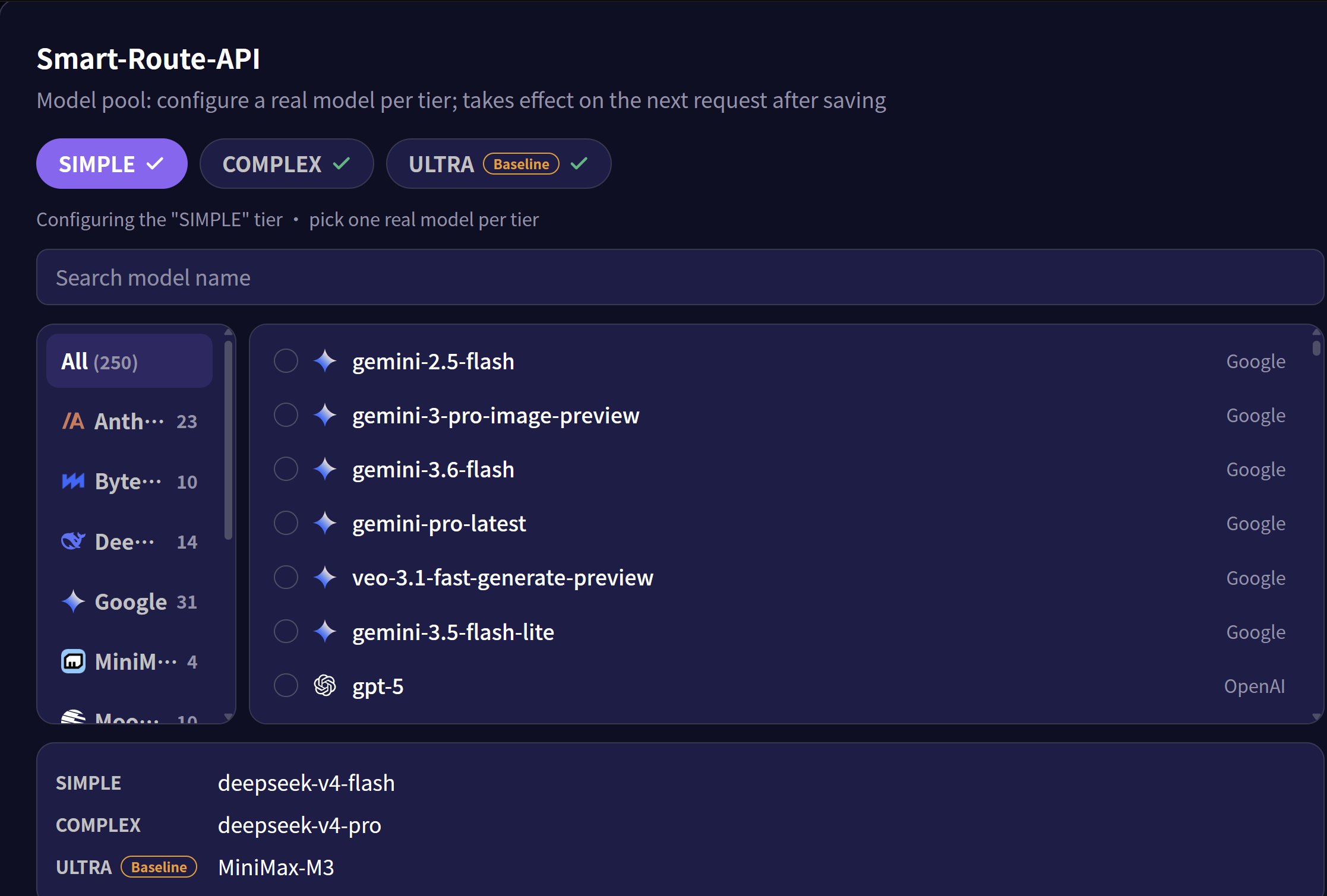
Smart Routing 是一項智慧模型路由能力,會根據輸入任務的複雜程度,自動將請求分配至最合適的模型。控制台將任務分為 **Simple**(簡單)、**Complex**(複雜)和 **Ultra**(旗艦)三個等級,在維持輸出品質的同時降低 API 呼叫成本,其中 Ultra 為價格基準。
透過系統 API 設定時,控制台中的 Ultra 對應 `smart_route_tiers.super`;`smart_route_tiers` 必須以 JSON 字串傳送。完整建立、更新和統計流程請參閱[智慧路由 API](/docs/zh-hant/api-reference/system-api/smart-routing)。
## 應用文檔
* [Hermes](/docs/zh-hant/integrations/hermes)
* [Odysseus](/docs/zh-hant/integrations/odysseus)
* [Opencode](/docs/zh-hant/integrations/open-code)
* [OpenClaw](/docs/zh-hant/integrations/openclaw)
* [ClaudeCode](/docs/zh-hant/integrations/claude-code)
* [OpenWebUi](/docs/zh-hant/integrations/openwebui)
### 使用限制
**快取能力限制**
提示詞快取通常依供應商與模型隔離。若智慧路由將後續請求分配到不同模型,該請求無法重複使用前一個模型的快取;持續路由到同一模型時,是否命中快取仍取決於該供應商的規則。
**請求體結構限制**
Smart Routing 使用 `/v1/chat/completions` 端點。當路由目標為 Claude 系列模型時,只能透過 OpenAI 相容模式運作。相容後的功能限制請參考 Anthropic 官方文件 [OpenAI SDK compatibility](https://platform.claude.com/docs/en/cli-sdks-libraries/libraries/openai-sdk)。
### 使用指南
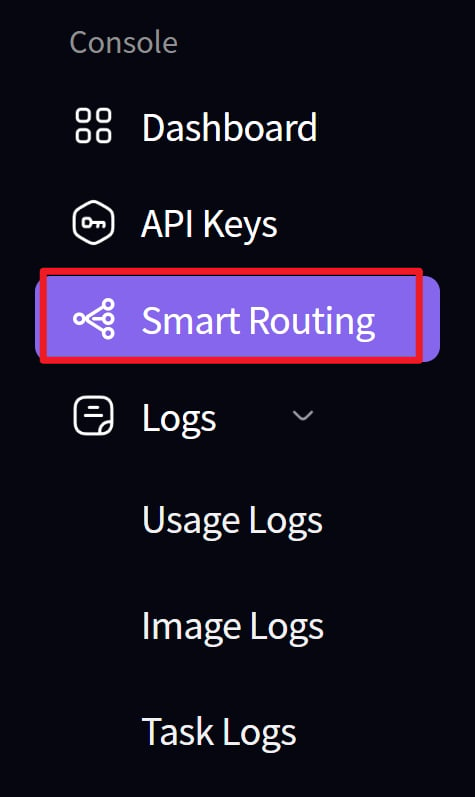
1. 建立路由
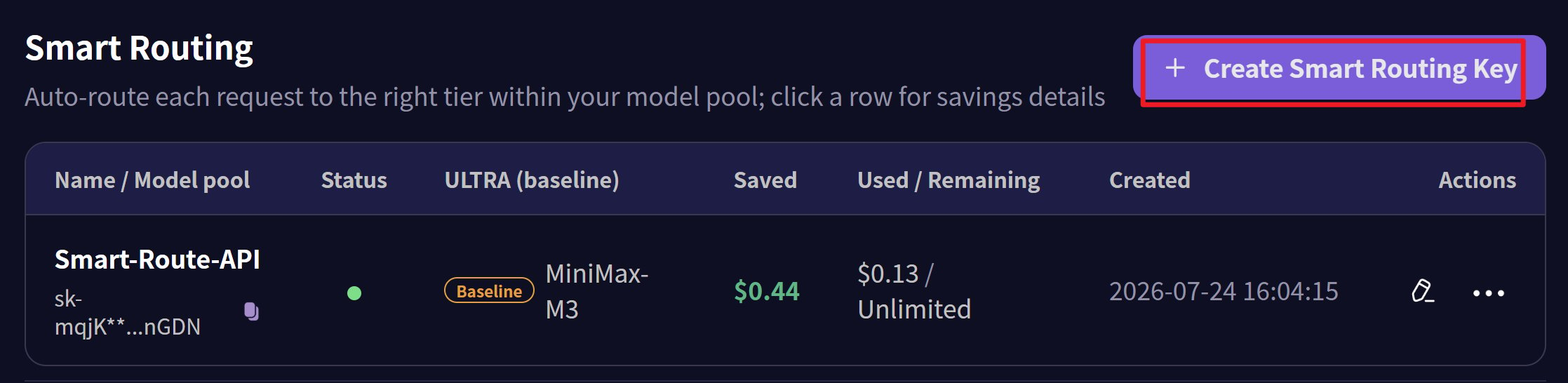
 2. 為路由節點建立金鑰
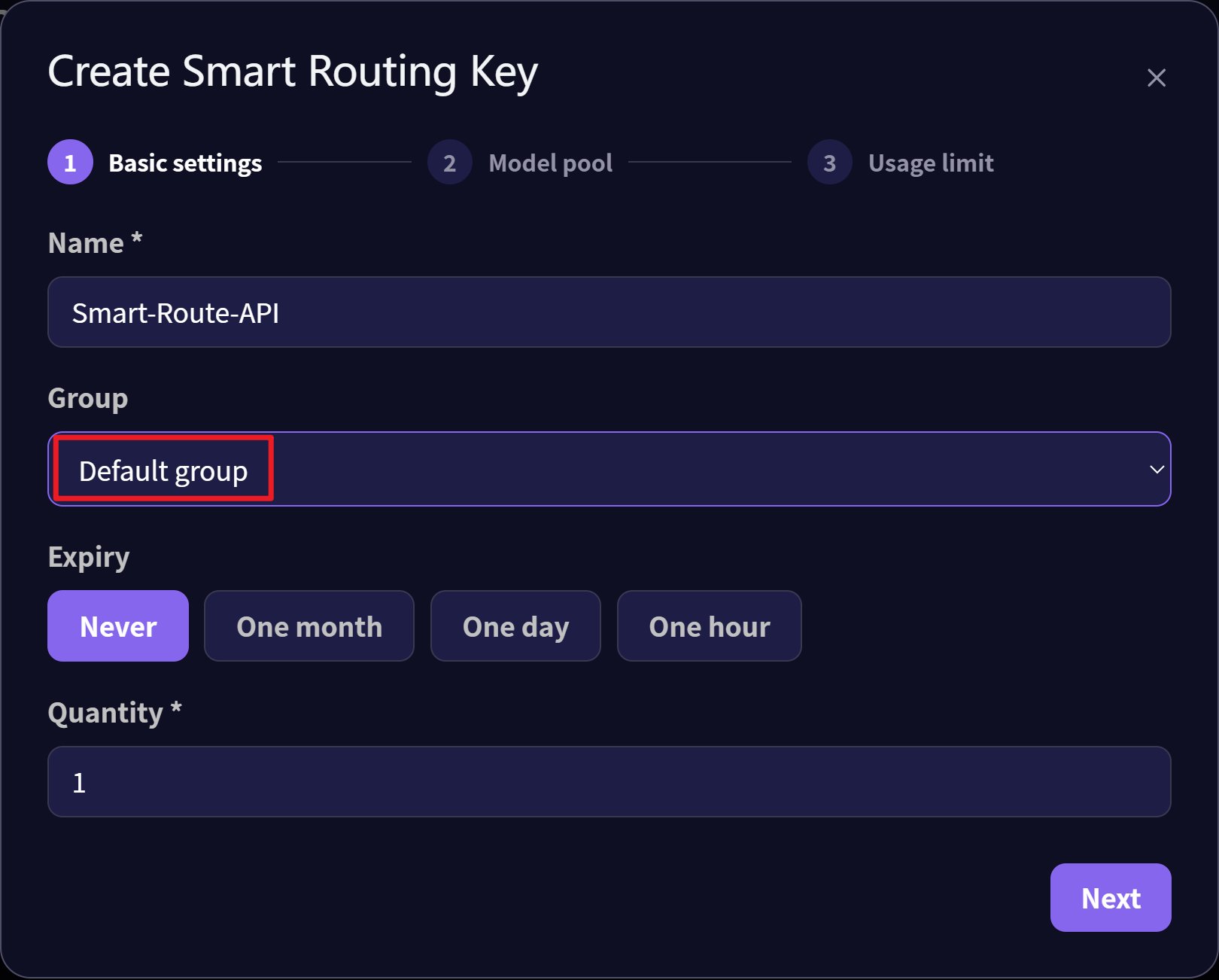
 3. 為金鑰選擇 Default 分組
 4. 分別為 simple、complex、ultra 三個級別設定對應模型
 5. 設定並透過智慧閘道進行路由
* 通訊端點:`https://api.mixroute.ai/v1/chat/completions`
* 模型名稱:`auto`
* 金鑰:使用路由的金鑰
```bash theme={null}
curl https://api.mixroute.ai/v1/chat/completions \
-H "Content-Type: application/json" \
-H "Authorization: Bearer YOUR_ROUTING_KEY" \
-d '{
"model": "auto",
"messages": [
{"role": "user", "content": "Hello"}
]
}'
```
This documentation is built and hosted on [Mintlify](https://mintlify.com), a developer documentation platform.
5. 設定並透過智慧閘道進行路由
* 通訊端點:`https://api.mixroute.ai/v1/chat/completions`
* 模型名稱:`auto`
* 金鑰:使用路由的金鑰
```bash theme={null}
curl https://api.mixroute.ai/v1/chat/completions \
-H "Content-Type: application/json" \
-H "Authorization: Bearer YOUR_ROUTING_KEY" \
-d '{
"model": "auto",
"messages": [
{"role": "user", "content": "Hello"}
]
}'
```
This documentation is built and hosted on [Mintlify](https://mintlify.com), a developer documentation platform.